Hacking R4 v1.08(beta) kernel is out

  • Thread starter Thread starter ahtin
  • Start date Start date
  • Views Views 13,301
  • Replies Replies 94

ahtin

Well-Known Member
Member
Joined
Oct 27, 2006
Messages
545
Reaction score
5
Trophies
1
Location
Hong Kong
XP
622
Country
Hong Kong
Language: English
Updated Date:2007-4-2 18:00:01
Version: 1.08
Instructions: R4 v1.08(beta) kernel

1. Automatic recognize slot 2 adapter, support NDS and GBA games card. (credit to cory1492)
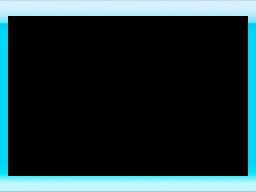
2. Customable frameset for loading slot 2 GBA games. (save your gbaframe.bmp to _system_ directory)
3. Backup/Restore game saves. (press SELECT to switch to Display Savefiles, choose the SAV file and then press A to backup, chose the BAK file and then press A to restore)
4. Support deleting file and empty directory. (Press X to del while highlighting the corresponding file or directory)
5. Bug fixed for 0970 save problem.
 
sounds good - so you'll be able to effectively have two or more save files usable easily - perfect for games that only have one save slot!
 
Oh yea, the save file function i've been waiting for
biggrin.gif
 
Yeah, this is not a April fool..
biggrin.gif


The most interesting point is u can delete files at your DS, boring game can remove a.s.a.p now lol
 
1. Automatic recognize slot 2 adapter, support NDS and GBA games card. (credit to cory1492)

Someone care to explain a bit more on this one?

Most likely, if you have a slot2 flashcard inside, it will automatically recognize it and give you the option to boot from it instead. Giving you the option of choosing whetever you want to boot the R4 first or the Slot2 card you are using, such as M3,G6,SC etc.
 
1. Automatic recognize slot 2 adapter, support NDS and GBA games card. (credit to cory1492)

Someone care to explain a bit more on this one?


Most likely, if you have a slot2 flashcard inside, it will automatically recognize it and give you the option to boot from it instead. Giving you the option of choosing whetever you want to boot the R4 first or the Slot2 card you are using, such as M3,G6,SC etc.

cool, i just received my G6 lite in the post this morning, i guess i will be testing this out then
biggrin.gif


QUOTE
2. Customizable frame set for loading slot 2 GBA games. (save your gbaframe.bmp to _system_ directory)

can anyone tell me what this means? does it mean we can customise the slot 2 menu or something with a skin?
 
Surely, We would not need gbaframe.bmp if R4DS can not read what GBA games there are in Slot-2. Unless R4DS now supports .gba from Slot-1 (Very, Very Unlikely).

-Edit

My theory: R4DS now applies gbaframe.bmp everytime we launch GBA game card from R4DS menu(Boot Slot-2).
 
Surely, We would not need gbaframe.bmp if R4DS can not read what GBA games there are in Slot-2. Unless R4DS now supports .gba from Slot-1 (Very, Very Unlikely).

that's what i am questioning as it says customisable skin for gba slot 2.... meaning it has a separate menu for gba games or something?

edit: i've just opened the firmware and had a look at the gba frame and it seem to be a in built loader of some sort for gba flash carts, hmmm, so basically people won't have to take out the R4DS to boot thier slot 2 anymore?
 
Surely, We would not need gbaframe.bmp if R4DS can not read what GBA games there are in Slot-2. Unless R4DS now supports .gba from Slot-1 (Very, Very Unlikely).


that's what i am questioning as it says customisable skin for gba slot 2.... meaning it has a separate menu for gba games or something?

edit: i've just opened the firmware and had a look at the gba frame and it seem to be a in built loader of some sort for gba flash carts, hmmm, so basically people won't have to take out the R4DS to boot thier slot 2 anymore?

It probably means that, while playing GBA games on your DS, a gbaframe.bmp stored in _system_ will replace that black border which surrounds the GBA screen. Of course, you would need to boot to your Slot 2 card through the R4 menu to see the border, me thinks.
 
you can now boot retail gba games, and the black border will be replaced by the gbaframe.bmp

EDIT: probably the same for slot-2 carts too
 
The black border looks the best anyway

Dunno, I think it looks better with the R4 border.


Sure there was a thread a few weeks ago with someone asking if they could boot GBA games without taking out the R4, looks like their prayers have been answered! The deleting thing is very useful if your card is too full to make a save file for a game, you don't have something like DS organise and you're away from your PC. My mate had his card full up with MP3s and stuff and I couldn't play some of the games I'd put on his card multiplayer cos he kept forgetting to delete stuff when he was at home and couldn't run the games.
 
Okay, I guess for some games the R4 loader looks slightly better. Having the black border makes it look more like a film
biggrin.gif


Do those minimize, maximize and close buttons in the top right corner actually work?
 
I've never had a problem loading slot2 from my R4 before. I never had to take the R4 out to load slot2 stuff......with the exception of one game.
wtf.gif


Does this FW still allow for the 12 theme files? I kinda like having the theme switch every month.
 
I've never had a problem loading slot2 from my R4 before. I never had to take the R4 out to load slot2 stuff......with the exception of one game.Â
wtf.gif


Does this FW still allow for the 12 theme files? I kinda like having the theme switch every month.

hmm that's weird the theme folders are gone in this firmware version, and so is the monoshell.nds aswell?
 

Site & Scene News

Popular threads in this forum