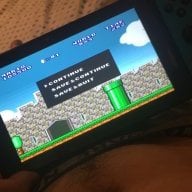
pSNES: Switch Snes9x port

Here is pSNES, a snes9x port to multiple platforms.


screenshot_mini.png


Readme:
https://github.com/Cpasjuste/pemu/blob/master/psnes/README.MD

Source code:
https://github.com/Cpasjuste/pemu/

Download:
https://github.com/Cpasjuste/pemu/releases/

Thanks:
  • devkitPro and libnx people: fincs, WntrMute, yellows8, plutoo...
  • ScHlAuChi for providing a 3.0 Switch! (you rock mate)
 
Last edited by cpasjuste,
Are you reading those thread?
I wrote how i did it on post #450.....so go take a look!
(If you cant find it you dont deserve it ;))
 
Read the "How to" on the website: https://github.com/Cpasjuste/psnes/releases
  • pSNES use a database file for rom handling. You'll need a "db.xml" file located alongside the application. The current "db.xml" file comes from "Hyperspin" website, and only contains USA "good rom / no-intro" set. Your rom files must be zipped and named as per this set. You'll find in the "database" directory this file as backup/reference (Super Nintendo Entertainment System - hyperspin.xml) + a complete set from dat-o-matic (http://datomatic.no-intro.org). Rename this file to "db.xml" and (re)place it in the same directory as the executable to use this one. You can make your own database file with filtering from this great website.
AFAIK there is no "Icon Set" you can use with it.

Now i know better after research!

1 .get the SNES "NO-INTRO" Rom set (DONT ask for it search for it and you will find it!)
2. unpack the ROM set and "clean" it out (Only the USA should be in the unpacked directory!)
3. DL the SNES Pciture Set form Libreto: http://thumbnailpacks.libretro.com
4. Unpack ONLY the "Named_Snaps" folder
5. copy the CONTEND (NOT THE FOLDER) to your SD card folder "/switch/psnes/previews"
6. copy the ROMS to /switch/psnes/roms/
7. startup your Switch and psnes and you will see the "ingame" pictures of your Games :switch:

And BTW THANKS for your great work on that Emu for the Switch! :grog:

Is there a better Les time consuming way to simply get the snaps for US games only without having to delete the ones I don't need manually.
 
....and you want someone to do the task because you don't like to do it on your own?
Good luck :)
 
To be fair, he had a point. If people have already done the sorting, why repeat the work?

Exactly it would be time consuming removing non USA titles, previews and icons. Obviously I can just everything into my SD card but then that would take alot of space.
 
Is this better than what retronx has? I know both are using the same core but I wanna know which one is overall the best one. This one supports shaders and retronx doesn't. Does this one have fast forward and rewind?
 
Is this better than what retronx has? I know both are using the same core but I wanna know which one is overall the best one. This one supports shaders and retronx doesn't. Does this one have fast forward and rewind?
Dosnt have ff or rw, this is more "User Friendly" if you want to see it that way. atm, i prefer stand alone emulation over cores.
 
Have you tried retronx? In your opinion, which is better performance wise?
yes, i have tried RetroNX, BOTH have very good performance, now that pSnes has OpenGL support, almost every game runs perfect, but, why not try both on your sd? as easy as that.
 

Site & Scene News

Popular threads in this forum