Hacking Plugin icon ?

  • Thread starter Thread starter fareal
  • Start date Start date
  • Views Views 1,174
  • Replies Replies 4

fareal

New Member
Newbie
Joined
Jun 1, 2011
Messages
2
Reaction score
0
Trophies
0
XP
7
Country
United States
Why do some plugins show both the bmp icon as well as the orange ? icon

I've made sure the bmp and the ini are named the same.

One example of this is with the DS Drum plugin, it displays both.

But the Axe plugin is fine for me, it only displays the bmp icon.

Here is the DSDrum.ini for my DSDrum.nds and DSDrum.bmp
[plug setting]
icon=fat1:/_dstwoplug/DSDrum.bmp
name=DSDrum

 
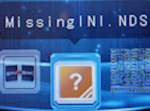
Well - the 'Orange ? icon usually means that the '.ini' file is missing (as mentioned in the plugin wiki)

150px-MissingINI.png
So I'm taking a guess that the names of the NDS and the INI are NOT exactly the same

It might be that you've actually got 'file extensions' hidden & the ini file is actually something like 'DS Drum.ini.ini' while the game is 'DS Drum.nds.nds' or possible you have an underscore in one & not the other

e.g. DS Drum.nds / DS_Drum.ini

Did you download & copy over the files 'as-is' ?? or have you had a 'fiddle' - I've looked @ the download & it should work OK
 
I found what is causing it. Somehow a copy of the nds file is being made as ._filename , this is what is being displayed. I was able to delete these with one of the DS file managers. I couldn't see these files on my Mac file manager even with hidden files shown. I didn't try via Terminal, I assume they would be there, I'll try later.
 

Site & Scene News

Popular threads in this forum