Hacking Nintendont

  • Thread starter Thread starter sabykos
  • Start date Start date
  • Views Views 10,169,042
  • Replies Replies 42,894
  • Likes Likes 194
What i suspected. Just wanted to make sure. Cheers.
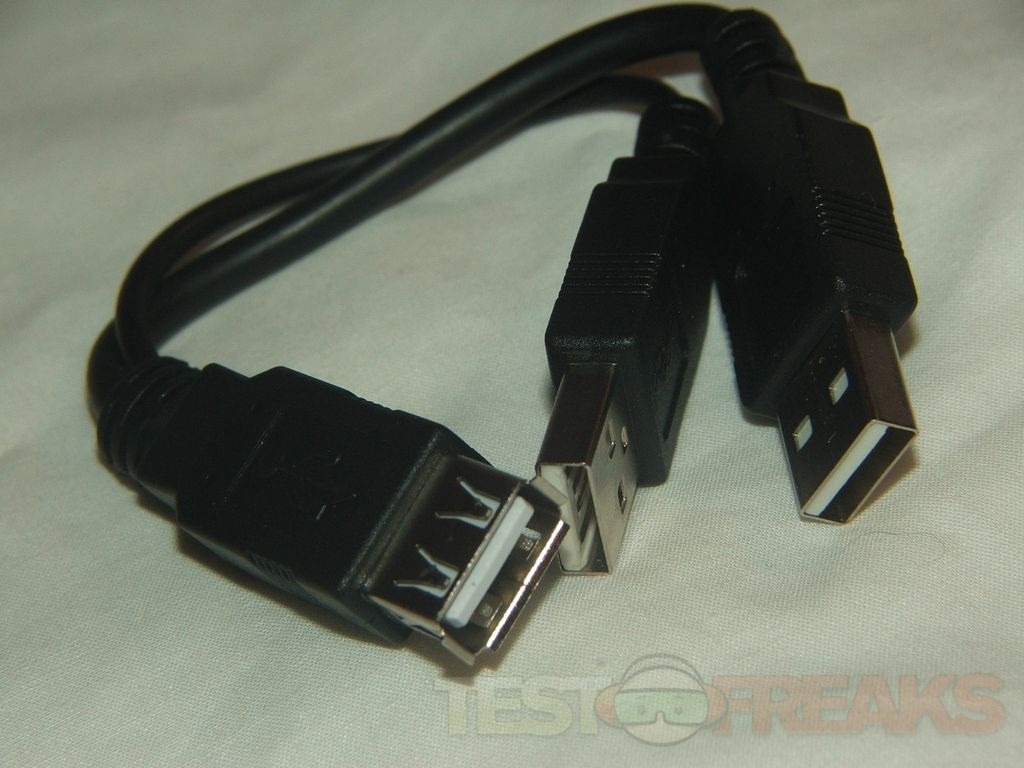
but i think y cable adapters do exist no?
king4.jpg
 
  • Like
Reactions: TeamScriptKiddies
I was using a 64GB PNY Flash Drive on my Wii U with no problems. The only problem I had with it was the original change in revision 2.230 which broke it. Now it works fine. Flash drives should use far less power than a 2.5" HDD as there are no moving parts. The PNY Flash Drive only uses 200 mA. I see no reason that a Flash Drive should need a Y Cable.

I was initially using a 64GB SD Card in a USB Card reader to play GameCube and Wii games on my Wii U and never had an issue.

The funny thing is that my PS3 Slim needs a Y cable to use USB HDDs.
 
I was using a 64GB PNY Flash Drive on my Wii U with no problems. The only problem I had with it was the original change in revision 2.230 which broke it. Now it works fine. Flash drives should use far less power than a 2.5" HDD as there are no moving parts. The PNY Flash Drive only uses 200 mA. I see no reason that a Flash Drive should need a Y Cable.

I was initially using a 64GB SD Card in a USB Card reader to play GameCube and Wii games on my Wii U and never had an issue.

The funny thing is that my PS3 Slim needs a Y cable to use USB HDDs.

Power shouldn't be an issue with flash drives. The only problem with them I've seen is they don't necessarily support all of the USB storage functions that a hard drive enclosure does. It's sort of a "your mileage may vary" situation.
 
Power shouldn't be an issue with flash drives. The only problem with them I've seen is they don't necessarily support all of the USB storage functions that a hard drive enclosure does. It's sort of a "your mileage may vary" situation.

I guess it would be best to buy a well known brand name like SanDisk, PNY, Toshiba, Corsair, etc, companies known for quality Flash Memory.

I wonder if it would be a good idea (for those who have a 360) to format the Flash Drive there to see if it meets Microsoft's Performance criteria and then go from there. I am guessing drives that don't would be bad to try with Nintendont.

 
I guess it would be best to buy a well known brand name like SanDisk, PNY, Toshiba, Corsair, etc, companies known for quality Flash Memory.

I wonder if it would be a good idea (for those who have a 360) to format the Flash Drive there to see if it meets Microsoft's Performance criteria and then go from there. I am guessing drives that don't would be bad to try with Nintendont.

That's actually not a bad idea. If you can set it to be used as a ReadyBoost drive under Windows it should certainly be able to be used to read games that are intended to load from an optical drive.
 
That's actually not a bad idea. If you can set it to be used as a ReadyBoost drive under Windows it should certainly be able to be used to read games that are intended to load from an optical drive.

I have noticed that USB 2.0 reads and writes at around 30MB/s which is half of what USB 2.0 is capable in theory so any device that can perform similar should be good enough for Nintendont. I know the Wii uses a 6x DVD drive which has the speed of about 8.3MB/s which is pretty slow. Don't know what speed the GameCube drive is though but I'm sure it's not faster than the Wii's.
 
I am having an issue with Kirby's air ride (PAL) through a 128GB SD card. Through the official WiiU gc adapter controllers on port 3 and 4 seem to have very laggy, unresponsive controls on most of the menus (it is especially noticeable in the air ride mode's vehicle select as it makes it hard to choose the vehicle you want) They work fine in game however. I have tried re-ripping the iso but no luck. I have mcemu on but I have tried with it off and the issue still occurs. Could anyone with this or a similar setup try this and see if this issue happens or if anyone knows how to fix it help is very appreciated. Never had this issue with any other multiplayer games. Very minor issue for an amazing loader;)
 
I'm having a problem with Resident Evil 4 via a USB HDD, it won't switch back to disc 1 when disc 2 requests the switch.

I have both disc 1 as game.iso and disc2 as disc2.iso. The game asks to switch to disc 2 a few seconds after boot and Nintendont does this flawlessly, it then asks to switch back to disc 1 and Nintendont just sits at this screen indefinitely. Is there a button command to force back to disc 1 or something I can do?

(I'll provide any additional information needed if you let me know how to find it upon request, thank you)
 
I am having an issue with Kirby's air ride (PAL) through a 128GB SD card. Through the official WiiU gc adapter controllers on port 3 and 4 seem to have very laggy, unresponsive controls on most of the menus (it is especially noticeable in the air ride mode's vehicle select as it makes it hard to choose the vehicle you want) They work fine in game however. I have tried re-ripping the iso but no luck. I have mcemu on but I have tried with it off and the issue still occurs. Could anyone with this or a similar setup try this and see if this issue happens or if anyone knows how to fix it help is very appreciated. Never had this issue with any other multiplayer games. Very minor issue for an amazing loader;)

Have you verified the ISO's hash? Are you using a 1:1 ISO or a shrink ISO. If using a shrunk ISO try a 1:1.
 
Thanks for the reply its a 1:1 iso. Where can I find the hash to verify it. The hash of my iso is: 6732cefabda3b8c8c590a2157ed2e45b

I checked Redump.org and your hash matches so the ISO is good.

Just out of curiosity, are both USB plugs of the Gamecube adapter plugged in? I know one of them is strictly for rumble but you never know.

Also are the GameCube controllers your using official Nintendo ones or 3rd party?
 
I checked Redump.org and your hash matches so the ISO is good.

Just out of curiosity, are both USB plugs of the Gamecube adapter plugged in? I know one of them is strictly for rumble but you never know.

Also are the GameCube controllers your using official Nintendo ones or 3rd party?

I have both of the USB plugs in and all controllers are official Nintendo ones. I tried plugging the same controller into ports 1 and 2 and it worked, then tried ports 3 and 4 and the issues occurred again.
 
I have both of the USB plugs in and all controllers are official Nintendo ones. I tried plugging the same controller into ports 1 and 2 and it worked, then tried ports 3 and 4 and the issues occurred again.

Can you list your Nintendont version and settings and Wii U region?

How are you launching Nintendont?
 
Wait the mayflash 3rd party one? Im not talking about the official nintendo ones.
the
(MAYFLASH 4 Ports GameCube Controller Adapter for Wii U & PC USB)

As long as the switch is net to Wii U, you can.

Any GameCube adapter that works for Smash U works with Nintendont. It even uses the same controller.ini file.
 
  • Like
Reactions: TeamScriptKiddies
Hey guys! I have this huge issue...which I suspect some people have succumbed to it looking at the Nintendont.net page's comment, where the build I was using started giving me problems.

So every time I run the loader using the boot.dol hosted on that site, when it TRIES to load a game...it gives me a MOUNT SD/HD error 13 code every time and every time that happens it corrupts all the files in my HDD. Glad I have a program that recovers all my corrupted/raw data and returns it to its original form, as well as glad that I have a 2TB drive to back me up in the transfer as my Laptop doesn't have enough space to take every game.

Is this a known issue? I'm started to believe the 'boot.dol' file hosted in the 'Nintendont.net' is SCREWED and someone should do something about it...or inform the host that the file is probably outdated and screwed up! People may not run the same luck as me when it comes to recovering everything they've lost...especially the time wasted doing so.

I tried again with the mostly empty HDD with one GC game and same thing happened...glad I still have all my games in my 2TB HDD, temporarily. Don't think I would like to go for a whole day trying to recover 'RAW' data again...

Can someone direct me as to where is the most reliable source of the latest build of Nintendont?

I appreciate any pointers! :)
 

Site & Scene News

Popular threads in this forum