Hacking NDS Adapter Plus Drivers not installing!!

  • Thread starter Thread starter Xexyz
  • Start date Start date
  • Views Views 8,986
  • Replies Replies 10

Xexyz

GBATemp's™ Official Xexyz
Member
Joined
Jul 29, 2013
Messages
1,404
Reaction score
488
Trophies
0
Location
沖縄県
XP
881
Country
United States
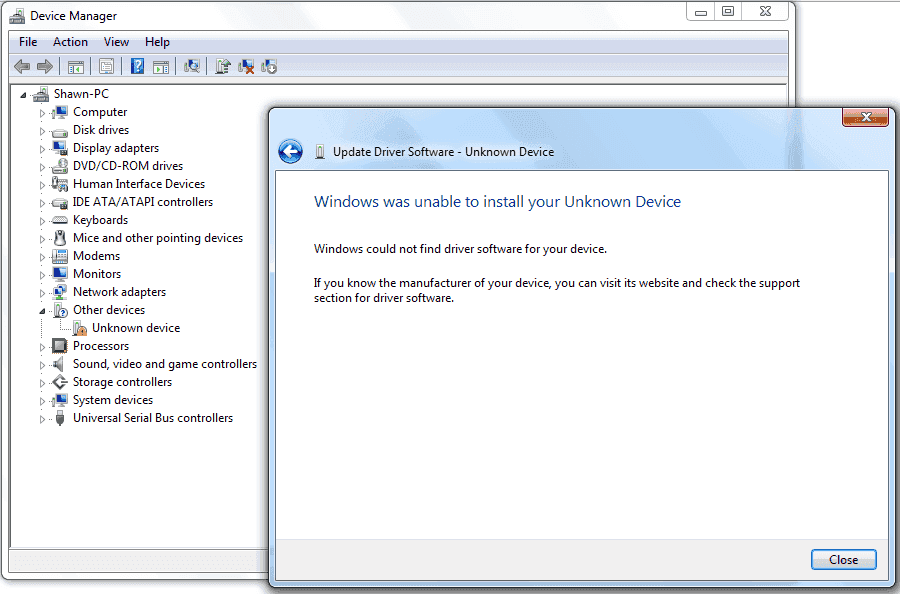
I'm on 64bit Windows 7 Ultimate and every time I'm trying to install the drivers the same error shows up! I've tried signing the .sys files but that doesn't work! I'm on the Disable Driver Signature Enforcement Mode. HELP! The file name is EMSLink_v3.1.0.2010.
This is the error:
error.PNG
 
http://www.pokedit.com/boards/viewtopic.php?f=95&t=4308
or this^
come on, all i did was type "nds adapter plus windows 7 64 bit" on google xD


edit: if you still can't do it, or you will need to delete the device from the list and install it again

sometimes i happen to install something, (specially laptop GPU locked drivers) and windows refuses to use the drivers i want to use it because there are traces of the old driver....

or, just use the "let me pick up from a list of device drivers on my computer" button, and manually select it and force it to install


edit2: if you manage to make it work, maybe you can post a tutorial, or how you did it somewhere in gbatemp?

information like this is good to keep for future and other folks...
 
Well, considering I have not run windows in a good long while, however I remember there was a compatibility layer for drivers. I googled the file for the NDS Adapter plus, however I can't even find it. If it is an exe, (won't work for .dll), go into properties, and there will be a dropdown box, that will have options such as Windows XP SP3, Windows 2000, etc and you should be work through there.

or you can set up Virtual Box with with a windows XP image. (this is 100% leagal as Microsoft is hosting the images for public use, you don't even have to put in an email adress)
Microsoft offers the 30 Day free trial to web developers to test their work on older IE 6.0 browser, its 32bit so It should work, just save a snapshot to restore back after the 30 days is up.

links:
Virtualbox

Microsoft-Modern IE

To find it:
click get VM's (its a grey button on the left side of the page) . For desired testing OS use Windows. Then Choose Virtualbox for Windows as virtualization platform then click WindowsXPVirtualbox.exe (~700mb it will take time).

To allow USB pass-through:
Open virualbox. then go to the individaul VM Settings for the Windows Image you just downloaded, Under Ports choose USB. Then choose Enable USB controller.

 
  • Like
Reactions: Xexyz
I just VM'd XP and the drivers install flawlessly! I used VMWare Workstation 8 because it was already installed! (Virtualbox is great too!)
 
That is because the x64 drivers are not signed. To get them to work on a x64 version of windows 7 you need to boot your computer and select this mode (Disable Driver Signature Enforcement):

disable-driver-signature-enforcement.png


You also need to pick this any time you want to use devices with unsigned x64 drivers.

Otherwise use a VM.
 
That is because the x64 drivers are not signed. To get them to work on a x64 version of windows 7 you need to boot your computer and select this mode (Disable Driver Signature Enforcement):

disable-driver-signature-enforcement.png


You also need to pick this any time you want to use devices with unsigned x64 drivers.

Otherwise use a VM.

I tried that many times! It still says unable to install. I'll stick to VMing XP.
 

Site & Scene News

Popular threads in this forum