Gaming Memory Issue; How Can I Fix?

SilentGhost

Well-Known Member
Newcomer
Joined
Jan 1, 2011
Messages
46
Reaction score
0
Trophies
0
Age
39
Location
DeLand
XP
113
Country
United States
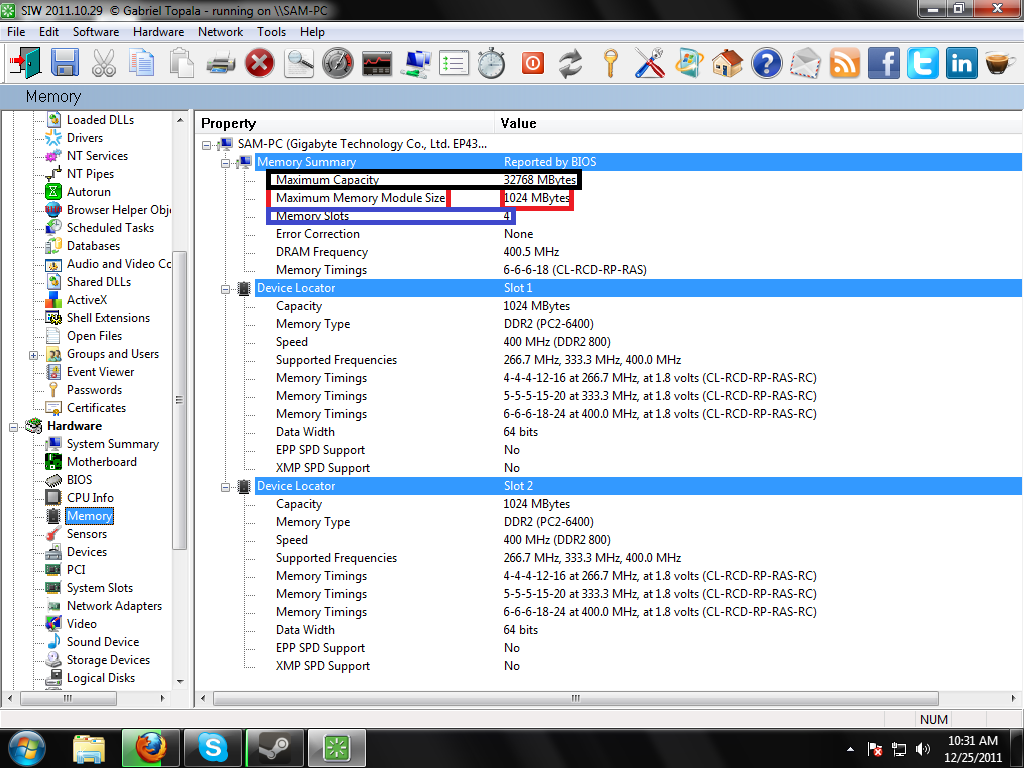
Alright my comp say its "Maximum Memory Module Size" is 1024MB but yet it says its "Maximum Capacity" is 32768MB. Can someone help me out? I got 4 RAM slots on a GIGABYTE Motherboard.

Edit: Sorry I ment 1024MB and 32768MB
 
look at the GIGABYTE Motherboard manual or website
there might to a jumper or BIOS setting that need to be changed


or
EACH ram slot can only use a max of a 1gb ram stick
so
to get 4gb of ram, 4x1gb of ram is needed
 
Arg.png

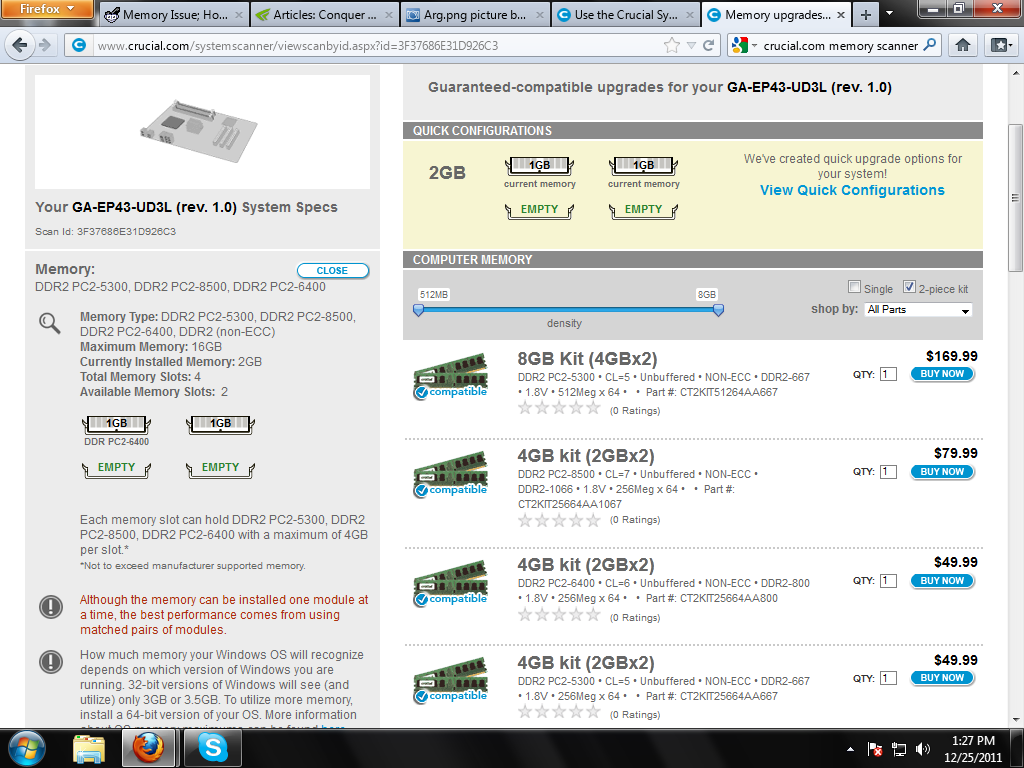
Heres the picture I have of SIW, gonna go and try crucial.com's scanner right now.
 
The 32 gigs thing is likely some theoretical maximum based on hardware (although most 32bit versions of windows and other 32 bit operating systems in general will stop just short of 4 gigs of usable memory (less if you combine it with lots of graphics memory)).

On top of this motherboard companies will frequently make boards and upgrade them later to support things unreleased at time of manufacture or just very expensive at release with the update usually done by way of BIOS update. This is the thing that you will want to focus on and is probably what is informing the 1 gig modules as this is what you can and will want to change (1 gig sticks are still available but 2 gig and larger are more common) and this is what the others in the thread are heading towards.
 
If you have the 32 bit version of windows 7, it wont be able to read more than 4gb of ram, even if your mobo is compatible with a 16 gb setup.
 

Site & Scene News

Popular threads in this forum