Hacking m3sakura is almost here!

  • Thread starter Thread starter mhkwong
  • Start date Start date
  • Views Views 259,721
  • Replies Replies 1,355
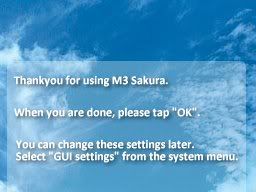
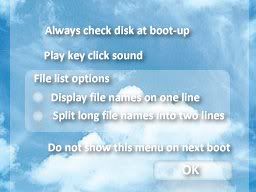
mercenary96, I think you are missing the PSD for SETUP_BG_BOTTOM.bmp

Posts merged

Densetsu3000 said:
Hi guys/girls,

I'm currently going through all the new posts I haven't seen yet and updating the Sakura FAQ with new links, credits, help and other info based on the PMs I've received and the posts on this thread. Expect an FAQ update soon
smile.gif
Thanks everyone for all your efforts!

Just a question: should I transfer the M3 Sakura FAQ into a thread on its own?

I think it would be useful instead of just cramming everything into this thread.
 
Yes, new thread. EVERYTHING in the first post
smile.gif


AHAHA, fixed the silly Confirm/Cancel thing you are meant to see. Had to create them myself, dunno why the other translated ones did not work :|
msgbox2ec7.png
 
Actually, I think it'd be best for separate topics away from this topic for:
  • M3Sakura FAQ
  • Translations (and skinning)
where the important stuff can be in the first posts as it updates and leaves it uncluttered having to search through all the posts for one specific thing.
 
That paradise skin looks very soothing strata. Me likey. I may start creating a few anime themed skins as well. Maybe a Hajime no Ippo one to start off with. Or maybe a WEWY theme.

Also, there should absolutely be a separate thread for the FAQ, I vote for it being stickied. There are many posts here of people asking what files to download and what are the most up to date. This is only cluttering things up further. And the faq is right in the middle of a 45+ page thread. A separate thread will only do us good.
 
well the one i downloaded wasnt 100% translated becuase i went to the options menu and it wasn't transkated
 
The only thing that wasn't translated is the ROM loading/options screen - cheats, download play, soft-reset etc (simply because we can't get our hands on it that easily). This was ALL mentioned beforehand in the download link and therefore a little guide in the M3Sakura FAQ was present.
 
M3 Sakura: Paradise Update

Finished! Here is the changelog:

1.0
-Everything else added!

0.4
-Double slide icons complete
-Various fixes/tweaks
-A few additions

0.2

-Minor fixes
-Fixed the scroll bar

0.1

-Initial Release

Screenshots can be found here.

Download
 
I know that this has most likely been stated already, but none of my Homebrew works with the newest translated version...

Just wanted to let those who need to know it, know.

I have tried both DSision and ComicBookDS, and with both I got blank white screens.

Otherwise, great job, everything looks perfect! I can't wait for game options to be translated, then I can see all the stuff you can do there!
 
Guess I'm the late one, already test the firmware but not the English-Bundle one.
Runs perfectly only one game failed to save (Super Robot Taisen Saga) and the only homebrew works is DSMplay.
To bad the Sakura(or Moonshell) itself not supporting their own DSM format.

Btw I'm making some experimental skin, some image elements are from mercernary96, in later update I will replace them all.

http://gbatemp.net/index.php?download=2559

FL_BG_TopMsg.png
 
KH-Roms said:
Guess I'm the late one, already test the firmware but not the English-Bundle one.
Runs perfectly only one game failed to save (Super Robot Taisen Saga) and the only homebrew works is DSMplay.
To bad the Sakura(or Moonshell) itself not supporting their own DSM format.

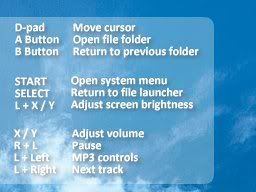
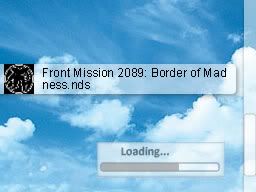
An easy way to fix the homebrew problem is to get this (Flashcart OS), and set it as DEFAULTY.nds or DEFAULTX.nds. This way you can load it on bootup so you can run homebrew.
wink.gif
 
strata8 said:
KH-Roms said:
Guess I'm the late one, already test the firmware but not the English-Bundle one.
Runs perfectly only one game failed to save (Super Robot Taisen Saga) and the only homebrew works is DSMplay.
To bad the Sakura(or Moonshell) itself not supporting their own DSM format.

An easy way to fix the homebrew problem is to get this (Flashcart OS), and set it as DEFAULTY.nds or DEFAULTX.nds. This way you can load it on bootup so you can run homebrew.
wink.gif


Wow, thanks buddy, I'll try it. Hope Comicbook DS & DSOrganize will work.
To bad we can't use the old M3Real pda function.
laugh.gif
 

Site & Scene News

Popular threads in this forum