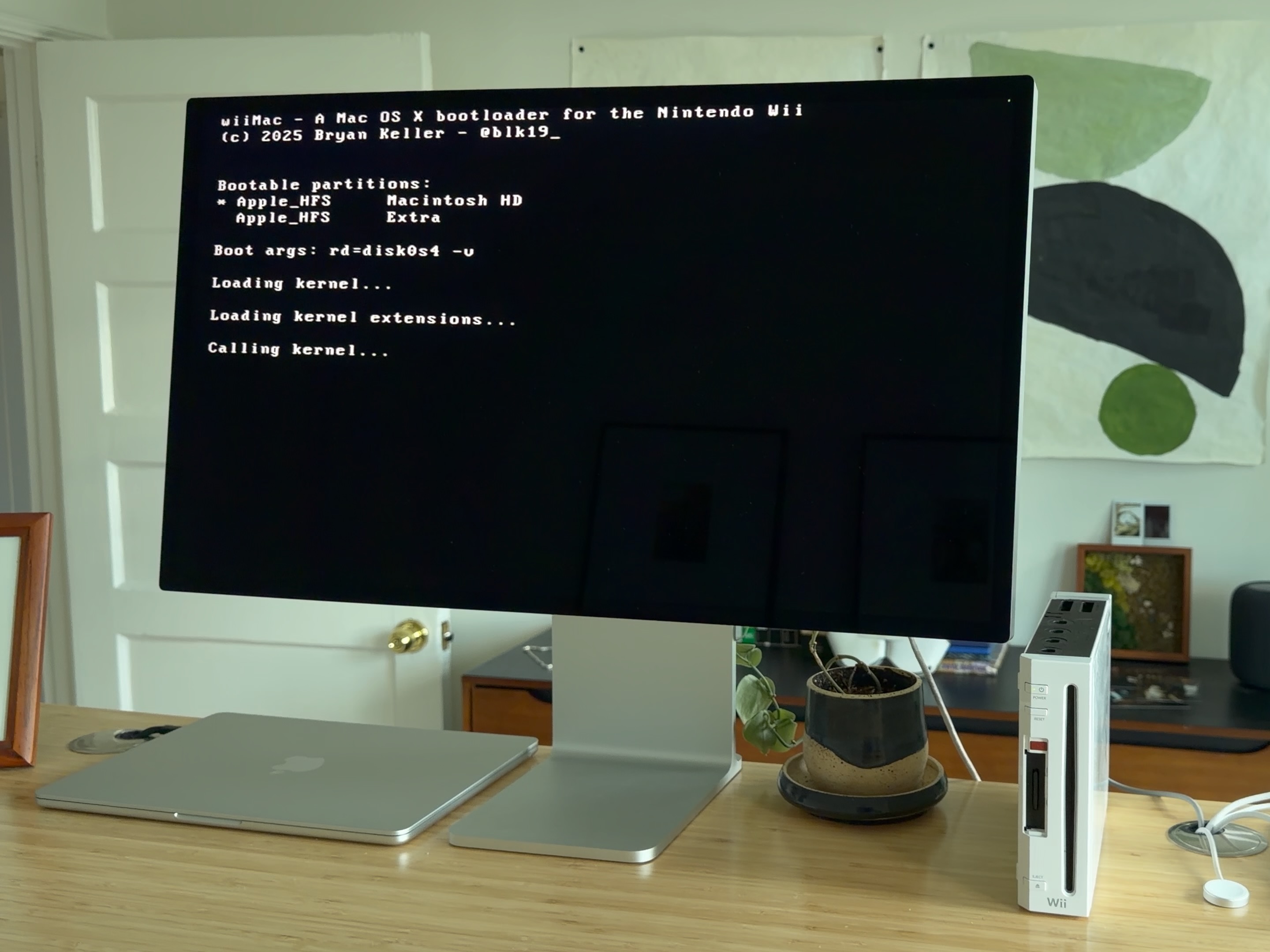
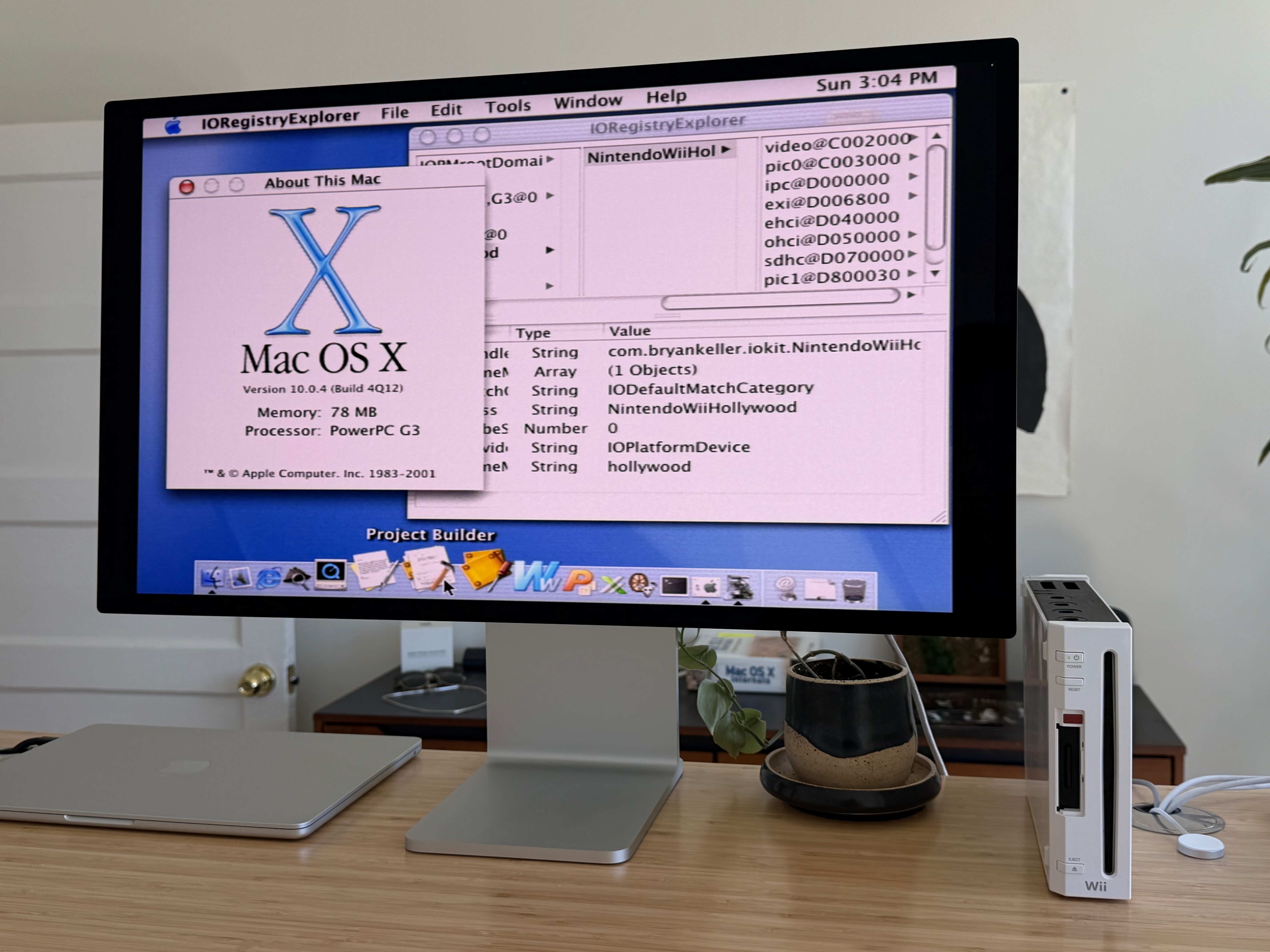
My side project for the past year has been porting Mac OS X to run natively on the Nintendo Wii. I'm excited to share that as of today, Mac OS X 10.0 Cheetah can be booted using the wiiMac bootloader. I hope to have Mac OS X 10.1 Puma running soon.
If you're interested in how I accomplished this, I wrote a blog post recounting the interesting parts of the porting process.
If you want to try this for yourself, either follow the instructions in the README for the wiiMac bootloader, or grab a ready-to-flash SD card image from here. You must have a software-modded Wii capable of running BootMii. The Wii Mini is not supported.
Use `dd` or software like balenaEtcher to flash `wiiMac_cheetah.img` to an SD card that's at least 4 GB in capacity. This will replace all contents on the SD card, so backup any important files first.
To boot the system, insert the flashed SD card into the Wii and turn on the console. If BootMii is installed as Boot1, then the wiiMac bootloader will automatically load and start booting into Mac OS X. If BootMii is installed as IOS, open the Homebrew Channel from the system menu, then open the Options menu by pressing the Home button on the WiiMote, then select "Launch BootMii".
Hardware support is limited to just the essentials:
- The SD card
- USB mice and keyboards
- Non-accelerated video output
I'm excited for folks to give this project a try - let me know what you think
If you're interested in how I accomplished this, I wrote a blog post recounting the interesting parts of the porting process.
If you want to try this for yourself, either follow the instructions in the README for the wiiMac bootloader, or grab a ready-to-flash SD card image from here. You must have a software-modded Wii capable of running BootMii. The Wii Mini is not supported.
Use `dd` or software like balenaEtcher to flash `wiiMac_cheetah.img` to an SD card that's at least 4 GB in capacity. This will replace all contents on the SD card, so backup any important files first.
To boot the system, insert the flashed SD card into the Wii and turn on the console. If BootMii is installed as Boot1, then the wiiMac bootloader will automatically load and start booting into Mac OS X. If BootMii is installed as IOS, open the Homebrew Channel from the system menu, then open the Options menu by pressing the Home button on the WiiMote, then select "Launch BootMii".
Hardware support is limited to just the essentials:
- The SD card
- USB mice and keyboards
- Non-accelerated video output
I'm excited for folks to give this project a try - let me know what you think
Last edited by blk19,