

Hi, I've recently hacked a Wii mini, and since it doesn't have internet i need to add the covers to wii flow manually.
I have a game in (usbDrive)\WBFS\Boom Blox Bash Party [RYBE69]\RYBE69.wbfs
wich loads fine and the following pictures:
Cover size in pixels: 512 x 340
Box cover size in pixels: 176 x 248
Disk cover size in pixels: 160 x 160
This is what ive tried:
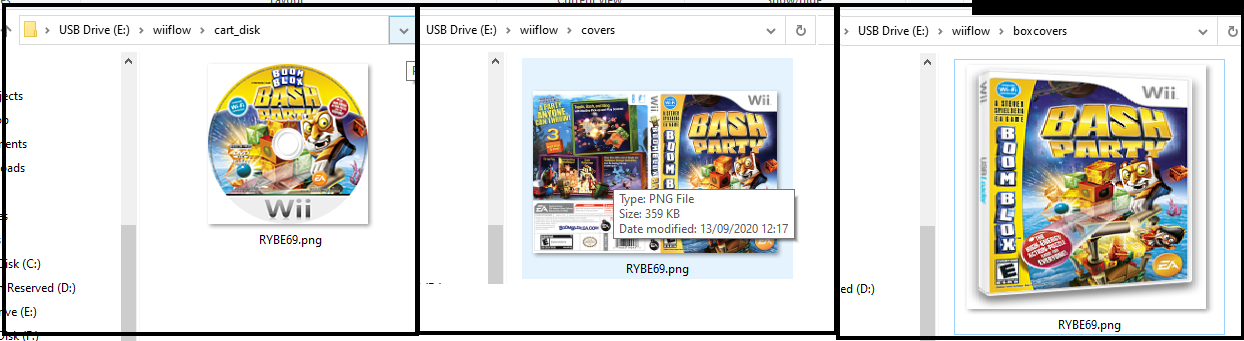
are they on the wrong location, or should I update anything else? such as a configuration file?
I have a game in (usbDrive)\WBFS\Boom Blox Bash Party [RYBE69]\RYBE69.wbfs
wich loads fine and the following pictures:
Cover size in pixels: 512 x 340
Box cover size in pixels: 176 x 248
Disk cover size in pixels: 160 x 160
This is what ive tried:
are they on the wrong location, or should I update anything else? such as a configuration file?
Last edited by RagnaRock,