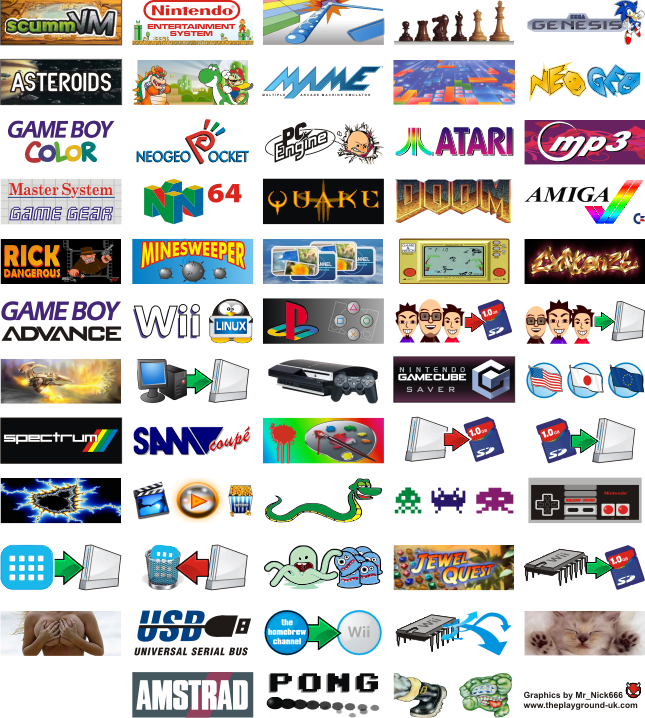
Homebrew Homebrew Channel (icon,xml,elf) apps packages thread

skedone said:
guy i have a problem im trying to install this via the orig ulimted home brew channel at it just hangs at the warning screen where u have to press rest or start on the gc control.

p.s i dont have zelda any more so would maybe trying via wiihl work???

I did it via the hombrew launcher, worked great. Go for it
 
Sorry if this has been asked before, but what's the point of the WAD uninstaller if you can just uninstall it from the Wii menu?
 
Nin10doFan said:
Sorry if this has been asked before, but what's the point of the WAD uninstaller if you can just uninstall it from the Wii menu?

The WAD uninstaller completely removes all traces of the channel, including an invisible ticket file that stays on your Wii if you delete the channels manually.
 
Jax said:
Nin10doFan said:
Sorry if this has been asked before, but what's the point of the WAD uninstaller if you can just uninstall it from the Wii menu?

The WAD uninstaller completely removes all traces of the channel, including an invisible ticket file that stays on your Wii if you delete the channels manually.

Oh... Cool! So when I launch the uninstaller, will it know which one to uninstall? Can I pick the channel or something?
 
Nin10doFan said:
Jax said:
Nin10doFan said:
Sorry if this has been asked before, but what's the point of the WAD uninstaller if you can just uninstall it from the Wii menu?

The WAD uninstaller completely removes all traces of the channel, including an invisible ticket file that stays on your Wii if you delete the channels manually.

Oh... Cool! So when I launch the uninstaller, will it know which one to uninstall? Can I pick the channel or something?

You should use the Wad Manager. It has both the installer and the uninstaller, and you can choose which to install or uninstall.
 
Nin10doFan said:
Jax said:
Nin10doFan said:
Sorry if this has been asked before, but what's the point of the WAD uninstaller if you can just uninstall it from the Wii menu?

The WAD uninstaller completely removes all traces of the channel, including an invisible ticket file that stays on your Wii if you delete the channels manually.

Oh... Cool! So when I launch the uninstaller, will it know which one to uninstall? Can I pick the channel or something?

to install/uninstall, the wad needs to be in the "wad" folder on you sd. You dont pick from a list of installed ones
 
iconub2.png

smile.gif
 
I'm using the Homebrew Channel (with the fancy graphics and sound... beta 7)... how do I get these to show up in it? I have all the files in X:\homebrew\app\ but it's not showing up in the Homebrew Channel...

When I try it in Homebrew Launcher Channel, the graphics don't show up, and the only thing that works in WadManager... NAND Dump say's it can't load my SD card, and puts me back at my Wii menu...
 
so it's

X:\apps\nanddumper\boot.elf
X:\apps\Snes9x\boot.elf

or is it

X:\Snes9x
X:\nanddumper

When I do it either way, both Homebrew and Homebrew Launcher aren't seeing them, but if I do X:\homebrew\Snes9x\boot.elf it see's it, but won't show the image or "name" (both the .xml and .gif are in the same folder as the .elf)

The Homebrew channel being the one with the bubbles rising to the top with the hand pointer with middle finger rasied, and the Homebrew Launcher Channel being the one with the faux Wii menu...
 
For the homebrew channel,

X:\apps\nanddumper\boot.elf
X:\apps\snes9x\boot.elf

Should work. If not... I don't know.
The icon should be a png file, by the way. Not a gif.

If your homebrew channel cursor has the middle finger up, see this thread.
 
SkH said:
I mirrored it / uploaded it to our site too: http://skhsarki.extra.hu/files/download/Ho...HBCiconPKv1.zip

Cleaned out the "Thumbs.db" files (deleted all) and repacked as ZIP!
wink.gif

Thanks, i had tried to download it to put in the first post, but when i went to theplayground and got this message
theplayground-uk.comSorry Guest, you are banned from using this forum!
Steal this!!!
I decided against it
 
killplaystation said:
SkH said:
I mirrored it / uploaded it to our site too: http://skhsarki.extra.hu/files/download/Ho...HBCiconPKv1.zip

Cleaned out the "Thumbs.db" files (deleted all) and repacked as ZIP!
wink.gif

Thanks, i had tried to download it to put in the first post, but when i went to theplayground and got this message
theplayground-uk.comSorry Guest, you are banned from using this forum!
Steal this!!!
I decided against it
Okay, not a problem. I succeeded.
smile.gif


Anyways there was a RapidShare link, too.
unsure.gif
 
Mr_Nick666 said:
SkH said:
Anyways there was a RapidShare link, too.
unsure.gif


Yeah.. I supplied a RapidShare mirror HERE so I can keep track of downloads
lecture.gif


Um, yeah. But you don't mind my direct-link mirror, are you?

killplaystation said:
QUOTE(SkH @ Jun 1 2008, 10:11 AM)
Anyways there was a RapidShare link, too.
unsure.gif
Yeah, it was the whole banned thing that made me blow it off
I see.
 

Site & Scene News

Popular threads in this forum