
Help with Hekate icons

  • Thread starter Thread starter Sessho0
  • Start date Start date
  • Views Views 10,825
  • Replies Replies 18

Sessho0

Member
Newcomer
Joined
Jul 25, 2023
Messages
18
Reaction score
0
Trophies
0
Age
29
XP
88
Country
United States
Hello again family, I wanted to put custom icons on my switch but I don't know what I did wrong that they came out so ugly, I also tried to put a background and it doesn't load either... I understand that something needs to be changed in the hekate_ipl file, right? This is how I have it, what should I change?


So I have the hekate_ipl config:

[config]
autoboot=0
autoboot_list=0
bootwait=0
backlight=220
autohosoff=0
autonogc=1
updater2p=1


{Versión del Pack de CFW de Sessho}


{--- Custom Firmware ---}

[Atmosphere (EMUMMC)]
payload=bootloader/payloads/fusee.bin
icon=bootloader/res/Atmosphere
logopath=bootloader/bootlogo

{}


{-------- Stock -------}

[Stock]
fss0=atmosphere/package3
stock=1
emummc_force_disable=1
icon=bootloader/res/icon_switch

{-------- Tools -------}
[Lockpick RCM]
payload-bootloader/payloads/lockpick_RCM.bin
Icon=bootloader/res/icon_lockpick
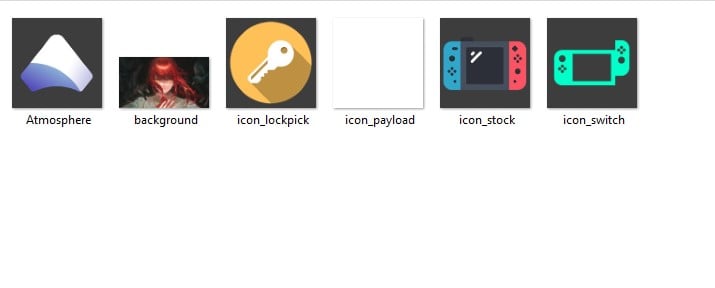
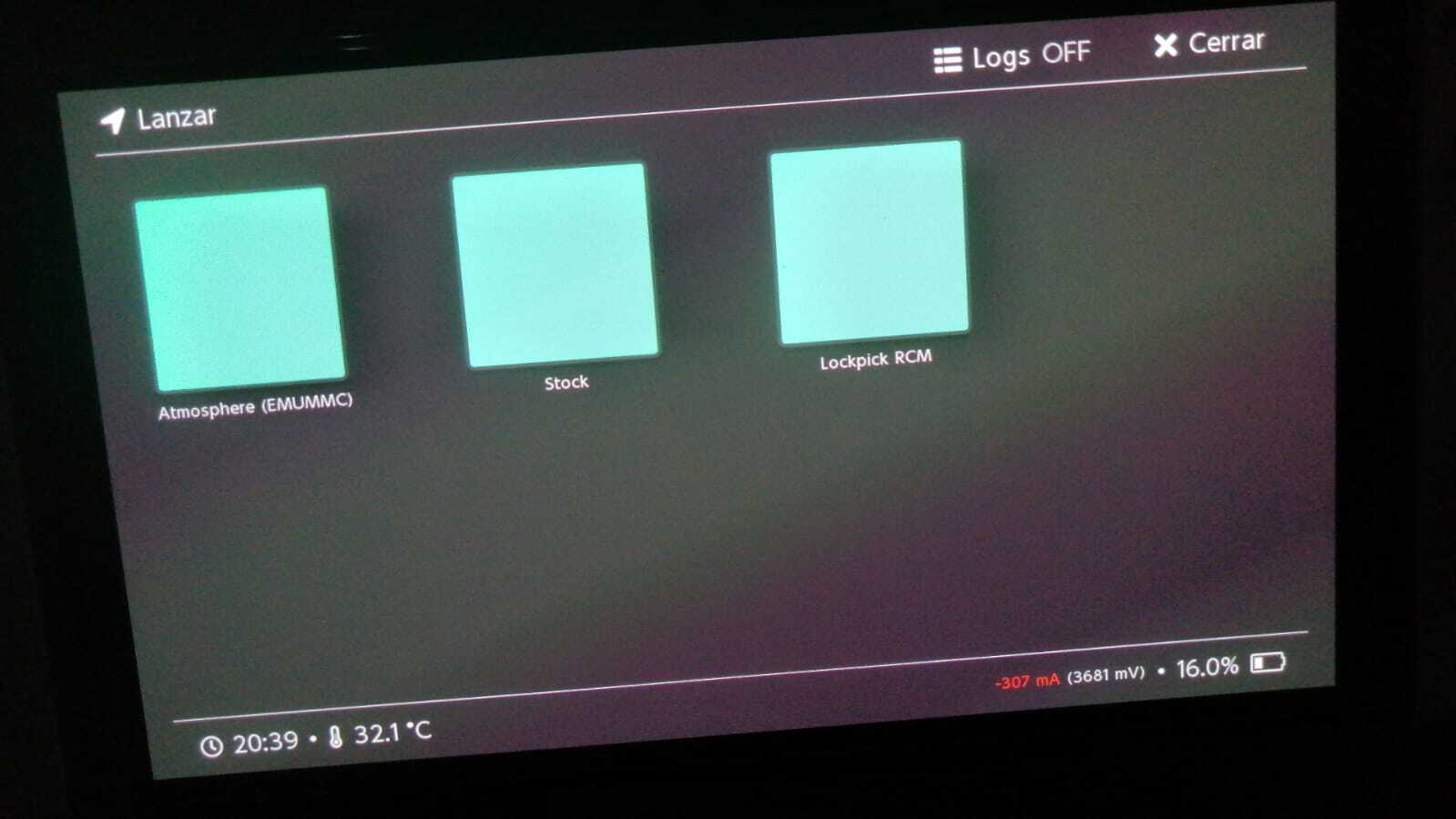
Captura de pantalla 2023-07-25 204202.jpg

a8f22dab-52ad-4a8c-b949-b4c83a1da078.jpg
 

Attachments

  • Captura de pantalla 2023-07-25 204202.jpg
    Captura de pantalla 2023-07-25 204202.jpg
    22.9 KB · Views: 192
you need to put the logo extension(png, jpg, etc...) at the end of every "Icon=bootloader/res/****.***", assuming the folder location bootloader/res/ is where those 6 icon located.

example
Code:
icon=bootloader/res/icon_payload.bmp
 
[config]
autoboot=0
autoboot_list=0
bootwait=0
backlight=220
autohosoff=0
autonogc=1
updater2p=1


{Versión del Pack de CFW de Sessho}


{--- Custom Firmware ---}

[Atmosphere (EMUMMC)]
payload=bootloader/payloads/fusee.bin
icon=bootloader/res/Atmosphere.bmp
logopath=bootloader/bootlogo

{}


{-------- Stock -------}

[Stock]
fss0=atmosphere/package3
stock=1
emummc_force_disable=1
icon=bootloader/res/icon_switch.bmp

{-------- Tools -------}
[Lockpick RCM]
payload-bootloader/payloads/lockpick_RCM.bin
Icon=bootloader/res/icon_lockpick.bmp


Like this?
 
Yes are in bmp
Post automatically merged:

It just doesn't load anything, not even the background: c I don't know what I'm doing wrong...
 
This is an example, I am trying to put a background image as seen in this example but the background that I put does not load. I already verified that it is bmp and that it is 1280x720 :T


1690345194161.png
 
  • Like
Reactions: Sessho0
hey sorry to hijack the post but im trying to customize icons that changes to the theme color according to nyx setting as well but im facing issue as only partial object react to the color change and the remaining object is not appearing. I hope someone who had done it before can kindly guide me.

I created a new image using the Krita photo editor with 190 x 190 pixel, mode RGB(Alpha), 300 resolution and depth 32 bit float channel. I make the background opaque(white or black background) and then using 3D Paint, i ripped the 3 desired objects (the nintendo console, the CFW wording and the SYS CFW wording) from another image.bmp and pasted them onto the new image as a new layer then save it as a .bmp. I apply a nyx theme color but out of the 3 objects, only one of them appear and react to the nyx color theme but the other 2 objects was missing.

I hope someone can tell me was i missing something? I also tried ripping the 3 object as 1 image using 3D Paint and also seperate ripped the 3 objects then paste them under 1 active layer but that wouldnt work as well
 

Attachments

Site & Scene News

Popular threads in this forum