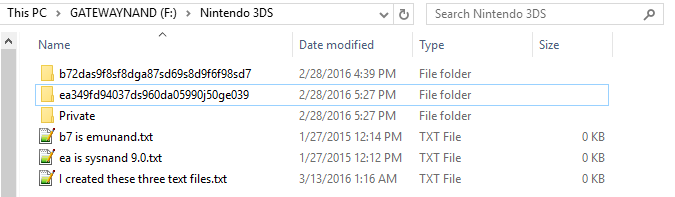
On your SD card, open the "Nintendo 3DS" folder.
It should look similar to this:
The folder with the smallest size and random numbers/letters belongs to your sysNAND. It is your sysNAND's ID folder.
Copy the
dbs folder to this directory on your SD card:
SysnandIDFolder/RandomNumbersAndLettersFolder/
If you're having problems with installing cias on emunand, follow the same path, but for your emuNAND ID folder:
EmunandIDFolder/RandomNumbersAndLettersFolder/
If there is a "dbs" folder already, you are probably in the wrong ID folder! Do not touch any existing dbs folder or you may lose your data (you can always restore it from the SD card backup we made though).
The dbs folder goes beside the existing "extdata" folder like so:
It is normal that the two files inside the dbs folder are 0KB!
Lastly, boot up your 3DS/2DS (into Sysnand, not Emunand) and go into System Settings —> Data Management —> Nintendo 3DS —> Software. It’ll ask to reset or repair your software management information or sd card, so allow it to do so.