Hardware Help formatting an SD card

  • Thread starter Thread starter JuanMena
  • Start date Start date
  • Views Views 1,883
  • Replies Replies 6
  • Likes Likes 1

JuanMena

90s Kid, Old Skull Gamer & Artist.
Member
Joined
Dec 17, 2019
Messages
6,249
Solutions
5
Reaction score
26,258
Trophies
4
Age
32
Location
the 90s
XP
19,564
Country
Mexico
So... 16GB SD card.
It's recognized on "Devices and Printers" but not on MyPC, so I'm unable to format it.
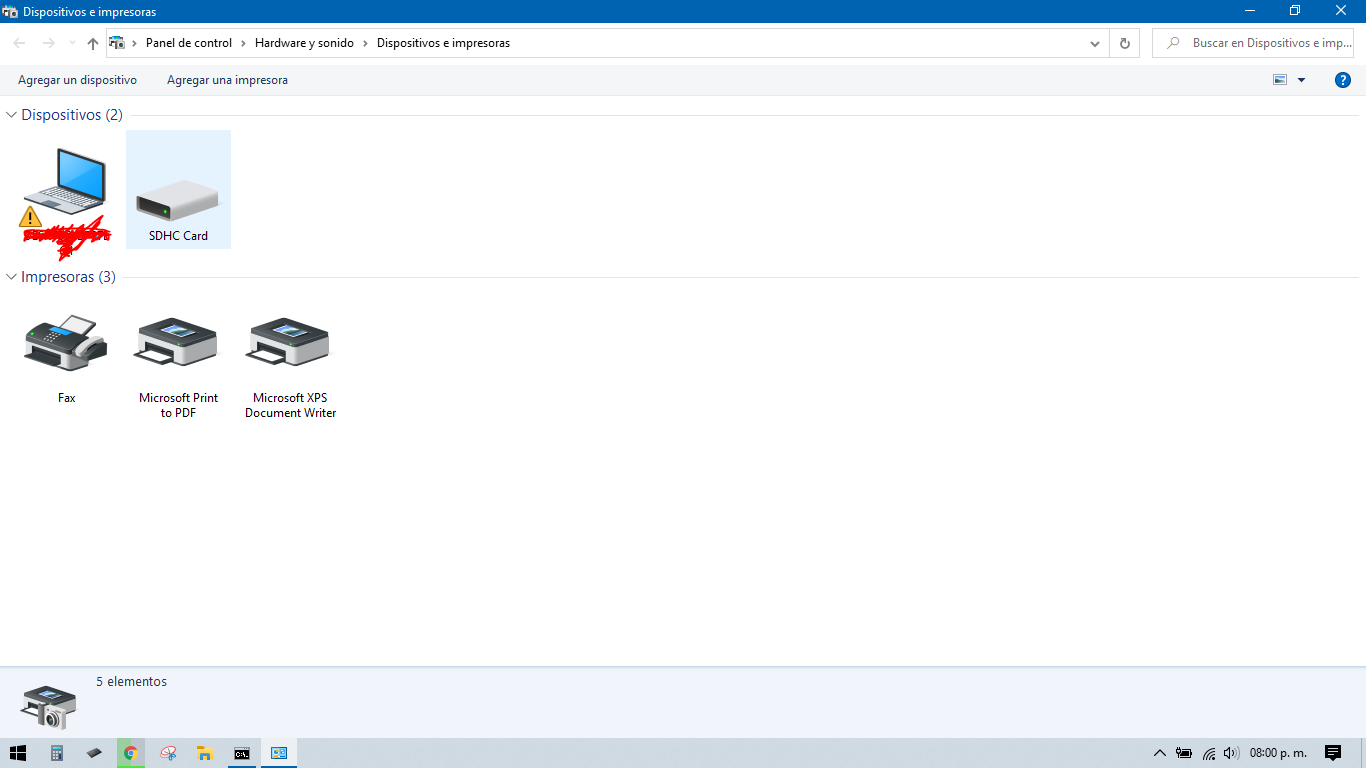
Captura.PNG


Also, CMD-> Disk Part -> List Disk -> Select disk 1 -> format fs=fat32 is not working neither.

Do you guys know a program to bring it back to life?
 
  • Like
Reactions: AncientBoi
Thanks for your help Slappy! But actually, godreborn's suggestion fixed it :yay:

Captura de pantalla (1).png


--------------------- MERGED ---------------------------

HOW IT WAS DONE:

  • Insert SD CARD
  • Open Disk Manager
  • Go to Storage Devices
  • Select your SD
  • Eliminate volumes if there's more than 1
  • Close everything and take out SD. Insert again and open Disk Manager again.
  • Go to Storage Devices
  • Select your SD and right click it. Select "Assign Drive Letter" follow steps.
  • Now it'll be recognized by "MyPC". Right click it and format it as usual.
 
Last edited by JuanMena,

Site & Scene News

Popular threads in this forum