Official hakchi2 - NES Mini very simple pimp tool

  • Thread starter Thread starter Cluster
  • Start date Start date
  • Views Views 4,444,676
  • Replies Replies 18,558
  • Likes Likes 138
It is all in good fun !!!
But no, rather not post links to rom sites or sets.
You can discuss games whether they work or not, but do not post/ask for links to romsites...
 
  • Like
Reactions: youngtune27
Last edited by thejamesshow00,
They must build in some sort of connection, if a customer has a broken mini SNES they'll have to repair it...so a access port would be nice.
 
I think I've gotten all the games I want to work...to work. Mortal Kombat won't create saves, but that's okay. I APPEAR to have gotten FDS games to work, as well. I like Doki Doki Panic. TMNT arcade can't continue from save states, but that's a short game, so that's not that big of a deal. All in all, I'm pretty happy. I just wish there was a way to increase storage to be able to add more games. There are a lot of Genesis and arcade games that I'd like to add, but can't. But I do have my favourites.

The only real big deal for me is now I need to get a controller with a lot more buttons.

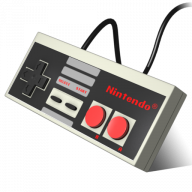
Has anyone else noticed that third party controllers, the Nyko Mini-boss, at least, can't use select and start to open the retroarch menus ? Not that big of a deal, really, but I'm kind of worried about what to do when the stock controller eventually breaks....kind of. I'm thinking it's not to the build quality of actual NES controllers. Just last year, was the first time in my life I had to replace an original NES controller. Those things were and are tanks. Any idea why third party controllers can't access the retroarch menus or if there is another way to access them ? Or is it just because, for some reason, you can't access the menus because the controller is wireless ? I do like the wireless Nyko controller better for Punch Out. The stock one that comes with it has a D pad that's a bit wonky. You press down or any other direction and, unless you hit it dead on, you MIGHT go in a direction that you don't want to go in. For instance, in Punch Out, if you hit down to cover your head for protection from punches, most of the time, you go left instead....and die as a result. That doesn't happen with the Nyko.

What is the best third party controller for the nes classic ? Preferably one that doesn't have this problem.

Now...probably the biggest thing I'd like help with. Is there no way to have vector "bloom" or whatever it's called, to make the lines in vector games kind of glow the way they do on the actual machines. I know there was a way to do it in mame on the computer, but what about the nes classic ?

 
Last edited by Spottedfeather,
Edited: @Piklz , I tried to install your BotW theme but didn't succeed. I unzipped the file, put the whole zelda_botw_theme.hmod folder into user_mods folder and install the module. Did I miss something?
 
Last edited by maande80,
Has anyone else noticed that third party controllers, the Nyko Mini-boss, at least, can't use select and start to open the retroarch menus ? Not that big of a deal, really, but I'm kind of worried about what to do when the stock controller eventually breaks....kind of.

If you just want a backup for the stock controller this one works just the same --
https://www.amazon.com/gp/product/B01N1VABAH/

Down + select for reset and select + start for retroarch both work. I don't use turbo so haven't tested that.
 
If you just want a backup for the stock controller this one works just the same --
https://www.amazon.com/gp/product/B01N1VABAH/

Down + select for reset and select + start for retroarch both work. I don't use turbo so haven't tested that.
I'll have to check this out. I REALLY wish there were controllers like this that let you play Genesis, Super Nintendo, and N64....
 
Does anyone know why there is a difference in the Cylum 2014 and 2017 list of USA roms? There is something around like 80 less in the 2017 set.
 
@Naiki , I tried to install your BotW theme but didn't succeed. I unzipped the file, put the whole zelda_botw_theme.hmod folder into user_mods folder and install the module. Did I miss something?


Can you pass me the compressed file please?

PS: My theme is Gol-d Nintendo

Puesdes hablarme español si quieres, lo digo por la bandera de México xD
 
Last edited by Naiki,
  • Like
Reactions: ArcNoculus
So as I have obvioulsy shown already I am still new to all of the file structures here. I hav figured out the .SO files and and .info but which parts of vice would I need to make the hmod with?

Thanks again.

Code:
/etc/libretro:
             /core/vice_libretro.so
             /info/vice_libretro.info
/bin:
    /vice
/install
/readme.txt (not necessary)
/bin/vice:
Code:
#!/bin/sh
exec retroarch-clover vice "$@"

@pcm720

Is the Mess or Mame core not capable of running Colecovision ?

IIRC, it was MAME. But seeing that they use CoolCV instead of MESS/MAME, I'd think that MESS isn't capable of running Colecovision too.
 

Site & Scene News

Popular threads in this forum