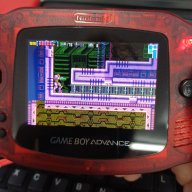
Ez-flash air - save problem.

  • Thread starter Thread starter Safidk
  • Start date Start date
  • Views Views 2,276
  • Replies Replies 19

Safidk

Member
Newcomer
Joined
Apr 18, 2025
Messages
5
Reaction score
0
Trophies
0
Age
42
XP
28
Country
Denmark
Hi guys,
So I just got a new shiny blue ez-flash air.
I can't get it to save my progress.
In Zelda link to the past, it just sais that the save files are corrupted. There are no save games to select, and I can't create a new one.
In a game like super mario land 2, it just doesn't save my game, when I exit.

I have tried different sd cards, all formatted to fat32 or Exfat.
I have also changed the battery.

When I write the game to the card, it loads if I select the auto saves option, but fails if I select sram - it sais "saver error"

I have updated the kernel multiple times.

What to do now? The card is brand new from the ezflash site.

Regards
 
This is a problem with the latest firmware (3?) and kernel (1.03), which have been removed from EZ Flash's website. Maybe try to downgrade them?
 
Do you have any addons enabled? If so, disable them and try. Also, try using mode B and see if anything changes. Does this happen in all games? Have you tried different roms?

Also, as far as I understand it, the AIR always uses sram to save. Auto save just automatically backs them up instead of asking you every time. So, if it works fine with auto save enabled, then it seems like it's having trouble manually saving the backups to the SD card. Or, perhaps your save backups are bad, have you tried wiping them? They are inside the SAVER folder.

You could have mixed up your saves. Since it uses SRAM for all saves, you can run into a situation where you have a save in SRAM that's not for the actual game you're playing, then you end up backing it up anyway, and now you have a save that obviously won't work that's tied to that game. For instance, before switching to mode B you need to manually upload your save to the SRAM or it will either be blank or have the wrong save in it. Unless you were just playing that game in mode A and saved.

Where did you purchase it from? You say it's blue? The AIR only comes in clear. You can buy extra shells for it in red, green, and blue but that requires swapping out the shell yourself.
 
Last edited by SolidShredder,
i have the same problem,tried mode a and b, I got an error when I try to save, I tried to replace the battery twice
 
Did anyone resolve this? I have the same. got one in a clear/green shell from one of the recommended sellers. running 1.02. Zelda minish Cap "Corrupted saves" when I haven't even started the game.
 
Did anyone resolve this? I have the same. got one in a clear/green shell from one of the recommended sellers. running 1.02. Zelda minish Cap "Corrupted saves" when I haven't even started the game.

It's very strange that all of you are reporting save problems with Zelda titles but insisting you're on 1.02. From what I've heard, the Zelda titles are the exact games that have save problems with 1.03. Maybe these carts were unsuccessfully reverted from 1.03? Did you already have a save file in the SRAM from another game when you started Minish Cap? Someone correct me if I'm wrong, but I believe all games use the SRAM for saves. Only backups are stored to the SD card. If you start a new game you haven't played before in Mode A, I believe it will look for a sav backup with the same name, if it can't find one it will create one. But, if you are playing in mode B, it will use whatever is already in SRAM. Be that nothing or a save from another game. You have to manually manage it. Have you tried messing with the save type for the game?
 
Fixed in the new kernel
nope... the problem persists, I already updated to the latest kernel, reflashed the rom, same result

1758578681925.png


1758578759336.png


1758578777843.png


the battery is ok, the clock keeps the date
 
since it arrived, any game could save, I tried several games, same result, replaced the battery three times, still not saving

Oh, right. You seem to have a problem that's more than a update can handle. Probably hardware related. Perhaps your SRAM chip is altogether bad or not soldered correctly.
 
I have sendt it back, and waiting for an omega instead.
Pretty sure it was a faulty s-ram chip on my card.
Thaks for all the responses.
 
Hi, I'm having a similar problem, my EZ Flash Air can save some games but can't save others, like Zelda ALTTP and Pokemon Emerald. Titles like KH COM and Super Mario Advance 1 work fine. I have firmware v3 and kernel v1.04. Am I missing something?
Also, my flashcart sometimes resets the clock and sometimes it doesn't, I'm not sure why. Never changed the battery yet.

EDIT: I think I solved this, after the firmware update I was able to change the save type. Both of those games were able to save correctly using the SRAM save type.
 
Last edited by Kurlo,
Hi, I'm having a similar problem, my EZ Flash Air can save some games but can't save others, like Zelda ALTTP and Pokemon Emerald. Titles like KH COM and Super Mario Advance 1 work fine. I have firmware v3 and kernel v1.04. Am I missing something?
Also, my flashcart sometimes resets the clock and sometimes it doesn't, I'm not sure why. Never changed the battery yet.

EDIT: I think I solved this, after the firmware update I was able to change the save type. Both of those games were able to save correctly using the SRAM save type.
What do you mean by changing the save type?

*edit* My cart settings only give the option for Auto Save so Im not sure how to determine the SRAM save type. Running FW:3 K:1.04

*edit edit* Its in the options as you flash the game :D Setting to SRAM fixed it
 
Last edited by K-Rice,
Hey guys, i had similar problem with super mario advance 4, i hadn't 'coruppted data' etc, but the save after few minutes was 'clear' - save was visible in menu but empty - when i load it, i had to start game from begining.
I tested few settings
During writing, when i changed save type from auto to sram,eprom8k,flash64,i got 'save files corrupted, and the game didn't load,
but when i used save type flash128 and used 'write to nor addon (probably not connected) it's working.

---------

edit:
i was happy to early
 

Site & Scene News

Popular threads in this forum