Hacking DSTWO Skins

  • Thread starter Thread starter CannonFoddr
  • Start date Start date
  • Views Views 283,049
  • Replies Replies 626
  • Likes Likes 3
here is my first dstwo skin my little pony friendship is magic just because i did hope one person likes it.
if i am not suppose to post files on other peoples forms pleas tell me hope one o cares thow
 

Attachments

Here are my first DSTwo skins for the Plugins menu. Devil Survivor themed. Not quite sure if I did it right...I was planning on expanding to a "Devil Fusion" application style for the EOS menu with a loading screen to match if people like it.

"demoniac" means to be possessed. Seemed appropriate.
Please give feedback.

Download (Devil Survivor version): http://www.mediafire.com/?0wfw01ocs577a2w
Download (Devil Survivor 2 version): http://www.mediafire.com/?plbmhievz6rcele

Preview:
Devil Survivor:
eprh1w.jpg


Devil Survivor 2:
mutklu.jpg
 
  • Like
Reactions: CompassNorth
It's been two years, but I just got a request for the download for my 3DS skin for the DSTwo. I never completed it but if you want to test it or if someone is interested and wants to complete it you can download it below:

Download
The download includes the .bmp files and the photoshop .psd files.
Here is what it looks like:

vtXCn.png
 
  • Like
Reactions: Saxer
if the Ranma-Chan Hentai Skin is still missing i have both 18+ and the other one just message me and i will upload them to my box account
 
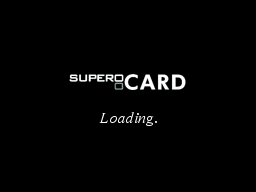
Not sure if this is the best place to ask, but since updating my 3DS with the latest firmware I'm seeing the 'DSTwo Loading, Enjoy Yourself, All Pleasure In It' screen whenever it is loading as I'm switching to the DS Games menu. I've looked everywhere on the microSD card to try to find where that image is stored (so I can change it) but can't locate it. All of the other images from my iMenu and DSTwo skin are updated, just not this one. It's not a big deal but if I can change it I'd like to.

Does anyone know where on the memory card this image is stored? Thanks!!
 
I found the answer to my question (it was in the OP but the link to the file is no longer there).

To change the DSTwo Loading or Boot Screen, I used this file from the supercard forum, along with this image saved as a bmp:
loadingscreen.png


Just posting in case anyone else runs into this issue.
 
  • Like
Reactions: Jonathan078
Apologies for the thread necro and all. But would anyone happen to have the Manga theme by Nairolf and be willing to share?
 
Hey everyone. I recently started playing my dstwo again because I only have two 3ds games :s

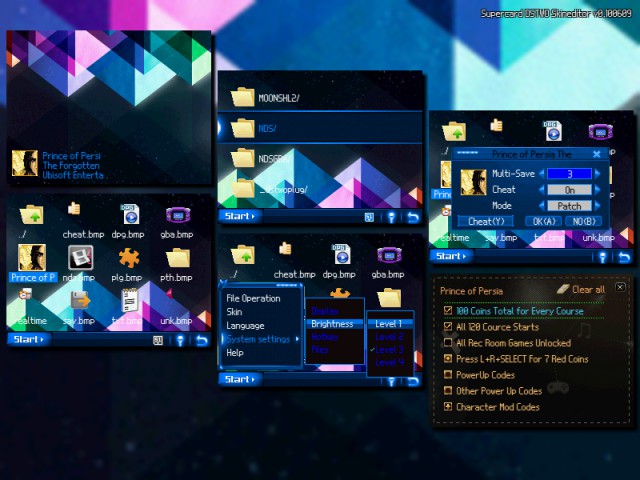
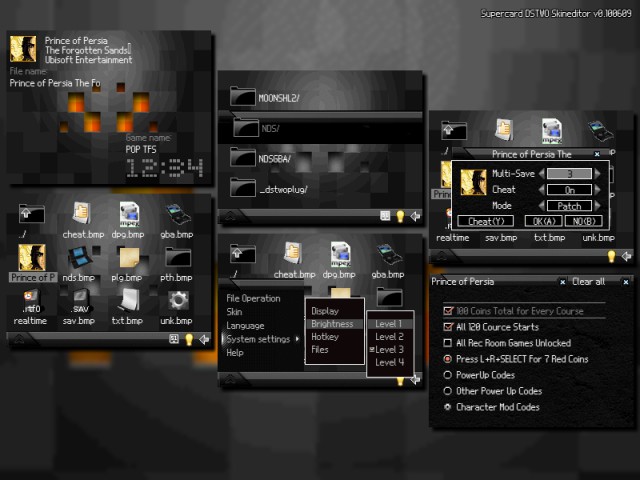
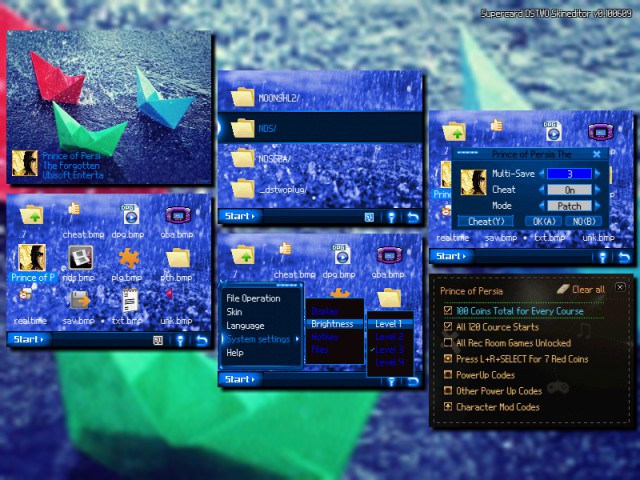
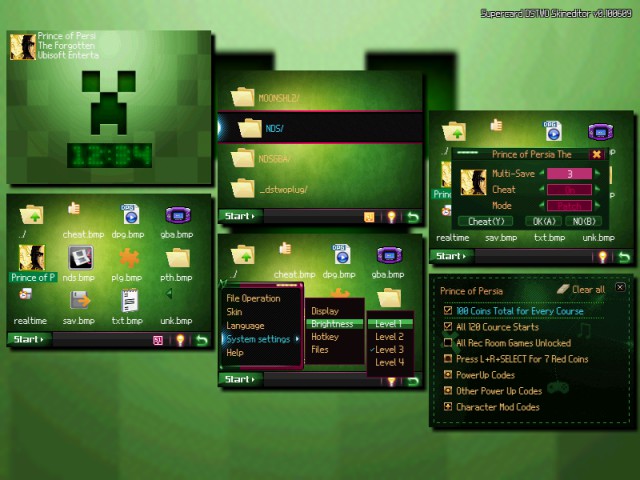
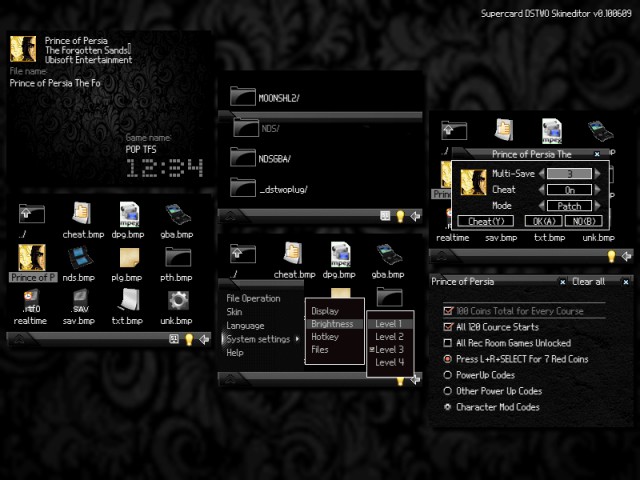
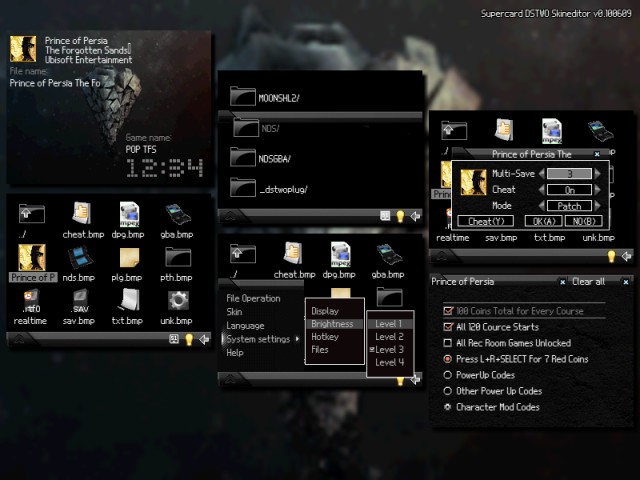
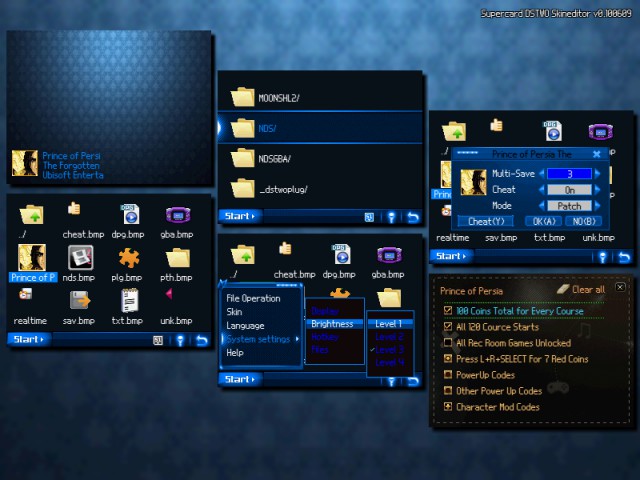
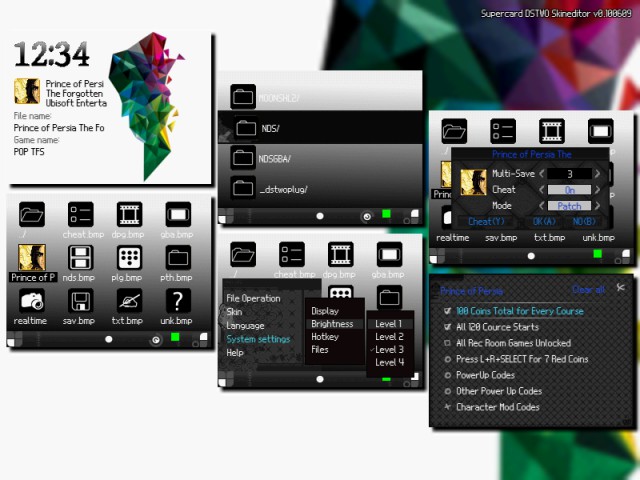
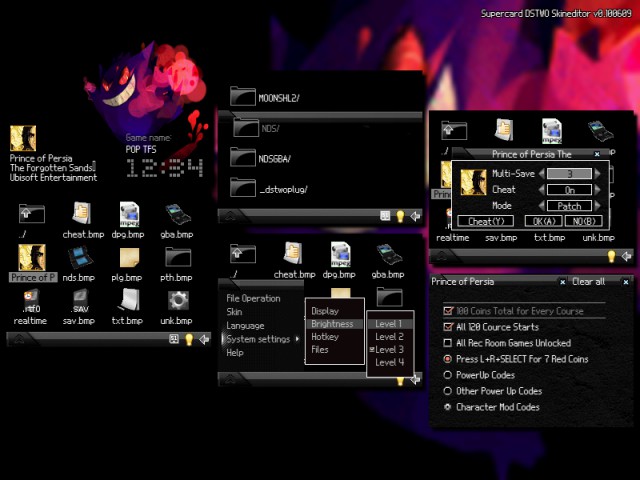
Anyway, I have just gone on a skin making rampage. Here they are (sorry CannonFoddr for this sudden influx!):

- Mountains

32775-Mountains.png


- Pixel

32774-Pixel.png


- Heavy Rain

32773-Heavy%20Rain.png


- Gengar

32772-Gengar.png


- Creeper

32771-Creeper.png


- Black Pattern

32766-Black%20Pattern.png


- Black Pyramid

32768-Black%20Pyramid.png


- Blue Pattern

32769-Blue%20Pattern.png


- Prism

32767-Prism.png


Enjoy, I think I tested them all but let me know if any of you see any mistakes!

EDIT: How do I hide the images in those containers where you click 'show'. The image previews look a bit too big :s

 
  • Like
Reactions: Spectro87 and Saxer
I am making a skin for myself, and i have all the pics and preferences.
But, when I am trying to apply it on my dstwo, it gets stuck on the loading screen.
Can someone please help me out?

P.S. Here's the file zipped.
 

Attachments

does anyone know if there is anyway to edit display options?

what i mean is, if we can edit any files to;
make the games icon smaller so you can list more games (with the icon)
or
hide file extention
or
the option to show the game name (as always shown on the top screen) as the roms name in the list instead?

basically, Wood style UI options, as eos is a bit rubbish
 
Hey everyone. I recently started playing my dstwo again because I only have two 3ds games :s

Anyway, I have just gone on a skin making rampage. Here they are (sorry CannonFoddr for this sudden influx!):

- Mountains

Every single one of those looks great. Thanks for making them.
 
  • Like
Reactions: Margen67
Hey everyone. I recently started playing my dstwo again because I only have two 3ds games :s

Anyway, I have just gone on a skin making rampage. Here they are (sorry CannonFoddr for this sudden influx!):

- Mountains

32775-Mountains.png


- Pixel

32774-Pixel.png


- Heavy Rain

32773-Heavy%20Rain.png


- Gengar

32772-Gengar.png


- Creeper

32771-Creeper.png


- Black Pattern

32766-Black%20Pattern.png


- Black Pyramid

32768-Black%20Pyramid.png


- Blue Pattern

32769-Blue%20Pattern.png


- Prism

32767-Prism.png


Enjoy, I think I tested them all but let me know if any of you see any mistakes!

EDIT: How do I hide the images in those containers where you click 'show'. The image previews look a bit too big :s
These are really nice! :)

One small question. I notive only the black skins show the full game title (without being cropped off), all the others crop the name just like the official skins so. Is there a reason for this? I'm using the blacks skini right now because I like the full game title being displayed!
 

Site & Scene News

Popular threads in this forum