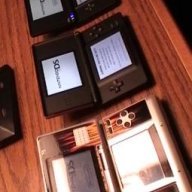

Here is my situation...
I followed a video on youtube on how to change cases for ds lites, I got up to the bit where I am assembling the lower shell but after I connected the wifi cable and mic cable back to the pc board, I decided to test to see if the ds will power on normally, but it wasn't.
Prior to this, I had trouble with the top screen ribbon cable, so I had to use a little force to get it out of the bottom half (not alot of force) and put it back in so I think because of that I may have messed up my whole DS Lite now, I was advised to not get any kind of small dent on the cable but I just couldn't get the damn thing out.
Have I busted my DS Lite or can I still save it?
(Dents are very miniature, nothing big)
I followed a video on youtube on how to change cases for ds lites, I got up to the bit where I am assembling the lower shell but after I connected the wifi cable and mic cable back to the pc board, I decided to test to see if the ds will power on normally, but it wasn't.
Prior to this, I had trouble with the top screen ribbon cable, so I had to use a little force to get it out of the bottom half (not alot of force) and put it back in so I think because of that I may have messed up my whole DS Lite now, I was advised to not get any kind of small dent on the cable but I just couldn't get the damn thing out.
Have I busted my DS Lite or can I still save it?
(Dents are very miniature, nothing big)