


Hi. The title says it all. Yesterday I was using my Switch just fine with fusee-primary. Tinfoil was operating just fine, as well as my games. I had a theme installed, and the homebrew menu worked just fine when I would use it for ftpd, JKSV, etc.
All night I was messing with BOTW Linkle mod but I was only tampering with the atmosphere -> contents folder of my Switch...
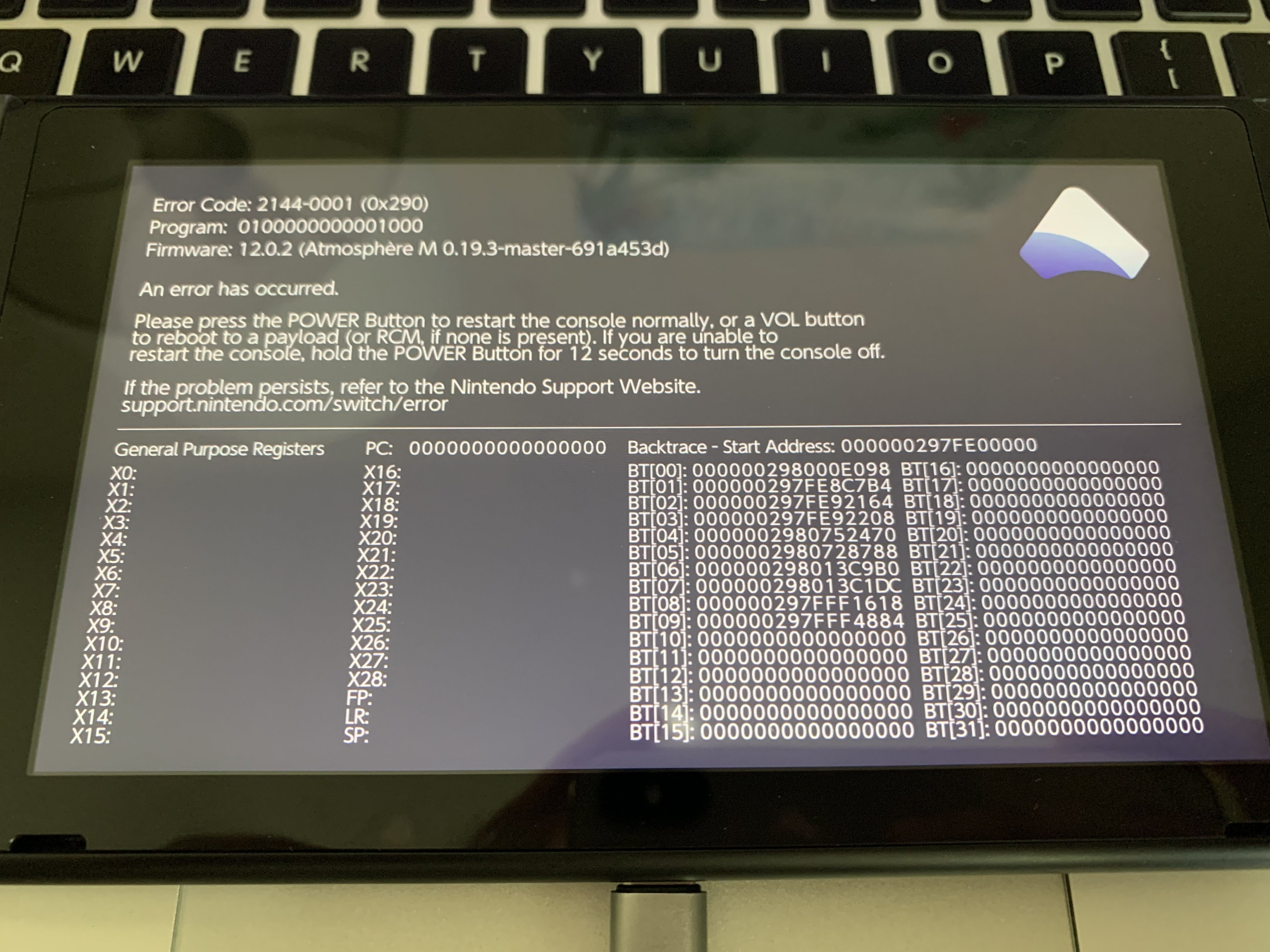
Even earlier this morning it was working but I put my SD card into my MacBook Pro, changed some files in the content folder, and now every time I enter the homebrew menu through the album my atmosphere crashes... I applied CFW to my Switch a couple days ago so I am certain that I have all the latest files. I replaced my atmosphere and bootloader folder in hopes of resolving the crash but no luck... I am hoping someone can maybe identify the crash for me?
I was avoiding formatting my SD Card because I already partitioned it for the sysnand/ emunand... but maybe that is the only answer and or solution?
Any thoughts would be helpful. Thanks in advance!
All night I was messing with BOTW Linkle mod but I was only tampering with the atmosphere -> contents folder of my Switch...
Even earlier this morning it was working but I put my SD card into my MacBook Pro, changed some files in the content folder, and now every time I enter the homebrew menu through the album my atmosphere crashes... I applied CFW to my Switch a couple days ago so I am certain that I have all the latest files. I replaced my atmosphere and bootloader folder in hopes of resolving the crash but no luck... I am hoping someone can maybe identify the crash for me?
I was avoiding formatting my SD Card because I already partitioned it for the sysnand/ emunand... but maybe that is the only answer and or solution?
Any thoughts would be helpful. Thanks in advance!
Last edited by s1aught3r,








