Hacking RELEASE Atmosphere mod Plague - Easy LayeredFS app switching - alpha

  • Thread starter Thread starter NermaN
  • Start date Start date
  • Views Views 71,118
  • Replies Replies 154
  • Likes Likes 39

NermaN

Active Member
Newcomer
Joined
Nov 6, 2016
Messages
30
Reaction score
79
Trophies
0
Age
31
XP
256
Country
Russia
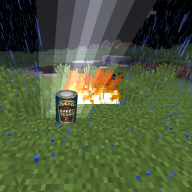
Atmosphere mod Plague v0.3

o3au8IDl.jpg


*Easy control of multiple app redirection for LayeredFS (fs_mitm)
*Automatic main.npdm patching


It consists of:

1) Modified loader.kip - replace one that you use now
2) Modified fs_mitm.kip - replace one that you use now
3) mod_plague.nro - put it in /switch folder, for launching later with hbloader.

Now you should put your backups into /backups folder on your sdcard, path should be something like "/backups/minecraft/exefs/main.npdm" for npdm file. It also handles main.npdm patching for you.

Changelog

v0.3.1:

- Fix selecting donor app when too much games installed
v0.3:

- Multiple app redirection​

v0.2:

- Latest version of Atmosphere fs_mitm - now seems completely stable. (Thanks @SciresM)
- Backup switch app now works without such lag
- Also, it probably will work on Switch with too much apps installed (not tested)​

Source: Atmosphere mod Control App

Discord
 

Attachments

Last edited by NermaN,
Cool idea!
Just to be sure the app does not move the files to atmosphere/titles right? It rather makes the redirection from backups?
 
This is first release of my poorly written mod.


It allows to easy choose donor game and target backup. I wish it work without reboot, but fs_mitm seems to be not stable enough for handling it right now, probably you still will need to reboot your switch after changing backup using included app.

It consists of:

1) Modified loader.kip - replace one that you use now
2) Modified fs_mitm.kip - replace one that you use now
3) mod_plague.nro - put it in /switch folder, for launching later with hbloader.

Now you should put your backups into /backups folder on your sdcard, path should be something like "/backups/minecraft/exefs/main.npdm" for npdm file. It also handles main.npdm patching for you.

Future plans:

1) Try to patch fs_mitm for better save / game compatibility, fix crashes.

As I said this stuff right now is poorly written and not tested, you should read already written guides for setting up layeredfs.

Confirmed, works. Well, it boots, but set your hekate ini correctly with patched kernel, otherwise you get a black screen with a error message 2001-0123

https://cdn.discordapp.com/attachme...4/458952103491141659/JPEG_20180620_131133.jpg

EDIT:

Confirmed working


upload_2018-6-20_13-18-54.png


upload_2018-6-20_13-19-4.png


upload_2018-6-20_13-19-15.png


--------------------- MERGED ---------------------------

Do you mind to write a little bit more about what it does? And maybe add some screens ^^
done ^^
 
Last edited by DJT1M/T1MLPD3,
It doesnt work for me because i have to much titles installed (70+). It make a loop when my installed title list load.
 
tested running great with blade

--------------------- MERGED ---------------------------

its crash when i quit the game and its reboot to stock

any fix friends
 
Confirmed, works. Well, it boots, but set your hekate ini correctly with patched kernel, otherwise you get a black screen with a error message 2001-0123

https://cdn.discordapp.com/attachme...4/458952103491141659/JPEG_20180620_131133.jpg

EDIT:

Confirmed working


View attachment 132456

View attachment 132457

View attachment 132458

--------------------- MERGED ---------------------------


done ^^
uuugh I don't need to see your leg in your underwear man. Have some class
 
So what format do my games have to be in for this to work? XCI, etc...
Same as for LayeredFS (it should be extracted exefs and romfs), but you should put in /backups/gamename instead, and you can skip main.npdm patching.
 
Same as for LayeredFS (it should be extracted exefs and romfs), but you should put in /backups/gamename instead, and you can skip main.npdm patching.
Wait so if i have a backup as a .xci file, do I just extract it with HacTool? My backup of Puyo Puyo Tetris currently has folder for 'normal' 'secure' and 'update'. Is this right? I also don't have a fs_mitm.kip file. Sorry I'm somewhat new
 
Last edited by Androoski,

Site & Scene News

Popular threads in this forum