Homebrew An exception occured

  • Thread starter Thread starter bloody86
  • Start date Start date
  • Views Views 1,823
  • Replies Replies 14

bloody86

Member
Newcomer
Joined
Aug 9, 2017
Messages
6
Reaction score
4
Trophies
0
Age
39
XP
85
Country
Switzerland
Hello Together,

a few months ago, i hacked my N3DSXL, everything went fine. Now i grab my 3DS and nothing works anymore. The System wont Start unless i remove sdCard.

Can you help me to figure out where the Problem comes from? Its way to long ago for me.
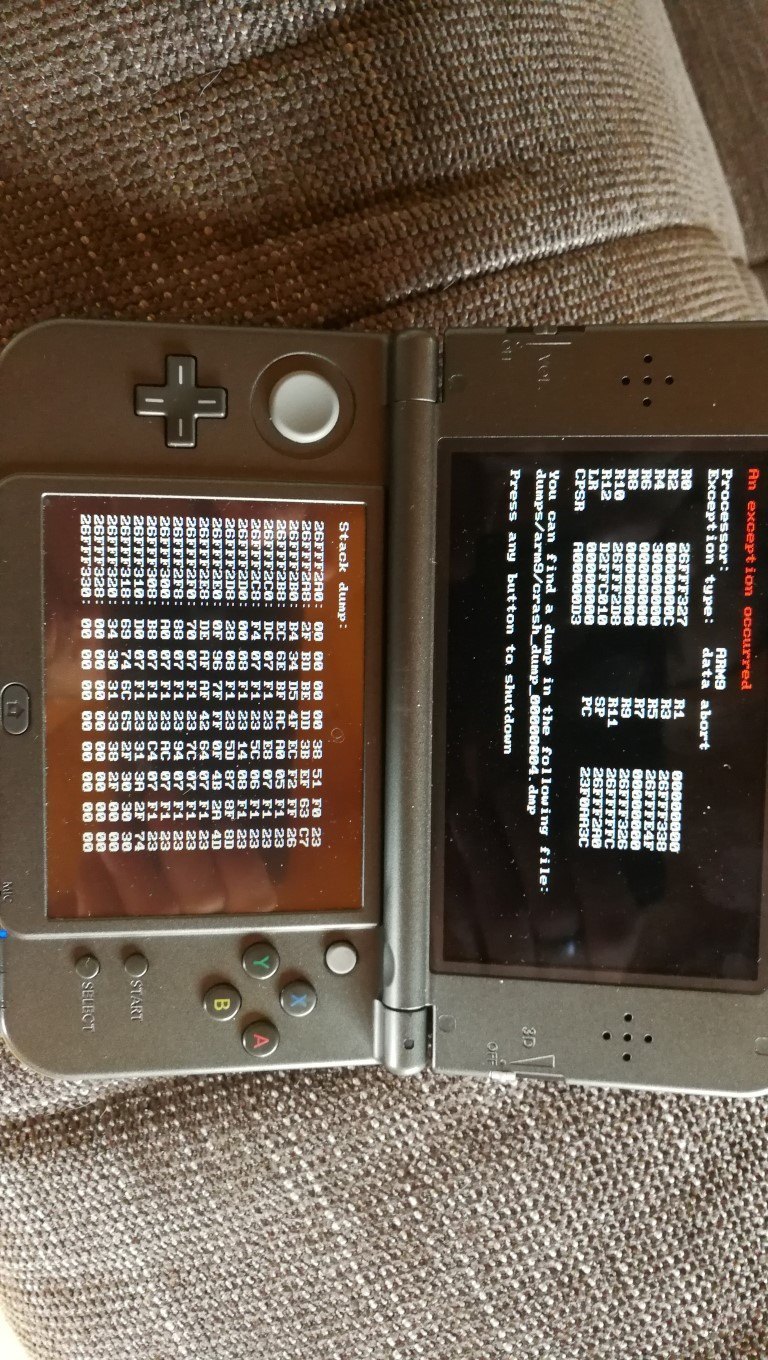
IMG_20170809_115723 (Medium).jpg
IMG_20170809_183104 (Medium).jpg


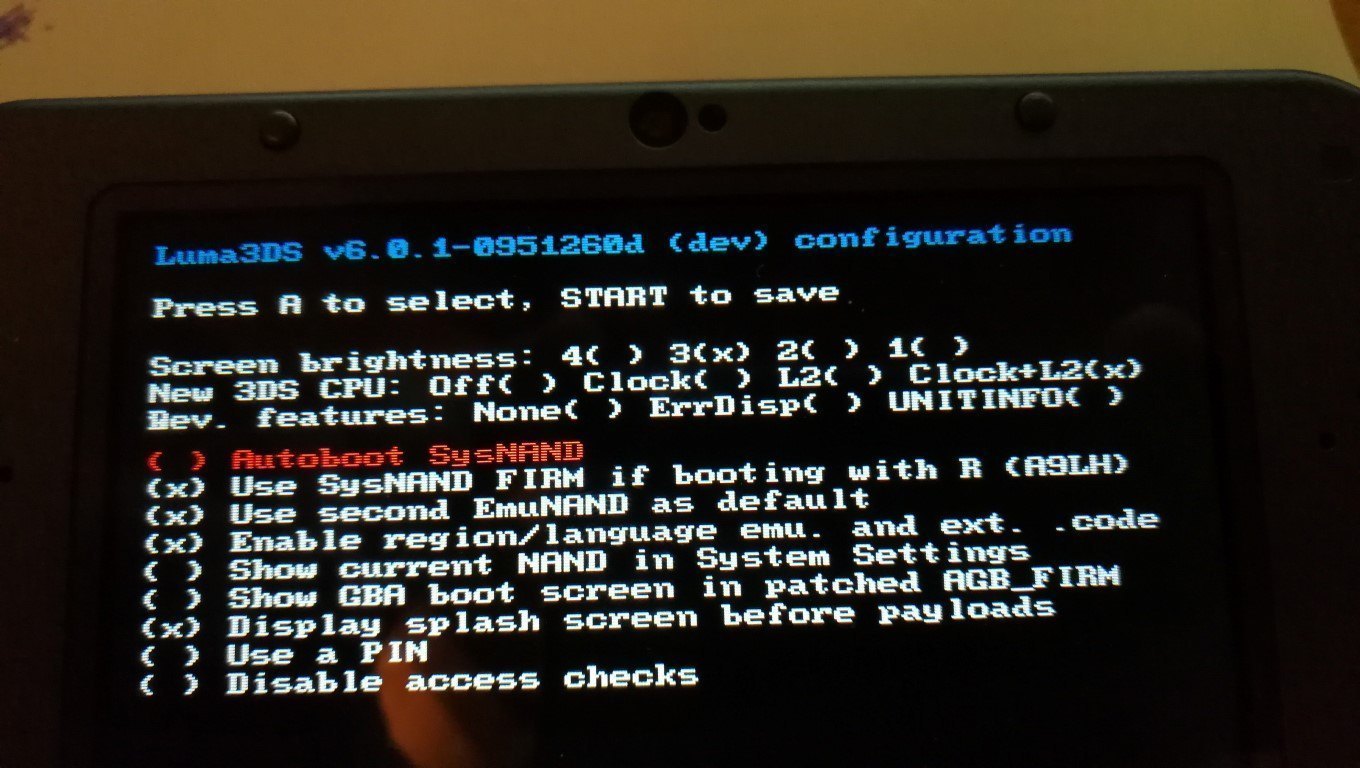
Luma You see in Picture

System is; 11.3.0-36E


Thank you so Much,

even if you tell me where to find help.
 

Attachments

Hello Together,

a few months ago, i hacked my N3DSXL, everything went fine. Now i grab my 3DS and nothing works anymore. The System wont Start unless i remove sdCard.

Can you help me to figure out where the Problem comes from? Its way to long ago for me.
View attachment 95126 View attachment 95127


Luma You see in Picture

System is; 11.3.0-36E


Thank you so Much,

even if you tell me where to find help.
Can you access gm9?
I'm guessing you're using a9lh, maybe try updating to boot9strap. A9LH to B9S.
 
Might have found something, by hexediting your dump file, it redirects to 1:/title/00040138/20000002/content/0000002D.app and then it goes to D.APP..000002d.app

Have you installed something that touched to the NAND recently ?
 
Wont Start anyways.

Create new Dumpfile
So download the arm9loaderhax.bin from THIS release and put it on the root of your SD card. Delete the "config" file from, Sd:/luma, then when you power on the device ONLY check "Autoboot Sysnand" and press start.

--------------------- MERGED ---------------------------

do you have a9lhx or BS9?
He has A9LH, confirmed with the version of Luma he is running.
 
Last edited by Majickhat55,
Have a9lhx
So download the arm9loaderhax.bin from THIS release and put it on the root of your SD card. Delete the "config" file from, Sd:/luma, then when you power on the device ONLY check "Autoboot Sysnand" and press start.

--------------------- MERGED ---------------------------


He has A9LH, confirmed with the version of Luma he is running.

System Up and running again (THX!), some Applications wont Start.

What should i do next. Update Luma? Update a9lhx to BS9?

What about System Update?
 
  • Like
Reactions: Majickhat55
Have a9lhx


System Up and running again (THX!), some Applications wont Start.

What should i do next. Update Luma? Update a9lhx to BS9?

What about System Update?
You need to update A9LH to B9S first.

Luma is no longer compatible with A9LH. So you need B9S to use the latest version.

Then update your system through system settings.
 

Site & Scene News

Popular threads in this forum