Please help, my 3DS is not turning on!
I have a 2DS XL with CFW installed, and since yesterday, multiple errors have happened including the following:
1. The system shows an error when I press the power button, saying something about being unable to mount the CTRNAND.
2. The system boots up, but freezes and/or crashes a few moments later.
3. The system shows the blue power
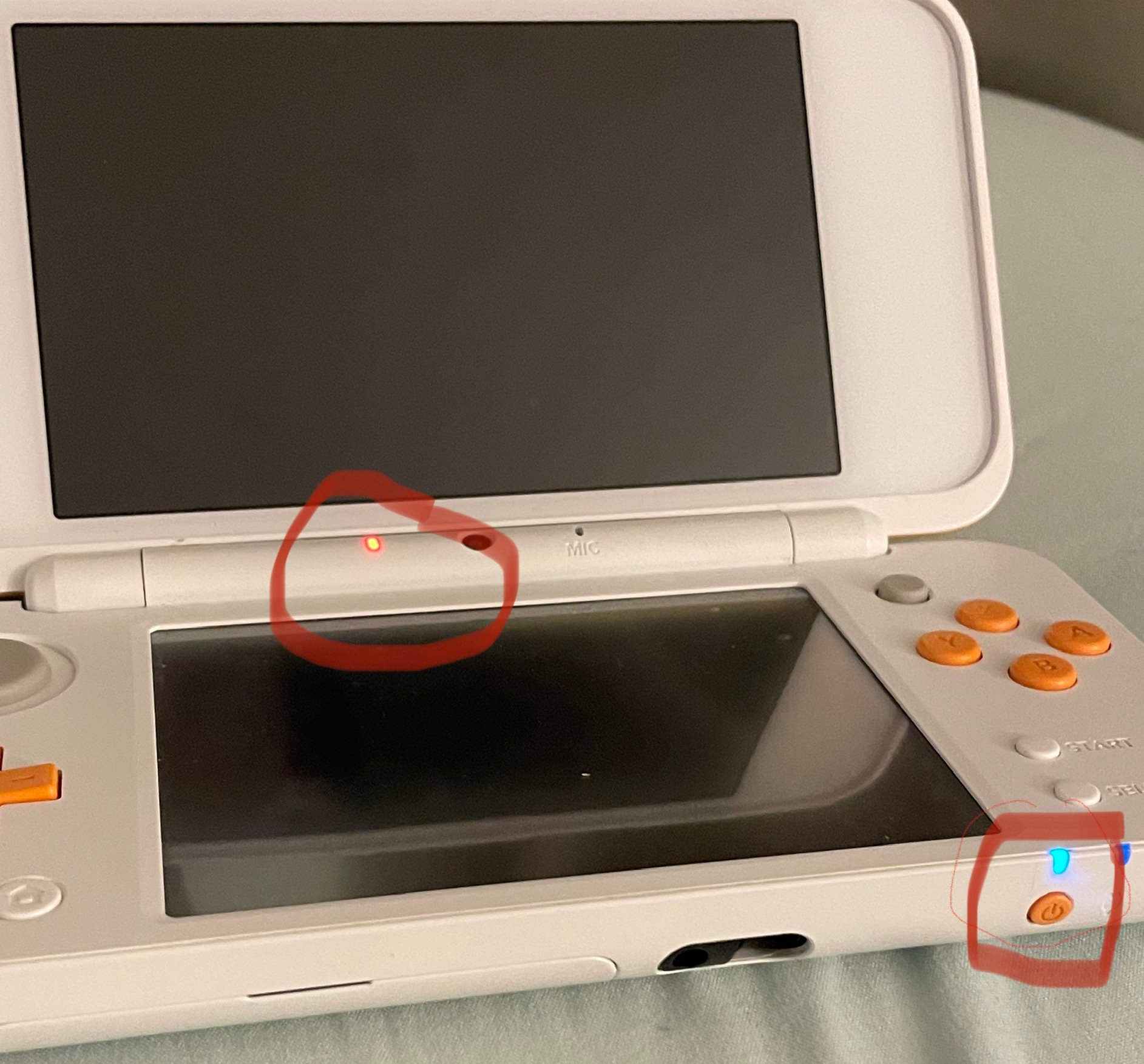
light and a red light near the camera (Pink when the SD is not inserted) and immediately powers off after 1 second . (Displayed by image below)
Please note that my system has quite a bit of wear and tear on it as I have used it extensively since I bought it back in 2017.
I’ve seen stuff about a loose speaker ribbon but I don’t think that’s the case.
I have a 2DS XL with CFW installed, and since yesterday, multiple errors have happened including the following:
1. The system shows an error when I press the power button, saying something about being unable to mount the CTRNAND.
2. The system boots up, but freezes and/or crashes a few moments later.
3. The system shows the blue power
light and a red light near the camera (Pink when the SD is not inserted) and immediately powers off after 1 second . (Displayed by image below)
Please note that my system has quite a bit of wear and tear on it as I have used it extensively since I bought it back in 2017.
I’ve seen stuff about a loose speaker ribbon but I don’t think that’s the case.