


- Joined
- Feb 1, 2015
- Messages
- 9
- Reaction score
- 1
- Trophies
- 1
- Age
- 40
- Location
- Bavaria
- Website
- www.dreimer.de
- XP
- 115
- Country

Greetings,
I almost forget that I have a account here... After I posted about my little project at Reddit for a while now I wondered where I could post about it, too. And here I am ;D
I still need some feedback and Reddit did not really give me much of it yet.
So... what do we have here you might ask...
- An PSP App which works together with a Server component installed via Docker or as Home Assistant Add-In App.
- Multi language support (Well, German and English right now...)
- Playback of whatever audio or video file FFMPEG can work with. This includes online radio with ICY protcol.
- Plex, JellyFin and DLNA Servers can serve as a media source, too. It even syncs the playback and watch status!
- VIdeo playback has support for the perfect resolution for LCD or TV-Out, different audio tracks, different subtitles (Text and image based ones) and you can select two different fps settings (20 fps or 23.976 fps).
- Audio Playback allows different CBR or VBR settings which you can choose to your liking (and WIFI strength).
- Audio playback has three different kinds of virtualization included. A 12->64 band Spectrum Analyzator, MilkDrop (a custom ported variant with quite solid compatibility compared to the original) and new an easter egg infested decompilation and port of Monkey! All three integrated into the UI or as full screen.
- Quite stable power savings by using different clock speeds for different things.
* Music clocks lower than video or media select menu etc...etc...
* These values can be edited in 1 MHz steps if you want to.
* The always on LCD mode is now possile to be enabled or disabled.
* That way you can play music and with lower clocks and LCD off.... for ages
BEWARE: MilkDrop right now has everything included what the official engine supports EXCEPT shaders. These are absolutely impossible to be ported over as the PSP hardware does not know the concept of shaders at all and thus these are implemented by ignoring the parameter completely... It's possible that some .milk proflies will not work and not just because of shaders. The PSP version was ported to be as precise as possible and is still getting fixes and optimizations, but the hardware has it's limits and some very complex presets might fail to work.
Currently my test case consists of 2267 (1715 custom and 552 original included to WinAMP Setup ones) presets and it can load ALL of them (100 % load). But load does not mean much and thus the test has a 150 frames pass goal, too. And guess what... By now ALL OF THEM reach that, too! Thus the current compatibility is around 100%!! Only flaw... missing shaders can end with a preset loading and running fine, but... showing a black screen only But these are just a few that you can count on two hands. So you most likely will find your favorites running fine here. Maybe a bit slow depending on complexity, but fine! I tried to optimize the hell out of it and many even quite complex presets run fine by now.
If you find one not working preset: Create an Issue report over there at GitHub or we talk about it in here. Same goes for feature requests or issues of all kind.
And the new toy added recently:
After my PSP Media Player starts to become quite useful recently I thought I'd try out something different. Something that allows you to use newer WIFI standards and allows more speed than the former one did. Thus project StreamMaster was born. The PSP allows only to connect to a USB Host and can not behave like one itself. So attaching a normal WIFI USB stick is not possible, but who cares? There are ESP32 which can do WIFI and handle USB Host. Thus I created a ESP32 firmware and soldered a Power cord and a Micro USB cable to a USB Hub. The PSP is plugged into the Hub and the ESP32 is plugged as Host to the Micro USB cable. As both need power from somewhere I added the USB cord for a Powerbank. End result? You can configure the WIFI inside PSPStreamer, save it to the ESP32 and it connects to the network. That you even can do with up to FIVE different connections which are selected automatically if only one is available or stronger than the rest. And yes you can disable the auto connect, too. You switch network source from internal WIFI to StreamMaster and feel the speed boost!!
Before: ~280 kiB/s with internal WIFI next to the small 802.11b router.
After: ~485 kiB/s with StreamMaster. Somewhere around the house.
The bottleneck is not just WIFI anymore, now it is CPU and Memory Card.
Some more might even be possible with higher CPU speed and faster SD card.
UPDATE (v2.1): Now with updated Download/Validate speed to 333 MHz we are at about 560 KiB/s!!
Not just speed is now better, you can select ANY WIFI as long as it's 2.4 GHz. Here I used WPA3 ONLY 802.11ac and all is super fine.
I only had these boards lying around. If you wonder what these are... Onju voice PCB (https://github.com/justLV/onju-voice) to replace the PCB inside a Google Nest Mini to create a Home Assistant voice Assistant. As these are outdated I tried to use these and now the LEDs even show stuff like connection and WIFI strength.
My cable solutions can be seen below.
---------------------------------
Download link of PSP App, Overclocking Plug-In ESP32 FIrmware and DOcker/Home Assistant Add-In Containers:
https://github.com/dreimer1986/PSPStreamer
Download link of Home Assistant Integration to control the Playback by Home Assistant:
https://github.com/dreimer1986/PSPStreamerHA
Want more photos?
https://photos.app.goo.gl/QrS4Bqp8cXNWPusu9
------------------------
Most of the lower level stuff was made with support of GPT-6-Astra aka with AI, but of course not with just blindly trusting it. I am no noob in coding matters, but in PSP coding I am and thus I made this app with AI support.
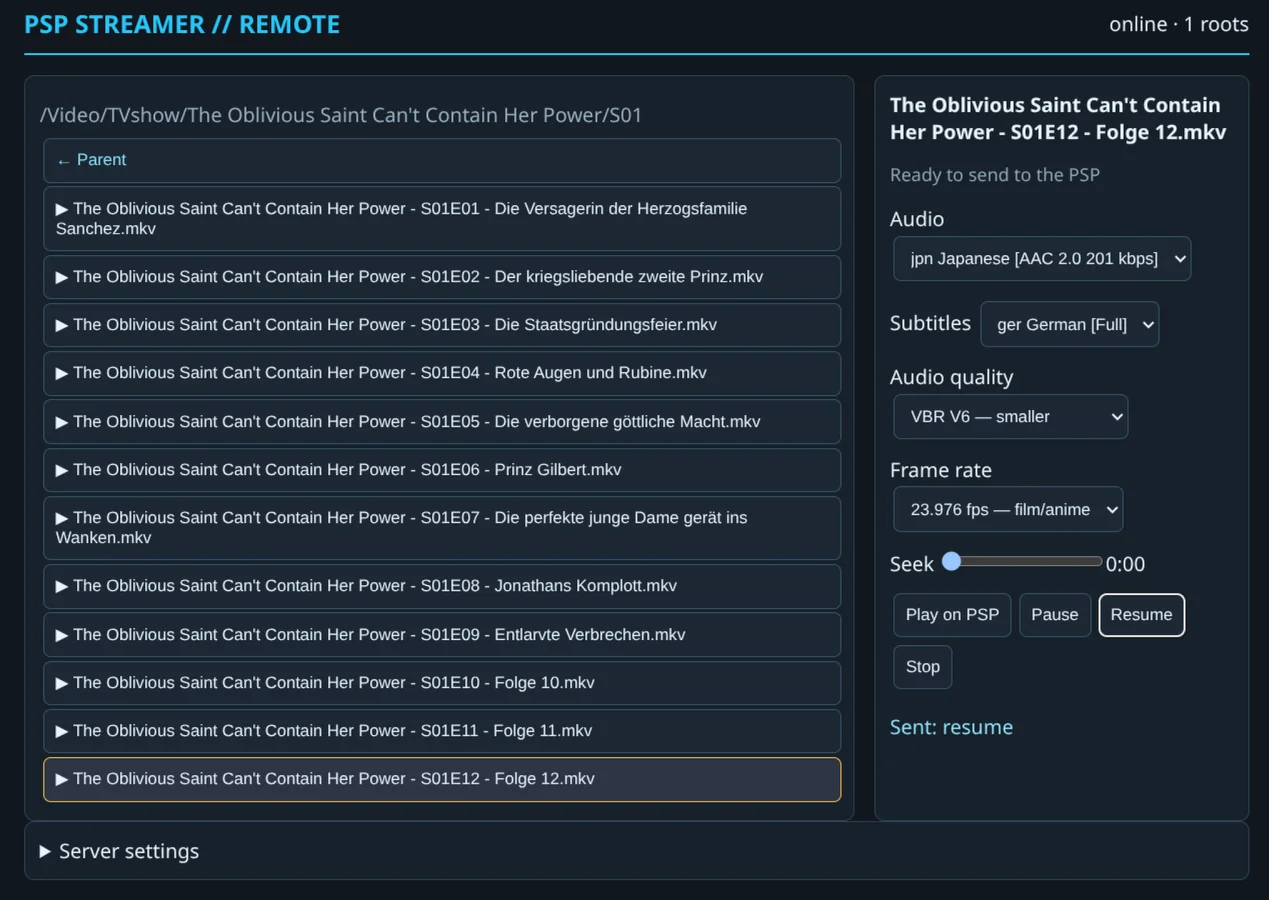
The server component with included remote control features
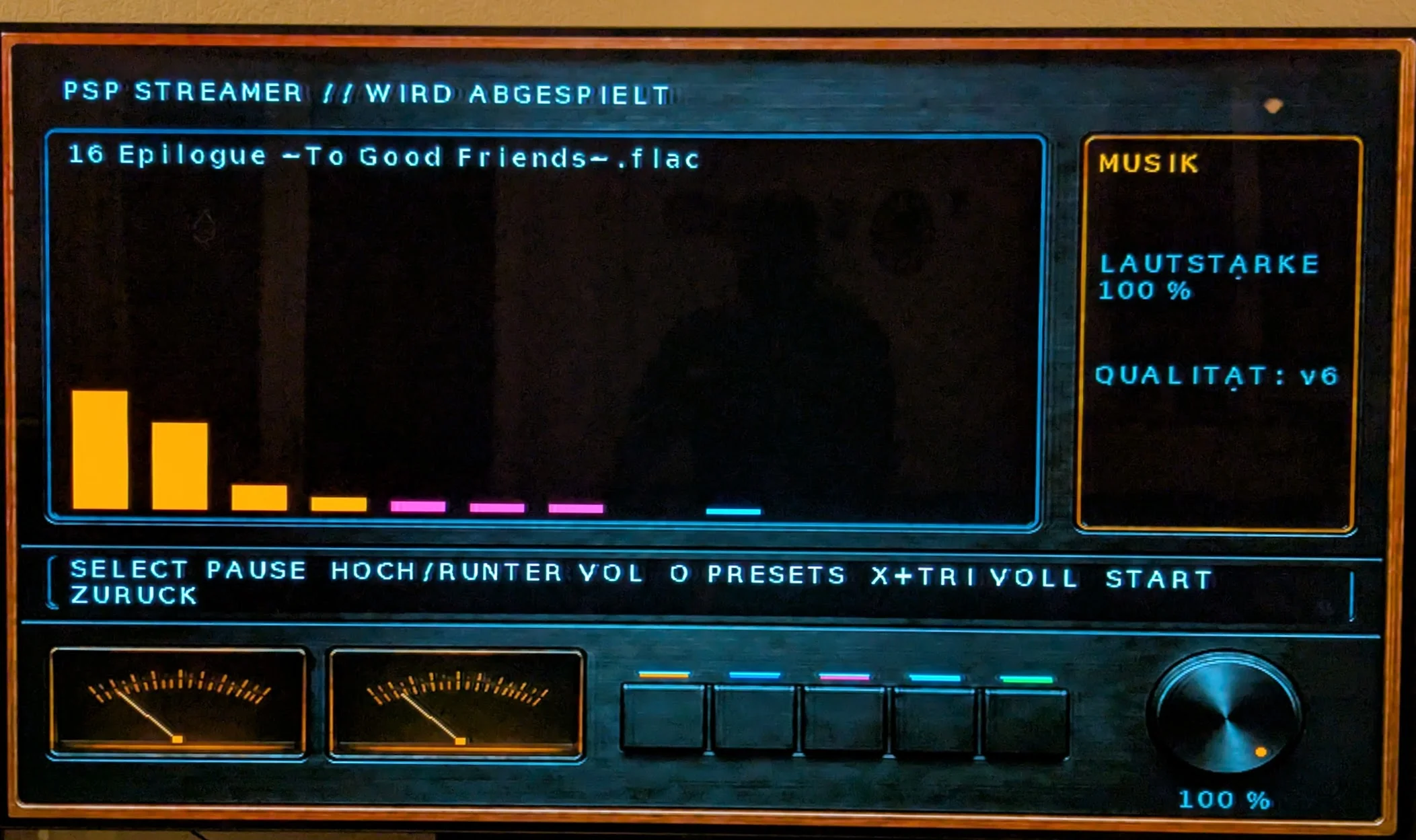
Music Playback with Spectrum Analyzator and YES the VU meters do work!
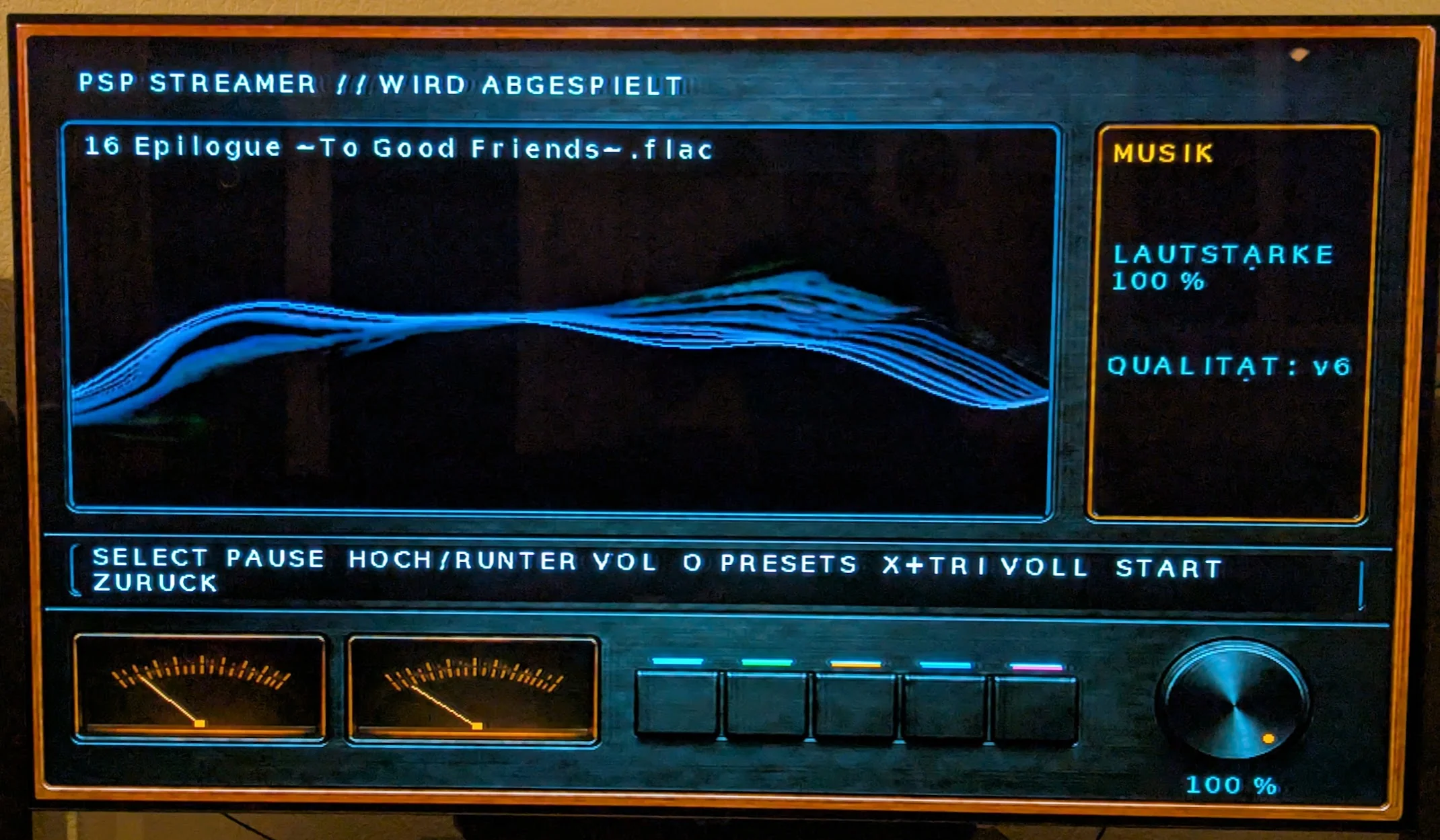
Music Playback with MilkDrop
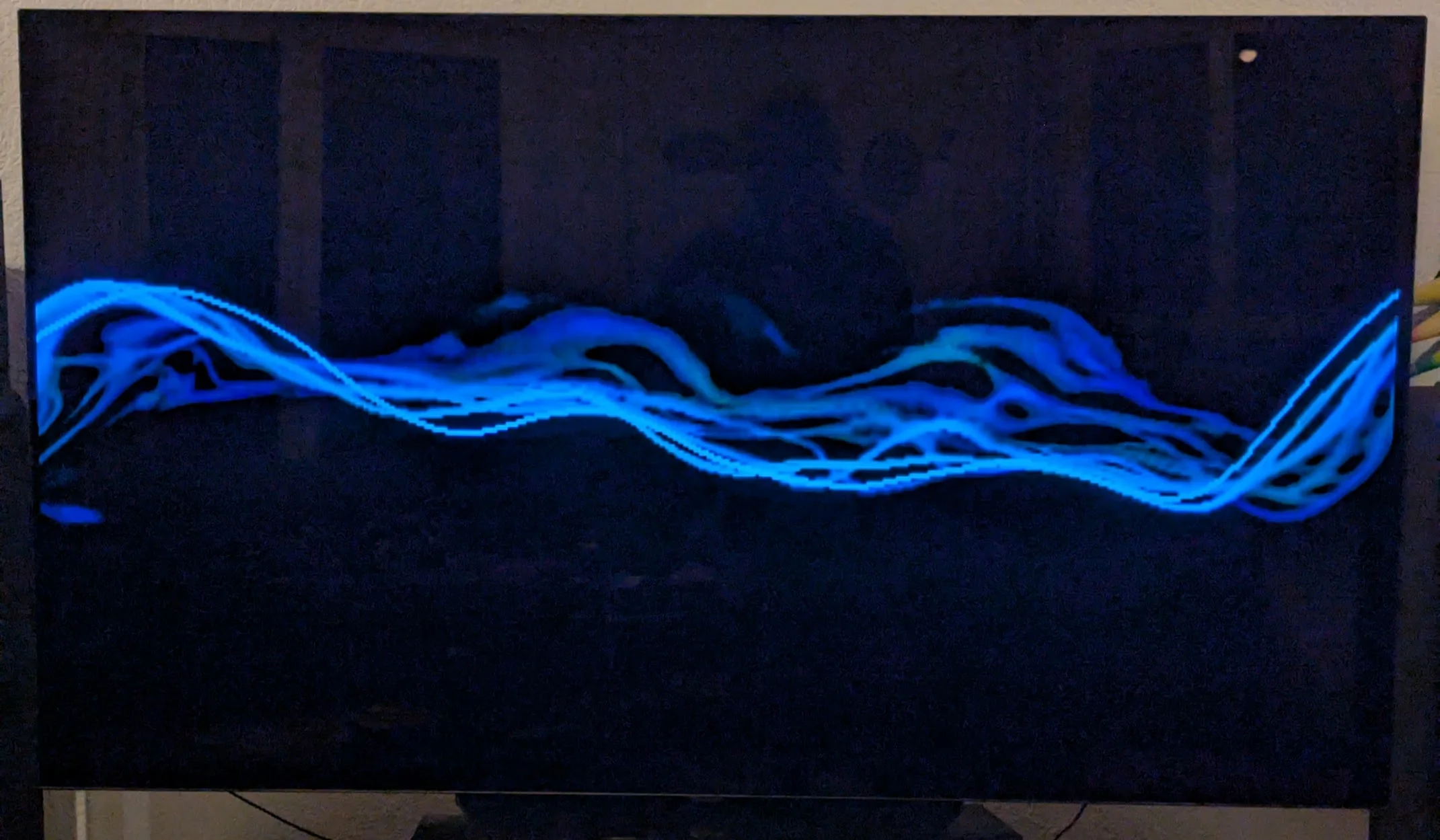
Music Playback with MilkDrop in Full Screen

VIdeo Playback with Subtitles activated
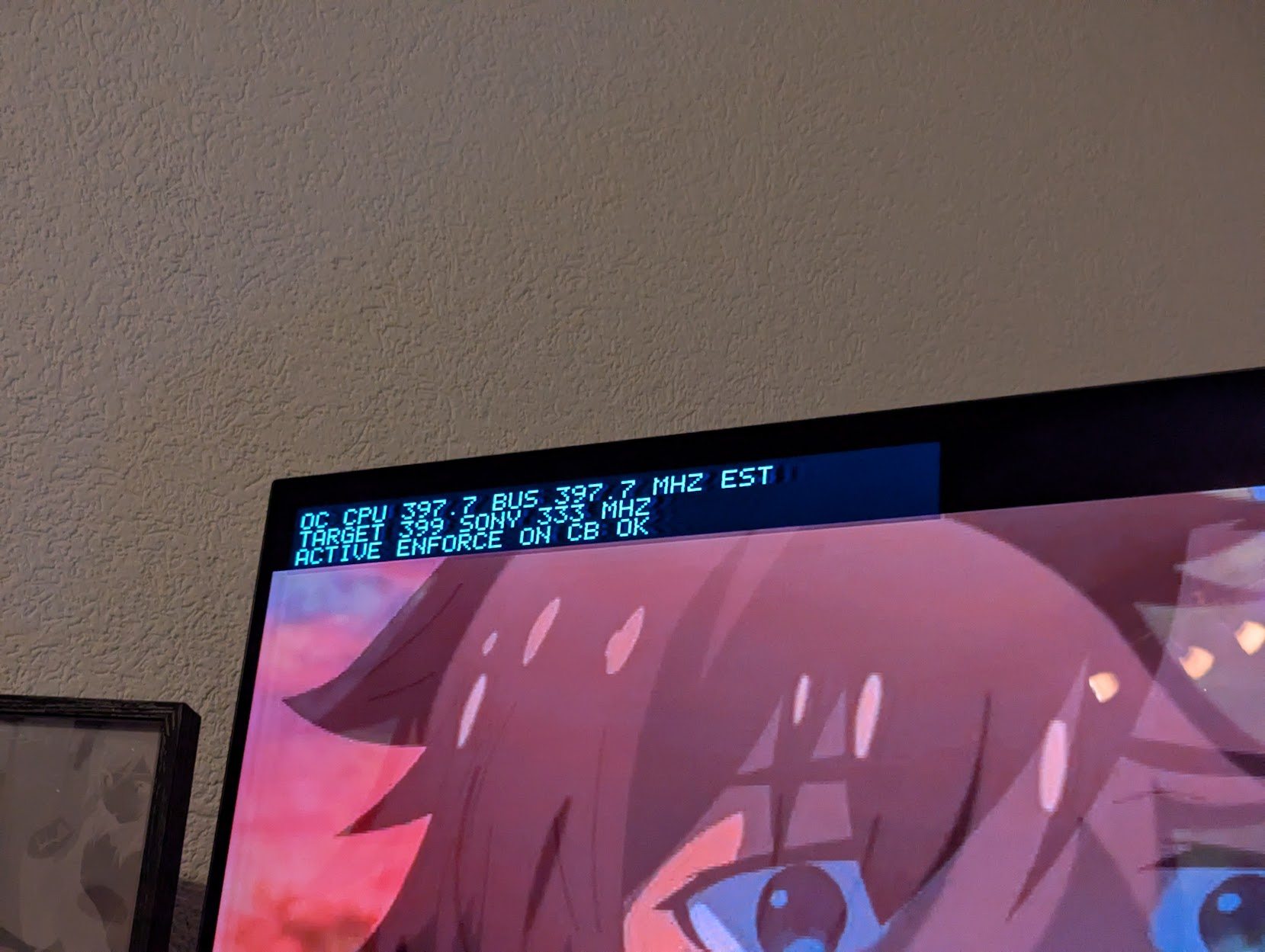
The OC Plugin doing it's job
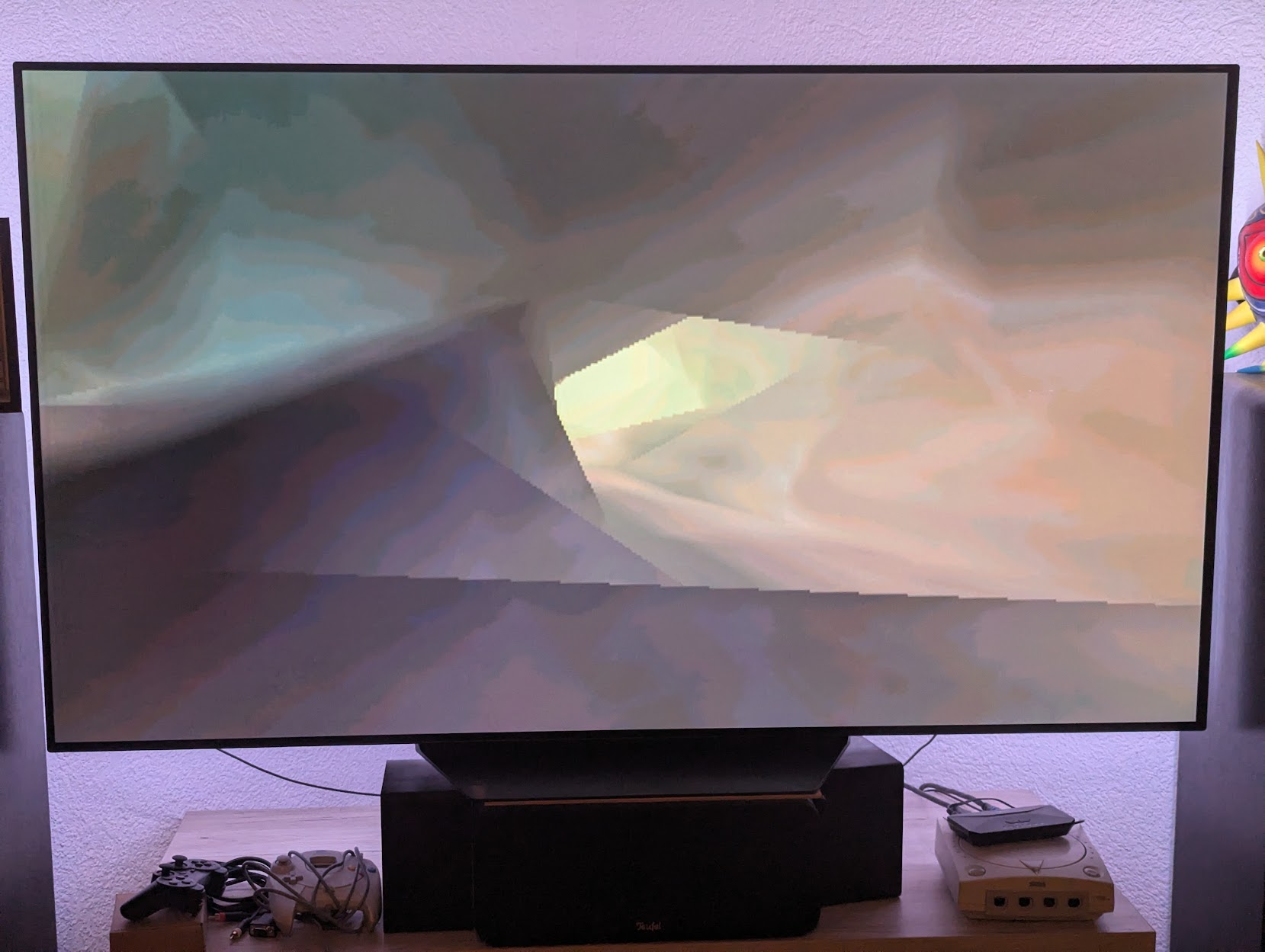
Monkey Virtualization
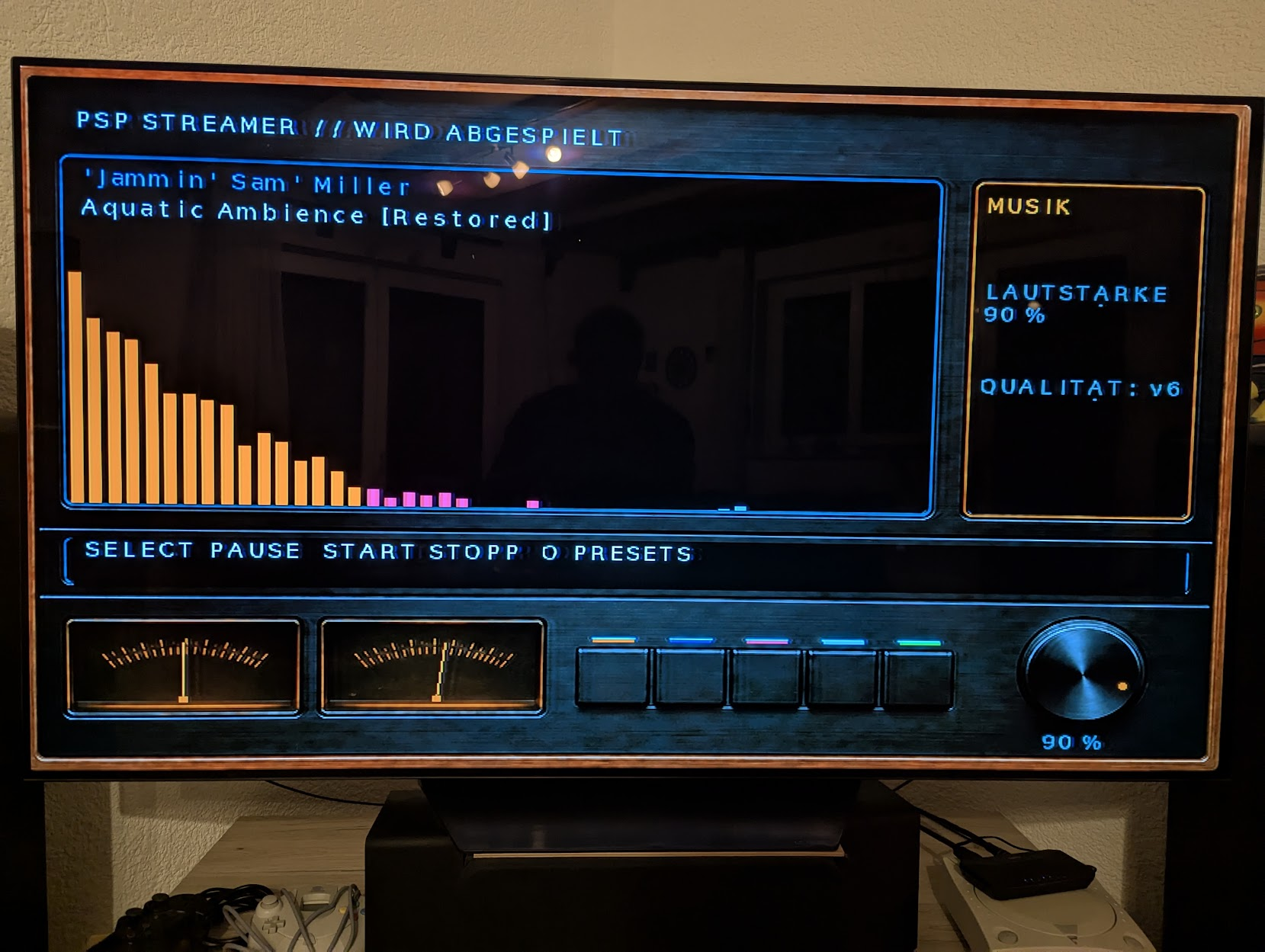
The new 64-band Spectrum Analyzer
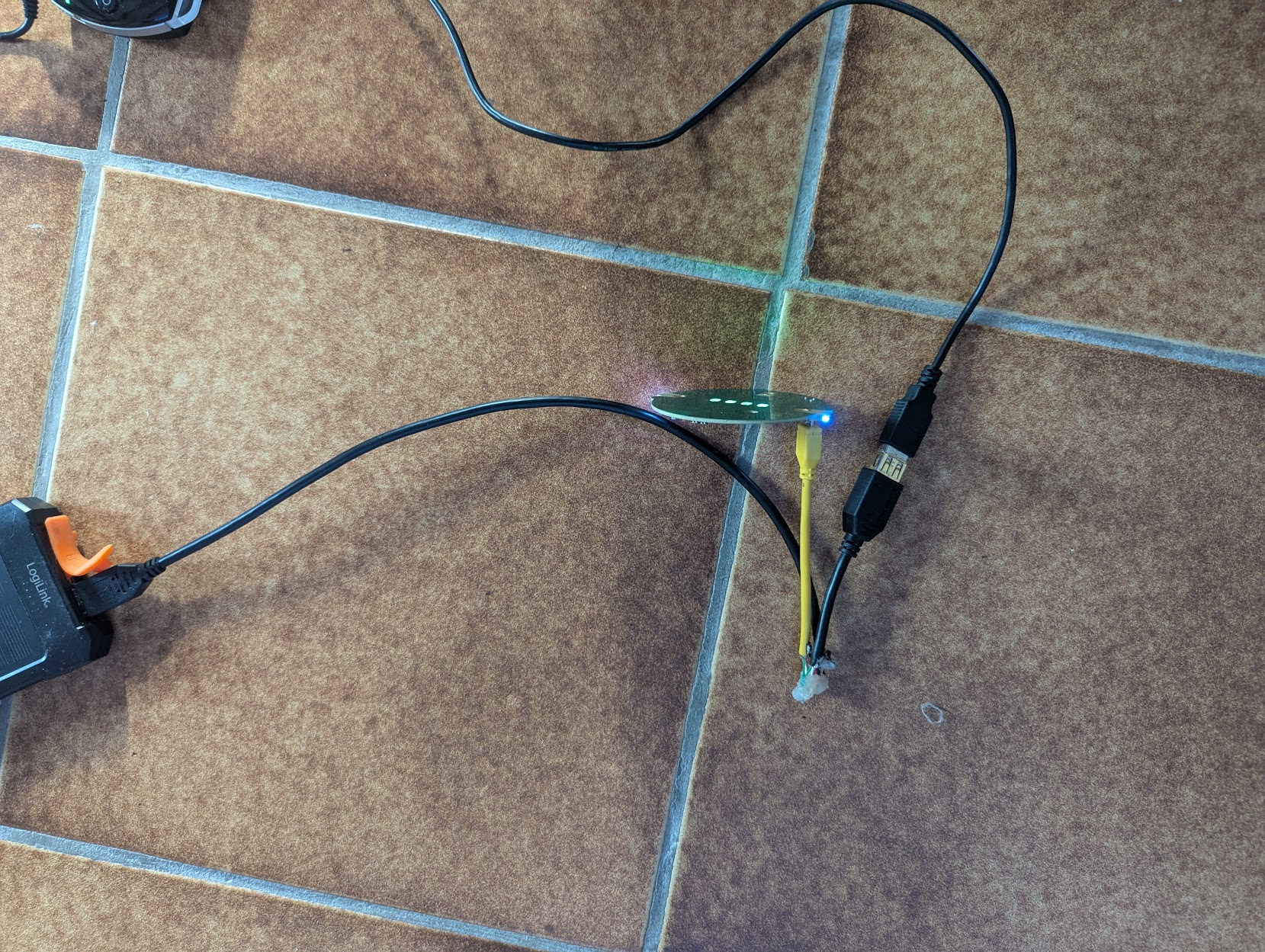
The basic Adapter cable for USB connection to an ESP32 WIFI Adapter.
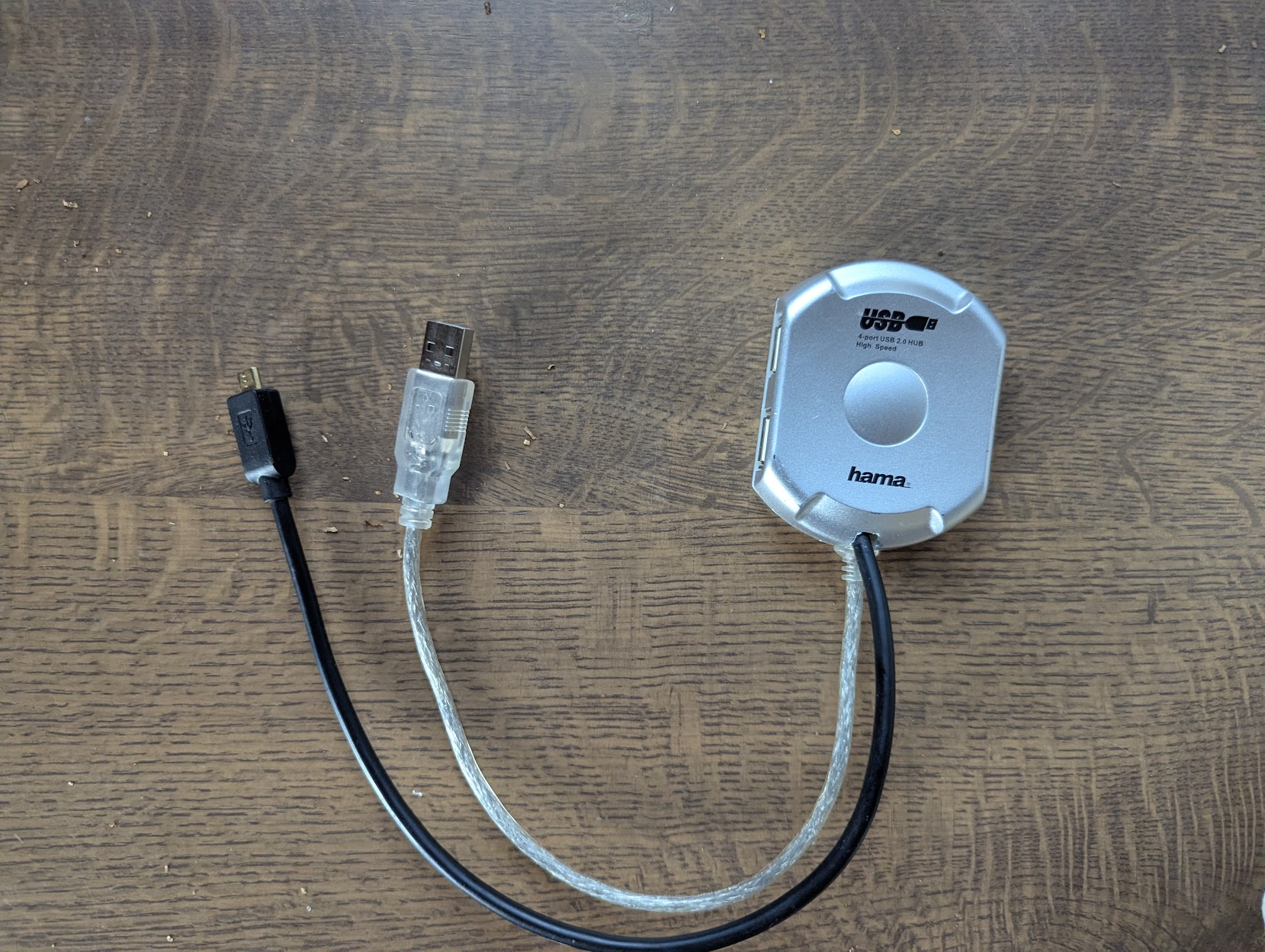
The USB Hub based Adapter cable for USB connection to an ESP32 WIFI Adapter.
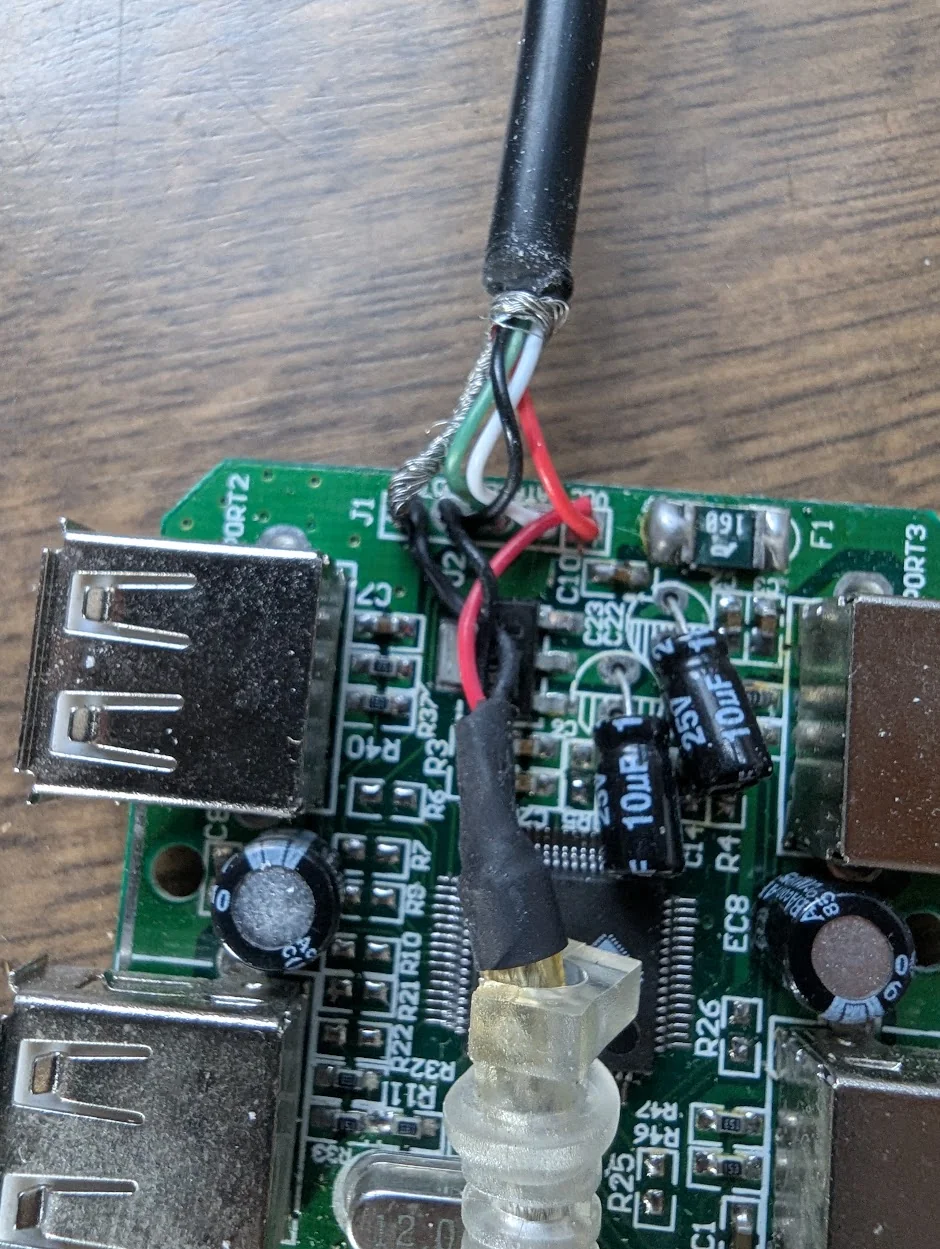
As you can see the normal USB ist just for Power and the micro USB connects to the ESP32 which handles USB Host.
I almost forget that I have a account here... After I posted about my little project at Reddit for a while now I wondered where I could post about it, too. And here I am ;D
I still need some feedback and Reddit did not really give me much of it yet.
So... what do we have here you might ask...
- An PSP App which works together with a Server component installed via Docker or as Home Assistant Add-In App.
- Multi language support (Well, German and English right now...)
- Playback of whatever audio or video file FFMPEG can work with. This includes online radio with ICY protcol.
- Plex, JellyFin and DLNA Servers can serve as a media source, too. It even syncs the playback and watch status!
- VIdeo playback has support for the perfect resolution for LCD or TV-Out, different audio tracks, different subtitles (Text and image based ones) and you can select two different fps settings (20 fps or 23.976 fps).
- Audio Playback allows different CBR or VBR settings which you can choose to your liking (and WIFI strength).
- Audio playback has three different kinds of virtualization included. A 12->64 band Spectrum Analyzator, MilkDrop (a custom ported variant with quite solid compatibility compared to the original) and new an easter egg infested decompilation and port of Monkey! All three integrated into the UI or as full screen.
- Quite stable power savings by using different clock speeds for different things.
* Music clocks lower than video or media select menu etc...etc...
* These values can be edited in 1 MHz steps if you want to.
* The always on LCD mode is now possile to be enabled or disabled.
* That way you can play music and with lower clocks and LCD off.... for ages
BEWARE: MilkDrop right now has everything included what the official engine supports EXCEPT shaders. These are absolutely impossible to be ported over as the PSP hardware does not know the concept of shaders at all and thus these are implemented by ignoring the parameter completely... It's possible that some .milk proflies will not work and not just because of shaders. The PSP version was ported to be as precise as possible and is still getting fixes and optimizations, but the hardware has it's limits and some very complex presets might fail to work.
Currently my test case consists of 2267 (1715 custom and 552 original included to WinAMP Setup ones) presets and it can load ALL of them (100 % load). But load does not mean much and thus the test has a 150 frames pass goal, too. And guess what... By now ALL OF THEM reach that, too! Thus the current compatibility is around 100%!! Only flaw... missing shaders can end with a preset loading and running fine, but... showing a black screen only
But these are just a few that you can count on two hands. So you most likely will find your favorites running fine here. Maybe a bit slow depending on complexity, but fine! I tried to optimize the hell out of it and many even quite complex presets run fine by now.If you find one not working preset: Create an Issue report over there at GitHub or we talk about it in here. Same goes for feature requests or issues of all kind.
And the new toy added recently:
After my PSP Media Player starts to become quite useful recently I thought I'd try out something different. Something that allows you to use newer WIFI standards and allows more speed than the former one did. Thus project StreamMaster was born. The PSP allows only to connect to a USB Host and can not behave like one itself. So attaching a normal WIFI USB stick is not possible, but who cares? There are ESP32 which can do WIFI and handle USB Host. Thus I created a ESP32 firmware and soldered a Power cord and a Micro USB cable to a USB Hub. The PSP is plugged into the Hub and the ESP32 is plugged as Host to the Micro USB cable. As both need power from somewhere I added the USB cord for a Powerbank. End result? You can configure the WIFI inside PSPStreamer, save it to the ESP32 and it connects to the network. That you even can do with up to FIVE different connections which are selected automatically if only one is available or stronger than the rest. And yes you can disable the auto connect, too. You switch network source from internal WIFI to StreamMaster and feel the speed boost!!
Before: ~280 kiB/s with internal WIFI next to the small 802.11b router.
After: ~485 kiB/s with StreamMaster. Somewhere around the house.
The bottleneck is not just WIFI anymore, now it is CPU and Memory Card.
Some more might even be possible with higher CPU speed and faster SD card.
UPDATE (v2.1): Now with updated Download/Validate speed to 333 MHz we are at about 560 KiB/s!!
Not just speed is now better, you can select ANY WIFI as long as it's 2.4 GHz. Here I used WPA3 ONLY 802.11ac and all is super fine.
I only had these boards lying around. If you wonder what these are... Onju voice PCB (https://github.com/justLV/onju-voice) to replace the PCB inside a Google Nest Mini to create a Home Assistant voice Assistant. As these are outdated I tried to use these and now the LEDs even show stuff like connection and WIFI strength.
My cable solutions can be seen below.
---------------------------------
Download link of PSP App, Overclocking Plug-In ESP32 FIrmware and DOcker/Home Assistant Add-In Containers:
https://github.com/dreimer1986/PSPStreamer
Download link of Home Assistant Integration to control the Playback by Home Assistant:
https://github.com/dreimer1986/PSPStreamerHA
Want more photos?
https://photos.app.goo.gl/QrS4Bqp8cXNWPusu9
------------------------
Most of the lower level stuff was made with support of GPT-6-Astra aka with AI, but of course not with just blindly trusting it. I am no noob in coding matters, but in PSP coding I am and thus I made this app with AI support.
The server component with included remote control features
Music Playback with Spectrum Analyzator and YES the VU meters do work!
Music Playback with MilkDrop
Music Playback with MilkDrop in Full Screen
VIdeo Playback with Subtitles activated
The OC Plugin doing it's job
Monkey Virtualization
The new 64-band Spectrum Analyzer
The basic Adapter cable for USB connection to an ESP32 WIFI Adapter.
The USB Hub based Adapter cable for USB connection to an ESP32 WIFI Adapter.
As you can see the normal USB ist just for Power and the micro USB connects to the ESP32 which handles USB Host.
Last edited by dreimer,


