Hey everyone,
Wave Race 64 is one of my favorite games of all times and it just completed 30 years! A couple of weeks ago I released a Wave Race 64 recompilation for Windows (soon on Linux too) called RaceWave46 with some cool set of features like ray traced and rasterized shadows, sky and water reflections, RetroAchievments, dolphin ghost in Time Trials, rumble support along with the usual high framerate, high resolutions, wide and ultra wide screen support, separate screen 2-player mode, etc. You can check it out it here if you want:
https://github.com/DomazinUS/RaceWave46
Today, I'm releasing RaceWave46 for the Nintendo Switch. I believe this is the first of its kind since all the other Nintendo 64 projects on Switch are ports as far as I know and this is a recompilation.
Features:
- 60fps support at 720p handheld/1080p docked at stock clocks
- Deko3D and OpenGL renderers
- Rasterized Water reflections, Sky reflections and Shadows
- Mods support (a sample HD texture pack is provided already, pack by elliotttate, enable it in the Mods tab)
- RetroAchievements (softcore)
- Multiple audio controls and equalizer
- Enhanced 2-player graphics details
- 2-player Dolphin Park free roam
- Dolphin ghost in Time Trail mode
- Rumble
- Built in graphics pack enhancer (it generates a HD texture pack from you own game ROM if you don't want to use the provided pack, it's pretty basic)
There are a lot of other features like multiple objects draw distance options, expanded sky cloud coverage, wave roundness slider, texture filter (highly recommend Linear, Three-Point is GPU hungry), mulltiple MSAA options, frame rate slider, etc.
Regarding the rasterized effects, sky reflections and water reflections are somehow lightweight, rasterized shadows are very heavy. These are all very experimental but I do believe that sky and water reflections adds a lot to the game's visual without changing it's peculiar look. To use these features, you'll need to overclock, so do it at your own risk, I offer some CPU overclock profiles that you can select from the Game tab, use at your own risk. If you need to overclock GPU and memory, use your favorite overclocking app out there. To use the rasterized features satisfactorily you will HAVE to overclock, there's no scape.
Again, overclock is not needed if you're not using any of the rasterized effects and if you don't go too hard on the draw distance options or other graphic enhancements. This is an initial release and I have tested everything myself on my own Switch, so i appreciate any feedback. If you find any bugs and is able to reproduce it, enable "Diagnostic recording", exit the game, open it again, reproduce the problem and send me the logs it'll same at SD:/switch/RaceWave46/.
Don't forget to disable "Diagnostic recording" afterwards because it'll affect performance severely and you don't want it to create some big logs files on your Switch for no reason.
Installation
- Just grab the zip from the repository:
https://github.com/DomazinUS/RaceWave46-Switch
- Extract it to the root of your SD card
- Rename your Wave Race 64 USA Rev 1 ROM to "waverace64.n64.us.rev1.z64" (the ROM must be .z64) and place it at:
`SD:/switch/RaceWave46/waverace64.n64.us.rev1.z64`
Open the game and enjoy!
The game is fully playable, but again, this was tested by a single person an a single Switch, so I appreciate constructive feedback. The main goal was to make the original game fully playable at 60fps 720p/1080p and it does exactly that. Any extra graphics settings you enable might affect the performance negatively, including using HD texture packs, so again, overclock and experiment with the settings if you are seeing dips. Generally speaking, you'll want to use the Deko3D renderer, but feel free to test the OpenGL renderer too, it's fully functional, just not as performant as Deko3D.
This version is not an afterthought, I have been working on it along with the Windows version for many months, but I still need to adjust some things, I plan on improving the UI too, it's one of the reasons why I'm not making the source available for now (the Windows source is available if you want to check it out).
One advice I would give is to restart the app after defining the graphics settings you are happy with since I'm still tracking down which settings are safe to change on the fly and which works best with a clean boot. But rest assured, you'll not face hard crashes or anything like that, hopefully
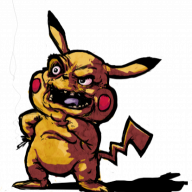
The game's icon is a contribution of P00TERMAN. Check out their art at:
https://www.deviantart.com/pooterman
Media
Switch capture is pretty bad, will look great on your Switch


Wave Race 64 is one of my favorite games of all times and it just completed 30 years! A couple of weeks ago I released a Wave Race 64 recompilation for Windows (soon on Linux too) called RaceWave46 with some cool set of features like ray traced and rasterized shadows, sky and water reflections, RetroAchievments, dolphin ghost in Time Trials, rumble support along with the usual high framerate, high resolutions, wide and ultra wide screen support, separate screen 2-player mode, etc. You can check it out it here if you want:
https://github.com/DomazinUS/RaceWave46
Today, I'm releasing RaceWave46 for the Nintendo Switch. I believe this is the first of its kind since all the other Nintendo 64 projects on Switch are ports as far as I know and this is a recompilation.
Features:
- 60fps support at 720p handheld/1080p docked at stock clocks
- Deko3D and OpenGL renderers
- Rasterized Water reflections, Sky reflections and Shadows
- Mods support (a sample HD texture pack is provided already, pack by elliotttate, enable it in the Mods tab)
- RetroAchievements (softcore)
- Multiple audio controls and equalizer
- Enhanced 2-player graphics details
- 2-player Dolphin Park free roam
- Dolphin ghost in Time Trail mode
- Rumble
- Built in graphics pack enhancer (it generates a HD texture pack from you own game ROM if you don't want to use the provided pack, it's pretty basic)
There are a lot of other features like multiple objects draw distance options, expanded sky cloud coverage, wave roundness slider, texture filter (highly recommend Linear, Three-Point is GPU hungry), mulltiple MSAA options, frame rate slider, etc.
Regarding the rasterized effects, sky reflections and water reflections are somehow lightweight, rasterized shadows are very heavy. These are all very experimental but I do believe that sky and water reflections adds a lot to the game's visual without changing it's peculiar look. To use these features, you'll need to overclock, so do it at your own risk, I offer some CPU overclock profiles that you can select from the Game tab, use at your own risk. If you need to overclock GPU and memory, use your favorite overclocking app out there. To use the rasterized features satisfactorily you will HAVE to overclock, there's no scape.
Again, overclock is not needed if you're not using any of the rasterized effects and if you don't go too hard on the draw distance options or other graphic enhancements. This is an initial release and I have tested everything myself on my own Switch, so i appreciate any feedback. If you find any bugs and is able to reproduce it, enable "Diagnostic recording", exit the game, open it again, reproduce the problem and send me the logs it'll same at SD:/switch/RaceWave46/.
Don't forget to disable "Diagnostic recording" afterwards because it'll affect performance severely and you don't want it to create some big logs files on your Switch for no reason.
Installation
- Just grab the zip from the repository:
https://github.com/DomazinUS/RaceWave46-Switch
- Extract it to the root of your SD card
- Rename your Wave Race 64 USA Rev 1 ROM to "waverace64.n64.us.rev1.z64" (the ROM must be .z64) and place it at:
`SD:/switch/RaceWave46/waverace64.n64.us.rev1.z64`
Open the game and enjoy!
The game is fully playable, but again, this was tested by a single person an a single Switch, so I appreciate constructive feedback. The main goal was to make the original game fully playable at 60fps 720p/1080p and it does exactly that. Any extra graphics settings you enable might affect the performance negatively, including using HD texture packs, so again, overclock and experiment with the settings if you are seeing dips. Generally speaking, you'll want to use the Deko3D renderer, but feel free to test the OpenGL renderer too, it's fully functional, just not as performant as Deko3D.
This version is not an afterthought, I have been working on it along with the Windows version for many months, but I still need to adjust some things, I plan on improving the UI too, it's one of the reasons why I'm not making the source available for now (the Windows source is available if you want to check it out).
One advice I would give is to restart the app after defining the graphics settings you are happy with since I'm still tracking down which settings are safe to change on the fly and which works best with a clean boot. But rest assured, you'll not face hard crashes or anything like that, hopefully
The game's icon is a contribution of P00TERMAN. Check out their art at:
https://www.deviantart.com/pooterman
Media
Switch capture is pretty bad, will look great on your Switch