
- Joined
- Aug 13, 2026
- Messages
- 2
- Reaction score
- 8
- Trophies
- 0
- Age
- 27
- Location
- Taipei, Taiwan
- Website
- github.com
- XP
- 47
- Country

I've developed an app called Switch 2 Connect that automatically connects to any Nintendo's official Switch 2 controllers (Joy-Con / Pro Controller / NSO GameCube Controller) wirelessly via system Bluetooth or ESP32-S3, or wired if you're using NSO GCN or Pro Controller, and emulates Xbox 360/One, PS4/5, Switch 1 Joy-Con/Pro Controller, and Switch 2 Pro Controller.
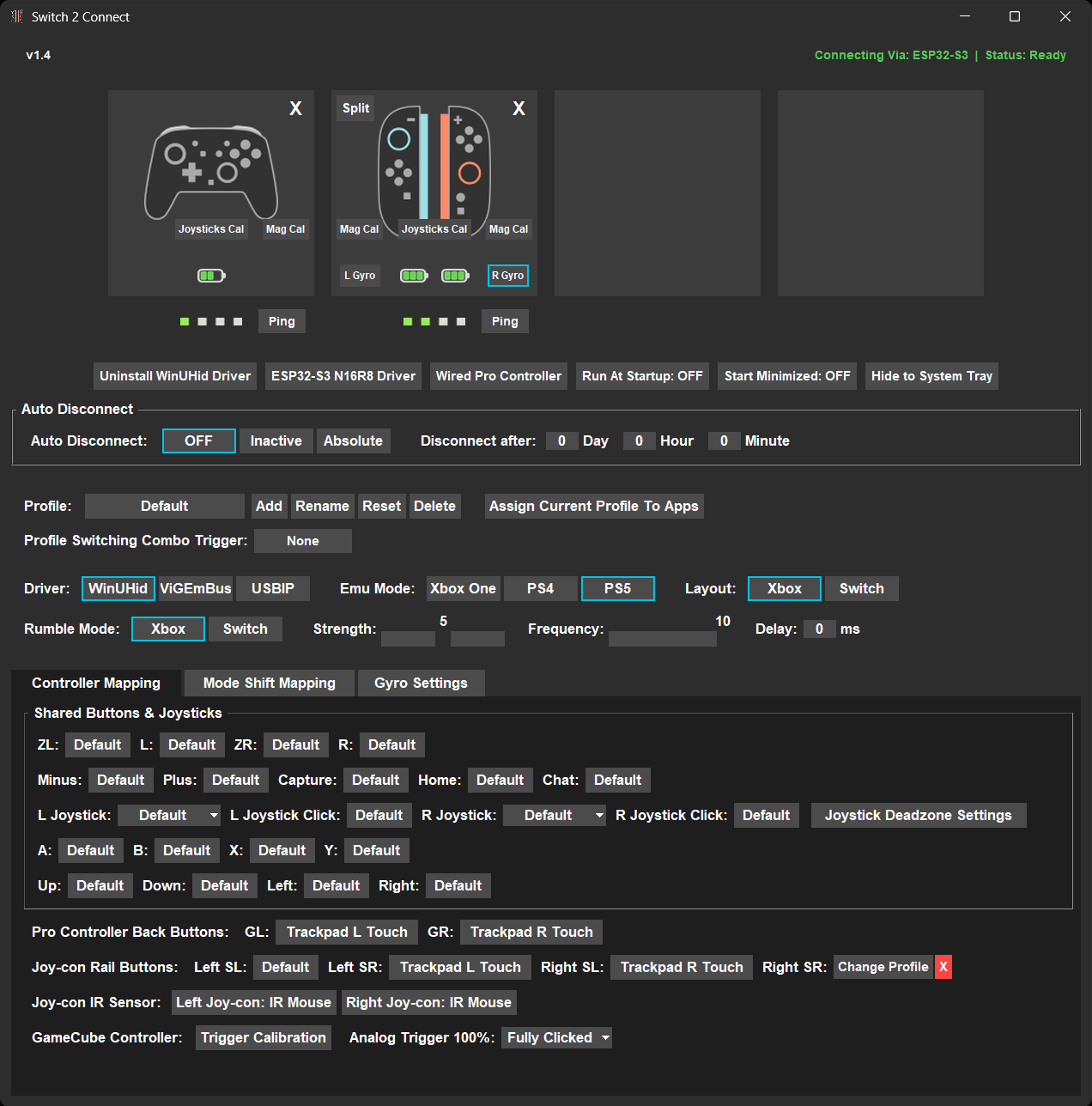
I believe it is currently the most comprehensive Windows app for Switch 2 controllers on the internet.
It's fully open-source and free to use. You can even get it for free on Microsoft Store, which is signed by Microsoft and won't trigger Windows Defender.
Almost everything, including gyro and rumble, works out of the box with any controller-supported platform and game with the right combination of driver and emulation mode. Gyro data can also go through Cemuhook if you want to fine-tune the sensitivity. Sadly, no amiibo support, though.
For the advanced features, you can remap any button, joystick, and even the Joy-Con's IR sensor on the controllers into any kind of input on PC, as long as the target input can be recorded by the app. Paired with the in-app gyro mouse features, you can basically play any game that supports KBM control with the right custom mapping and in-app gyro tuning.
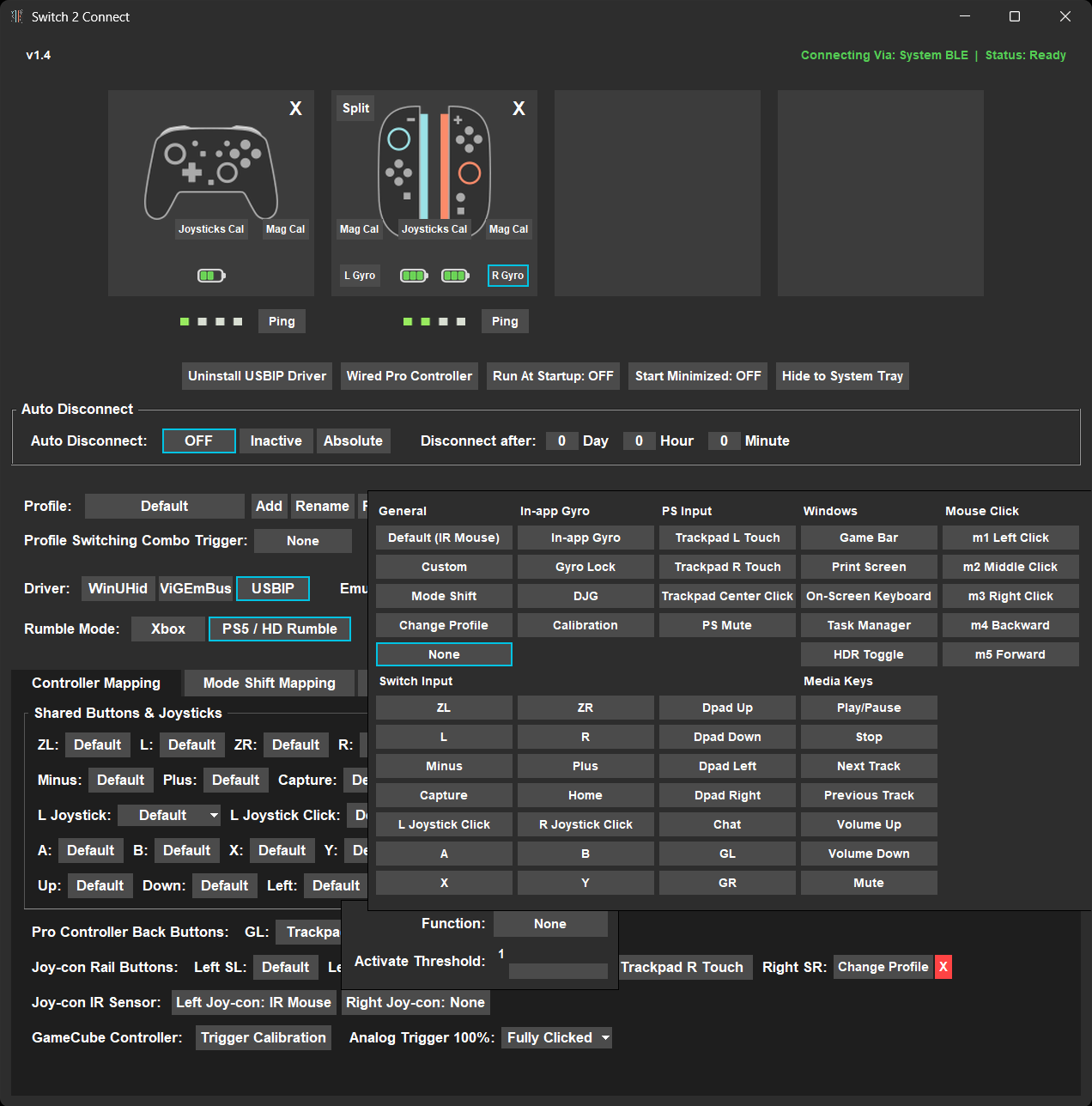
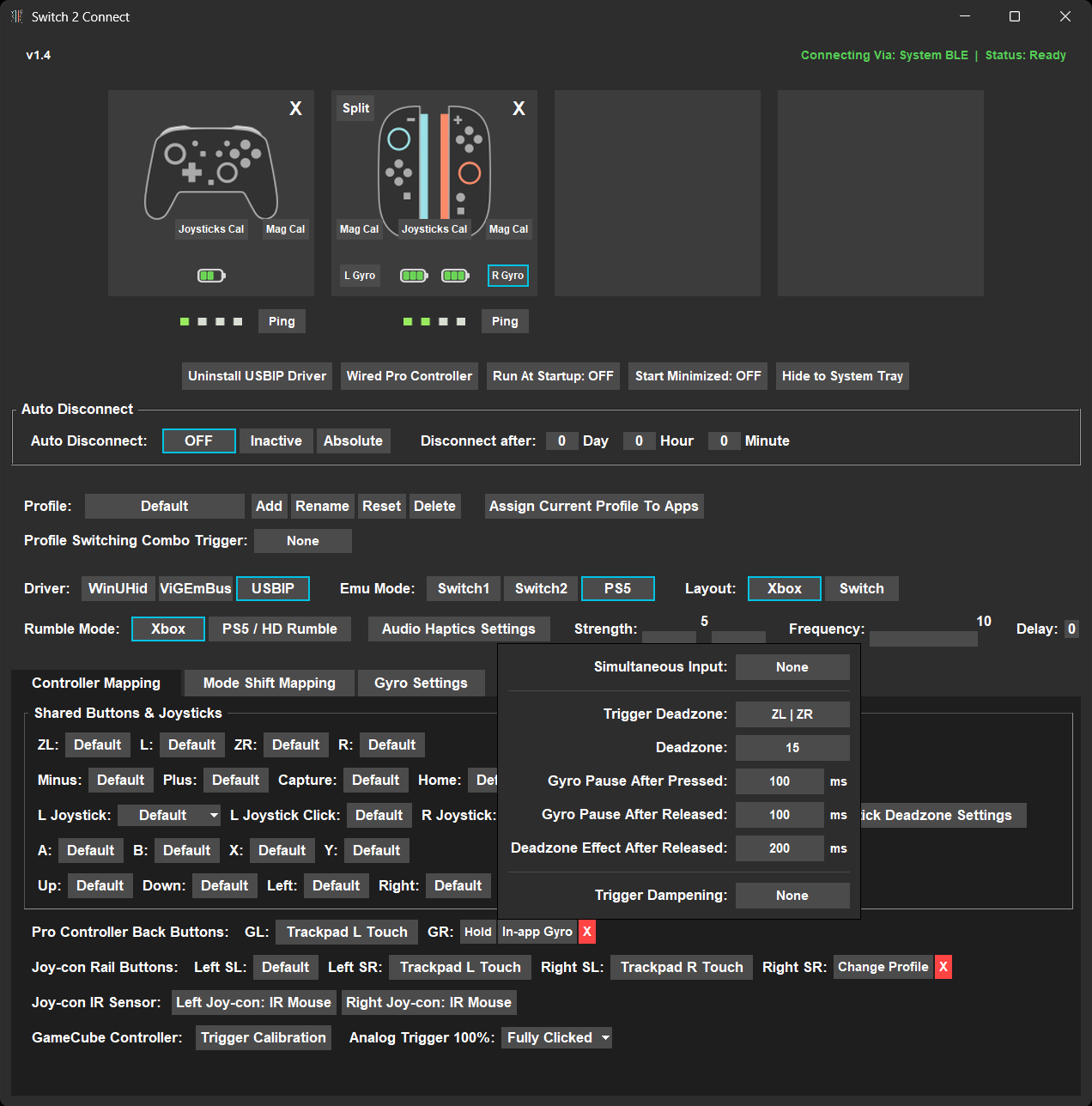
Switch 2 Connect also provides a Dual Joy-Con Gyro function that merges the gyro data from both Joy-Cons into one virtual data set, which makes continuous gyro-controlled mouse/joystick movement possible when racheting.
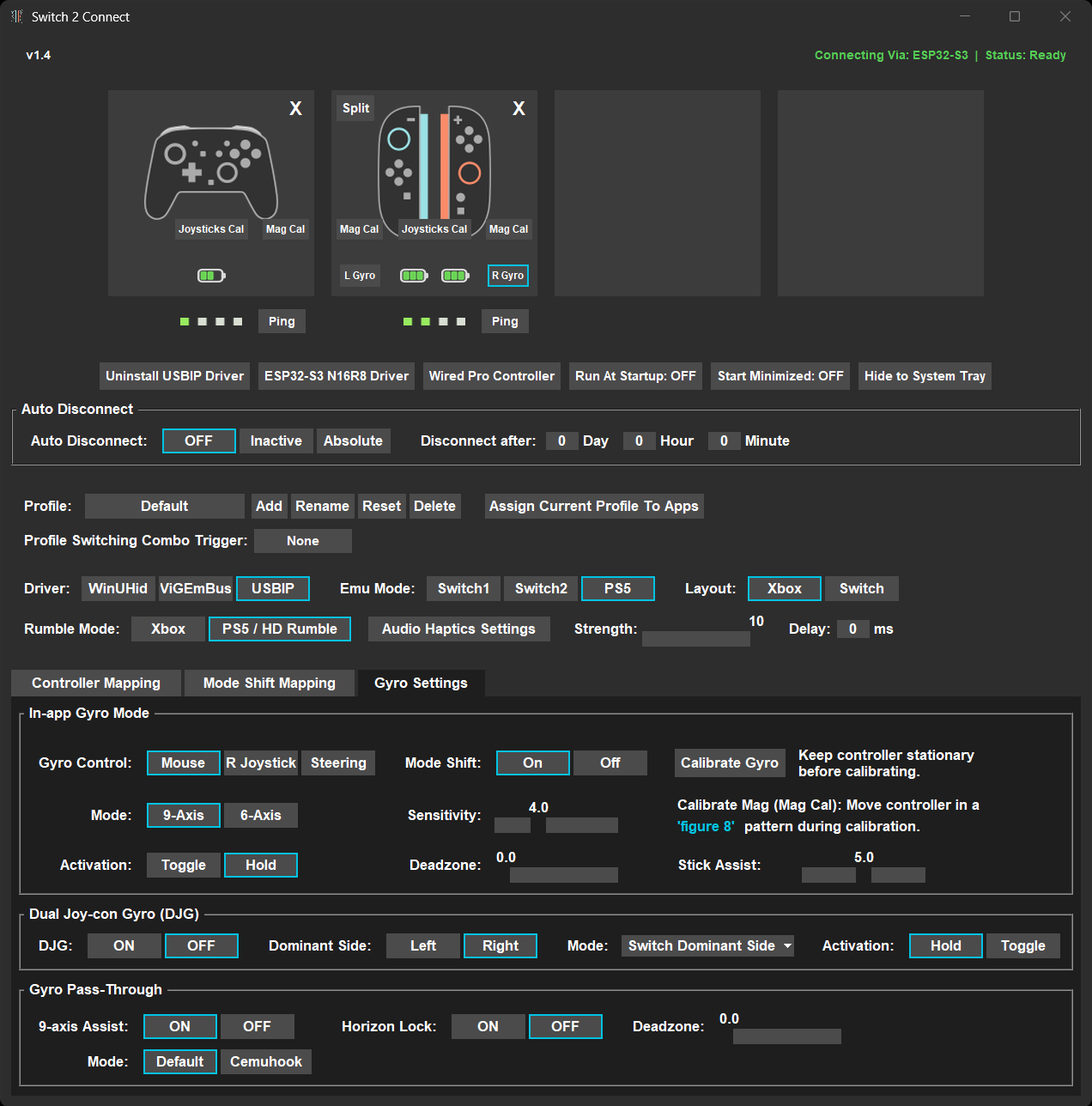
There are a lot more features built into Switch 2 Connect, all for integrating the Switch 2 controllers into the Windows gaming and UI navigation ecosystem.
This app is pretty mature in terms of features and has been optimized to a very stable and efficient degree. I figure it's a good idea to share it with the Switch 2 community, so more people can enjoy gaming with my personal favorite set of controllers.
To give proper credit, this app is based on Nadeflore's amazing switch2-controllers project. Her work inspired me to start developing Switch 2 Connect and provided a solid foundation for all the additional features to be built on.
Hope you find the app useful. Happy gaming!
I believe it is currently the most comprehensive Windows app for Switch 2 controllers on the internet.
It's fully open-source and free to use. You can even get it for free on Microsoft Store, which is signed by Microsoft and won't trigger Windows Defender.
Almost everything, including gyro and rumble, works out of the box with any controller-supported platform and game with the right combination of driver and emulation mode. Gyro data can also go through Cemuhook if you want to fine-tune the sensitivity. Sadly, no amiibo support, though.
For the advanced features, you can remap any button, joystick, and even the Joy-Con's IR sensor on the controllers into any kind of input on PC, as long as the target input can be recorded by the app. Paired with the in-app gyro mouse features, you can basically play any game that supports KBM control with the right custom mapping and in-app gyro tuning.
Switch 2 Connect also provides a Dual Joy-Con Gyro function that merges the gyro data from both Joy-Cons into one virtual data set, which makes continuous gyro-controlled mouse/joystick movement possible when racheting.
There are a lot more features built into Switch 2 Connect, all for integrating the Switch 2 controllers into the Windows gaming and UI navigation ecosystem.
This app is pretty mature in terms of features and has been optimized to a very stable and efficient degree. I figure it's a good idea to share it with the Switch 2 community, so more people can enjoy gaming with my personal favorite set of controllers.
To give proper credit, this app is based on Nadeflore's amazing switch2-controllers project. Her work inspired me to start developing Switch 2 Connect and provided a solid foundation for all the additional features to be built on.
Hope you find the app useful. Happy gaming!
Last edited by Tagayama,