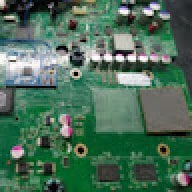

Switch OLED that won't sync with the blue Joy-Con
I replaced the side rail and it still doesn't work
Some component on the board is preventing it from syncing
They are related to the blue Joy-Con line
All these photos I sent you are all the components I analyzed and replaced
and it still won't sync
and until it syncs
it won't leave this screen
I found the problem here
I have another Switch OLED to unlock
and I used it as a comparison to analyze yours...
Responsible for releasing the power to charge the Joy-Con and make it sync
and comparing your device with another...
In red, 5 volts are arriving from the Switch's board management, and the pink color is the power output that goes directly to the Joy-Con. This 5 volts is not being generated at the output because here in orange there should be a voltage. Comparing with the other Switch OLED, at this point there should be 1.8 volts arriving, which is a signal that releases the output. It's practically like a traffic light that's always red until the chip receives a green signal; it doesn't release power to the Joy-Con. Checking the circuit board schematic, this point that releases power to the Joy-Con comes directly from the processor. It comes from a point underneath the processor.
You can follow it up to a certain point, but then it goes into the middle of the board and exits from under the processor at a solder point where it receives and sends the signal to the Joy-Con. Broken trace: the command from the processor isn't reaching the Joy-Con. Processor region: this is a part of the trace that comes from under the processor and enters this point. Somewhere inside the board, the trace might be broken. I'm going to do the following: I'm going to redo this connection between the two and test it. If the Joy-Con starts working again after redoing the trace, the problem is solved. Now, if even after redoing the trace the Joy-Con doesn't start working again, then the problem is coming directly from the processor itself, which isn't sending the signal to the blue Joy-Con.


I replaced the side rail and it still doesn't work
Some component on the board is preventing it from syncing
They are related to the blue Joy-Con line
All these photos I sent you are all the components I analyzed and replaced
and it still won't sync
and until it syncs
it won't leave this screen
I found the problem here
I have another Switch OLED to unlock
and I used it as a comparison to analyze yours...
Responsible for releasing the power to charge the Joy-Con and make it sync
and comparing your device with another...
In red, 5 volts are arriving from the Switch's board management, and the pink color is the power output that goes directly to the Joy-Con. This 5 volts is not being generated at the output because here in orange there should be a voltage. Comparing with the other Switch OLED, at this point there should be 1.8 volts arriving, which is a signal that releases the output. It's practically like a traffic light that's always red until the chip receives a green signal; it doesn't release power to the Joy-Con. Checking the circuit board schematic, this point that releases power to the Joy-Con comes directly from the processor. It comes from a point underneath the processor.
You can follow it up to a certain point, but then it goes into the middle of the board and exits from under the processor at a solder point where it receives and sends the signal to the Joy-Con. Broken trace: the command from the processor isn't reaching the Joy-Con. Processor region: this is a part of the trace that comes from under the processor and enters this point. Somewhere inside the board, the trace might be broken. I'm going to do the following: I'm going to redo this connection between the two and test it. If the Joy-Con starts working again after redoing the trace, the problem is solved. Now, if even after redoing the trace the Joy-Con doesn't start working again, then the problem is coming directly from the processor itself, which isn't sending the signal to the blue Joy-Con.