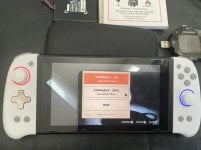
Hacking ROM Hack [Tuto] For those experiencing bug 2162-0002 010000000025 following a downgrade from 21.0 to 20.5, recover the emuNAND without data loss and therefore

  • Thread starter Thread starter silien3
  • Start date Start date
  • Views Views 13,497
  • Replies Replies 44
  • Likes Likes 18

silien3

Well-Known Member
Member
Joined
Jun 7, 2017
Messages
406
Reaction score
226
Trophies
1
Age
31
XP
1,140
Country
France
Okay, I managed to recover my emuNAND data. I don't know if it will work for everyone after downgrading from 21.0 to 20.5. The bug is 2162-0002 1000000000025.
You will need to launch tegraexplorer.bin via Hekate.

Tuto: Warning: always use eMUMMC for the emuNAND via Tegra Explorer.
Don't touch that one, it's your sysNAND. Those with the same problem who don't have emuNAND will have to test it there at their own risk.


I don't know if the bug is the same for everyone, including the filename, it took me a long time to locate it, but only one is problemati

- Then, with TegraExplorer launched by Hekate, go to the emuNAND, then emummc,
- for path emunand = emuMMc--systeme --save
- for path sysnand = eMMc--systeme --save (at your own risk, as this involves the sysNAND.)

- make a backup just in case

- Where you have 800000 and 00000 values, click on "Current Folder Options" and then on "Copy to Clipboard".

- Return to the selection screen with "Browse SD" and select "Browse SD". Choose where to place your backup and copy the clipboard directly above the "Current Folder option.

- Now you have a backup of the save folder on the SD card; allow 1 or 2 GB of free space.

- Now the fix in emuMMc--systeme --save locate the names from this backup for me for me it was [8000000000000073]

- Select the file and click on delete file

- For me, it was simply a matter of deleting that file and everything worked as before.

There you go, you can now enjoy your Switch on version 20.5 again without resetting everything and keep your previously installed games without having to start all over again.


It worked for me, I don't know the future impact, but for now, everything is starting up again for me. I don't know if the file name is the same for everyone


Sorry for the English, I'm using Google Translate.
 
Last edited by silien3,
I wish I had known this before trying to restore a backup of my NAND with NxNandManager (it didn't work) and having to create a new emuNAND.

Fortunately, NxNandManager allowed me to back up my saves before restoring the NAND and creating a new one.

Anyway I'll save this just in case.
 
  • Like
Reactions: Blythe93
Oh my God... I love you. I've been trying to figure out how to solve this for literally the last 24hrs.
You are a hero amongst heroes my friend.

PS. It was exactly that [8000000000000073] file.
Sysmmc > SYSTEM > SAVE > and delete [8000000000000073] > DONE.
I rebooted and it was as if never happened.
 
  • Like
Reactions: StevensND
wow godsend, will this approach break sleep in CFW as well as the efuses count does not match? Do you know how to boot into OFW 21 with old atmosphere?
 
Good to know, thanks for sharing.
I wish I had known that earlier, haha, but it will be useful in the future anyway.
 
  • Haha
Reactions: StevensND
wow godsend, will this approach break sleep in CFW as well as the efuses count does not match? Do you know how to boot into OFW 21 with old atmosphere?
I have no idea, I only know that it works and that you can relaunch emuNAND or sysNAND after this downgrade bug by doing it like I did, without resetting. I haven't had any problems yet and my games work normally.

You'll be able to update via Daybreak when everything is stable on 21, but I can't guarantee anything on that front. I'm waiting for all the 21 bugs to be fixed, especially the one with airplane mode, before updating again, so I'm staying on 20.5 for now.
 
I reinstalled FW 21 and downgraded to FW 20.5 again.

I followed the tutorial and everything works properly.

I can confirm that in my case, it was also the same folder: 8000000000000073
 
I made a tegrexplorer script to automatize the process.

Have you prod.keys dump in switch folder, extract this script file on you sd, run script using TegraExplorer payload, done.

The script ask you want to run on Sysmmc or Emummc.

EDIT: uploaded correct script
 

Attachments

Last edited by rodrigues14,
Why is everyone downgrading? :huh:
Some stuff are still not updated and in my case I prefer to wait.

Homebrew apps needs to be compiled again
Post automatically merged:

I made a tegrexplorer script to automatize the process.

Have you prod.keys dump in switch folder, extract this script file on you sd, run script using TegraExplorer payload, done.

The script ask you want to run on Sysmmc or Emummc.

EDIT: uploaded correct script

Nice. I will add it to other scripts that I found while searching for information such as this YouTube Tutorial and this GBATemp guide
 

Attachments

Last edited by StevensND,
I'm also getting this error. I upgraded from FW 16.x to 21.x via AIO updater. Then downgraded to 19.0.1 via daybreak. Then downgraded from atomsphere 1.10.0 to 1.9.5. I followed this guide to remove the "73" directory via Tegra Explorer in both EMMC and EMUMMC. After a failed boot, the directory comes back if I check with Tegra explorer again. This only fails to boot HOS with EMUMMC. I can boot SYSMMC just fine.

Is my last resort just doing the "Initialize Console Without Deleting Save Data"? (Vol + - method). Would my game save for sure be ok? Can I back up the game saves without being able to boot into HOS?
 
I'm also getting this error. I upgraded from FW 16.x to 21.x via AIO updater. Then downgraded to 19.0.1 via daybreak. Then downgraded from atomsphere 1.10.0 to 1.9.5. I followed this guide to remove the "73" directory via Tegra Explorer in both EMMC and EMUMMC. After a failed boot, the directory comes back if I check with Tegra explorer again. This only fails to boot HOS with EMUMMC. I can boot SYSMMC just fine.

Is my last resort just doing the "Initialize Console Without Deleting Save Data"? (Vol + - method). Would my game save for sure be ok? Can I back up the game saves without being able to boot into HOS?

When this issue happened to me I was also able to start HOS in SysMMC without any issues. I didn't have to use this tutorial on SysMMC.

So ... this error mainly affects EmuMMC and I think it's due to having Wi-Fi enabled (to be able to use AIO Updater you need the Wi-Fi enabled) and maybe exosphere.ini or DNS Mitm/90DNS files (I'm not sure about this tbh).

I didn't test it at the time and I don't think you'll have time to do it but you can press the HOME button and try to quickly put the console into airplane mode and see if you no longer have the error.

I'd suggest try the method again but this time only on EMUMMC (remember the warn that the OP gave about SysNAND/SysMMC. I don't know if using this tutorial on SysMMC can cause bans).

If it doesn't work, you will need to follow this tutorial to be able to backup your saves and after that ... the last option is to do a new emuMMC but before that I'd try to use the script (SystemRestoreV3) that I shared in my old post.
 
  • Like
Reactions: Kupie
When this issue happened to me I was also able to start HOS in SysMMC without any issues. I didn't have to use this tutorial on SysMMC.

So ... this error mainly affects EmuMMC and I think it's due to having Wi-Fi enabled (to be able to use AIO Updater you need the Wi-Fi enabled) and maybe exosphere.ini or DNS Mitm/90DNS files (I'm not sure about this tbh).

I didn't test it at the time and I don't think you'll have time to do it but you can press the HOME button and try to quickly put the console into airplane mode and see if you no longer have the error.

I'd suggest try the method again but this time only on EMUMMC (remember the warn that the OP gave about SysNAND/SysMMC. I don't know if using this tutorial on SysMMC can cause bans).

If it doesn't work, you will need to follow this tutorial to be able to backup your saves and after that ... the last option is to do a new emuMMC but before that I'd try to use the script (SystemRestoreV3) that I shared in my old post.

Thank you for the quick reply. I am able to boot into SYSMMC as well, but on EMUMMC, I was not able to even reach the HOS home screen at all and I did not have Wi-Fi connected to my network prior to this. When I launched a game with Wi-Fi on under FW 21.x, I was getting a pop up window (with no message I believe) that rapidly flashes and had warning sound. It's like the systems rapidly tries to open a warning window but opens another before first one is fully displayed. Because of that, I disconnected Wi-Fi before downgrading to 19.0.1. So I suspect this isn't Wi-Fi related?
I did take a back up of SYSMMC, so I can restore that and try just deleting EMUMMC again. Before I removed SYSMMC, I had already tried removing just EMUMMC but it came back as well. So I will try your script you generously provided and see what happens. Would just a initialization without deleting save data work without having to redo EMUMMC?
 
Last edited by rcboosted,
Thank you for the quick reply. I am able to boot into SYSMMC as well, but on EMUMMC, I was not able to even reach the HOS home screen at all and I did not have Wi-Fi connected to my network prior to this. When I launched a game with Wi-Fi on under FW 21.x, I was getting a pop up window (with no message I believe) that rapidly flashes and had warning sound. It's like the systems rapidly tries to open a warning window but opens another before first one is fully displayed. Because of that, I disconnected Wi-Fi before downgrading to 19.0.1. So I suspect this isn't Wi-Fi related?
I did take a back up of SYSMMC, so I can restore that and try just deleting EMUMMC again. Before I removed SYSMMC, I had already tried removing just EMUMMC but it came back as well. So I will try your script you generously provided and see what happens. Would just a initialization without deleting save data work without having to redo EMUMMC?

If you want to backup your saves try this first before making a new emuMMC

 
If you want to backup your saves try this first before making a new emuMMC

I'll give it a shot. Thank you.
Post automatically merged:

The script didn't work, since it just deletes the files the same way I did it before, but it was worth a shot. The back up procedure worked perfectly, so I initialized the console and was able to boot into EMUMMC then reinstalled games and restored saves. That makes 1 user OP's method didn't work to restore downgrade. Although I did go to FW 19.0.1 instead of 21.x or 20.x.
 
Last edited by rcboosted,
  • Like
Reactions: StevensND
I'll give it a shot. Thank you.
Post automatically merged:

The script didn't work, since it just deletes the files the same way I did it before, but it was worth a shot. The back up procedure worked perfectly, so I initialized the console and was able to boot into EMUMMC then reinstalled games and restored saves. That makes 1 user OP's method didn't work to restore downgrade. Although I did go to FW 19.0.1 instead of 21.x or 20.x.

I'm glad you were able to restore the saves.

Well ... The method is for downgrade to FW 20.x but at least know we know that it doesn't work for downgrade from 21.0 to 19.x

Another option maybe could be downgrade to 20.5 and then downgrade from 20.5 to 19.0.1 ... I don't know.
 

Site & Scene News

Popular threads in this forum