Hi friends,
I just finished a small series of tests on O3DSXL and on NDSL with an R4 flashcard (for both consoles). I think that before going further that it is necessary that I explain a little bit how I organize my SD card.
On my root, I try to have as little as possible (yes, I'm that kind of guy^^) as you can see in the picture :

I only use 4 applications in the R4 menu, it there is an old version of HBMenu (version 4.1 if I'm not being stupid) that I renamed "retromenu" and which I use to launch old homebrews and emulators, especially those compatible with ram expansion (EZ Flash 3in1), then jEnesisDS (which only launches from root on R4), BOOT (the latest version of HBmenu) and YSmenu (for nds & gba with gbarunner2). I have grouped in the "data" directory (the one placed at the root) various subdirectories assigned to each of these menus (01reromenu, 02Bootmenu and 03YSmenu).
So this is what my sd card looks like on my pc, the root :

Into the "data" folder on the root, you have the first subdirectories for the different menus :

For this new version of dualhexen, of course i'm using the last version of HBmenu so the subdirectory concerned is "02 - BootMenu", inside this subdirectory I've put other subdirectories for each kinds of machines (or ports & apps) :

Of course Hexen is placed into the "02- PC & portages PC" (portages means ports in french) :

And at last all the files for Hexen are into this hexen folder :

So here is the path (R4DSSD is the name of my sd car so the root) :

Why did I do this installation, first, I created a "hexen" folder in the "data" folder of the root of my sd card as indicated in the installation instruction but this one is empty because I put all the files in the second folder "hexen" of which I put the photo of the path above.
If I did the installation in this way it is because it is
@elhobbs which modified this new version of dualhexen and I said to myself that perhaps like cheretic it could perhaps work and to my great surprise it is the case.
The application seems to recognize the directory in which the .nds file and the .wad and .argv files are placed as a root. In addition, it automatically creates a "data" folder and a "hexen" subdirectory in the folder where the files are placed and that's really cool ! (especially for a guy like me who wants as little as possible on his root! Yes, I'm still that kind of guy^^)
To summarize, this seems to mean the hexen folder containing all the files needed to run dualhexen and its mods can be placed anywhere on the sd card.
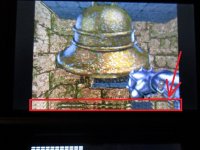
On NDSL and on 3DS XL, the touch screen works correctly but on O3DSXL, there is a display bug that appears on both screens (it's the same on the top screen as on the bottom one)

Unfortunately whether on O3DSXL or on NDSL, there is always a memory problem, I deliberately used an R4 to see if this bug was still present, I could have installed on my DSi but
@Nikokaro and
@CrashMidnick had already done the test, so I was looking to deepen with a minimalist configuration with an R4 where only the motherboard of the two consoles could perhaps have made the difference although I suspected the result because in both cases the hardware in question is that of the R4 and not of the consoles themselves.