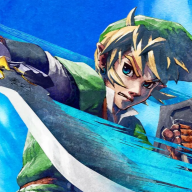
Ship of Harkinian (Ocarina of Time) Wii U Port


This is a port of Ship of Harkinian to the Wii U. Ship of Harkinian is a PC port of Ocarina of Time allowing you to enjoy the game with modern controls, widescreen, high-resolution, and other great features!
Check out the awesome project here!

Quick Start


  • Requires a supported copy of the game (See supported games below).
The instructions below haven't been updated in a while. Join the official Discord for updated builds and support.

Releases:

  1. Download the Khan Charlie 6.1.2 .zip from here or the #downloads channel on the official Discord.
  2. Download the PC OTRGui version from here.
  3. Use OTRGui to create an oot.otr archive file. If you already have a oot.otr file for the latest PC version, you can use that as well.
  4. Copy the oot.otr file to the wiiu/apps/soh/ folder on your SD Card.

Nightly Builds:
:!:
The nightly builds come with up-to-date features, but are experimental. Use at your own risk.
  1. Download the latest soh-wiiu and soh-windows artifact.
  2. Use OTRGui from the soh-windows.zip to create an oot.otr archive file. If you already have a oot.otr file for the latest PC nightly version, you can use that as well.
  3. Copy the oot.otr file and the contents of the soh-wiiu.zip to the wiiu/apps/soh/ folder on your SD Card.

Supported Games

Ocarina of Time Debug (not Master Quest)
Currently the recommended option
Code:
Build team: `zelda@srd022j`
Build date: `03-02-21 00:49:18` (year-month-day)
sha1: cee6bc3c2a634b41728f2af8da54d9bf8cc14099
Ocarina of Time PAL GameCube
May lead to crashes and instability
Code:
sha1: 0227d7c0074f2d0ac935631990da8ec5914597b4
Ocarina of Time Debug PAL GC MQ
Dungeons will be Master Quest
Code:
Build team: `zelda@srd022j`
Build date: `03-02-21 00:16:31` (year-month-day)
sha1: 079b855b943d6ad8bd1eb026c0ed169ecbdac7da (Produced by decomp)
sha1: 50bebedad9e0f10746a52b07239e47fa6c284d03 (Alternate)

:download:Download (Release Khan Charlie 6.1.2)
:arrow:Changelog
:download:Downloads (Nighly)
:arrow:Source code

TODO


Known bugs and issues

Let me know if there are any bugs or issues while playing the game. If these have not been reported yet, consider opening an issue on the GitHub repository.

Missing features​

  • Three-point filtering
  • MSAA (pretty pointless on Wii U)

Credits


Last edited by GaryOderNichts,

For those who are having the same problem
from the black screen I finally found a solution, I had to download the otrgui.exe again and I tried to make the oot.otr file several times until it worked, for some reason this file or the program ends up getting corrupted, but keep trying it will eventually work
 
I want to thank you garyodernichts for the great work you have done for the wii u community, this port was very good, I haven't had any problems so far, I'm very happy replaying this classic now with a much higher quality
 

Attachments

  • 20220515_210058.jpg
    20220515_210058.jpg
    1.1 MB · Views: 108
Could someone kindly upload a screen shot of how the thumbnail should appear on the TV?

I'm still not quite understanding how or where it should look.
 
Could someone kindly upload a screen shot of how the thumbnail should appear on the TV?

I'm still not quite understanding how or where it should look.
What?? If you have it you will see it!

You install the forwarder or channel with wup installer gx2 which should be in your sd/wiiu/apps folder. Load it from hbl.

The forwarder /channel files themselves go into sd/install folder.
 
  • Like
Reactions: Steffenfield
When I launch soh.prx, the screen goes black for a few secs and then at the bottom it says "it couldnt make config files. Make sure the SD card is not write-protected"
Is somebody else in the same situation?
 
When I launch soh.prx, the screen goes black for a few secs and then at the bottom it says "it couldnt make config files. Make sure the SD card is not write-protected"
Is somebody else in the same situation?
is the switch on the side flipped to "lock"? the side of the sd card I mean. btw, it's rpx. prx is playstation.
 
  • Like
Reactions: Lostbhoy
is the switch on the side flipped to "lock"? the side of the sd card I mean. btw, it's rpx. prx is playstation.
No, it's not. It happened right after I'd put the oot.otr file inside the soh folder, so no way it's blocked. In fact, I also installed the forwarder too and everything worked fine. I have tried to redo the oot.otr many times using the recommended rom and right now I'm stuck :unsure:
 
No, it's not. It happened right after I'd put the oot.otr file inside the soh folder, so no way it's blocked. In fact, I also installed the forwarder too and everything worked fine. I have tried to redo the oot.otr many times using the recommended rom and right now I'm stuck :unsure:

Does the game work when launched from hbl?
 
I hex editied hbl2hbc.rpx to change the sd card path to the soh's sd path and used that to make the Channel.. that way you can just replace the soh.rpx on the sd card when there's an update instead of re-installing a new Channel ;)
Is there a tutorial or a thread for this method? Can it work with .elf files?
I would like to get create one for each Homebrew App that I use, even one for the HBL 1.5
so this way i get rid of 50_hombrew_launcher.rpx and forget about the issues of forwarders on Tiramisu
 
Ok. I will do that. The cvars.cfg file goes inside soh folder, right? Do I need to leave a blank line before entering the parameters?
Yeah so create a new text document and name it cvars.cfg (note the .cfg is in place of your new text documents .txt so don't rename cvars.cfg.txt!)

Open said file and copy the below into it

set gLanguages 0

set gTextSpeed 1

set gRumbleEnabled 1


Save the file and place in your soh folder.
 
  • Like
Reactions: V800
Is anyone else having issues with Z-Targetting?
In N64 to target an enemy you press & hold Z button and can release anytime you want.
In this port, when i select the target, it stays selected until i press Z again
 
For those who are having the same problem
from the black screen I finally found a solution, I had to download the otrgui.exe again and I tried to make the oot.otr file several times until it worked, for some reason this file or the program ends up getting corrupted, but keep trying it will eventually work
Honestly, if that's the case I might as well just give up on trying this and stick to the pc port. Still excited to see other ports in the future, but it seems that making the wii u port is finnicky to me. Hopefully everyone else will enjoy this port and thanks to GaryOderNichts for making it possible!
 
  • Like
Reactions: FelipeMr98
Is anyone else having issues with Z-Targetting?
In N64 to target an enemy you press & hold Z button and can release anytime you want.
In this port, when i select the target, it stays selected until i press Z again
You can change the Z-Targeting from hold to press in the options screen before you select a file iirc?
 
Honestly, if that's the case I might as well just give up on trying this and stick to the pc port. Still excited to see other ports in the future, but it seems that making the wii u port is finnicky to me. Hopefully everyone else will enjoy this port and thanks to GaryOderNichts for making it possible!
if you want I can send you all the files ready, I don't know if I can post it here but maybe through private I can
 

Site & Scene News

Popular threads in this forum