
Hardware Others Need HELP troubleshooting solid Blue screen Nintendo Switch BSOD

  • Thread starter Thread starter slimmy182
  • Start date Start date
  • Views Views 9,169
  • Replies Replies 13

slimmy182

Active Member
Newcomer
Joined
Mar 23, 2022
Messages
35
Reaction score
1
Trophies
0
Age
36
Location
Italy
XP
230
Country
Italy
I recently got a switch which did not turn on (blu screen and could not do anything). It draws 15v 0,5A so battery is charging as normal. I opened it, it’s never been touched by anyone, rose old thermal paste still there and foam attached to the heat sync. On microscope I did not see any sign of corrosion or any particular damaged components, only dust. Completely cleaned the board with isopropyl alcohol and give a try with no luck. I cannot exclude that this consol had not being dropped to the ground since it has a sing on external enclosure.

Any suggestion where and how to check? I can take al measures needed and change components. Just need to be guided trought it. Thanks!

UPDATE.

As I read mainly blue screen bsod are caused by bad eMMC/NAND, APU or RAM, often due to a phisical shock. My aim with those tests is to exclude one of it and go to the problem.

Nintendo Switch does react if I upload playloads (so it's not patched for sure). In details, Biskeydump payload launch without glitch and extract keys, memloader payload also no glitch but it stucks in "error is MTC_LOAD Error during Lzma decompression, got 0 instead of 429…ecc". Injecting Fusee as you can see it fails and display glitches. If I try to load hekate it does not work at all, no image displayed.
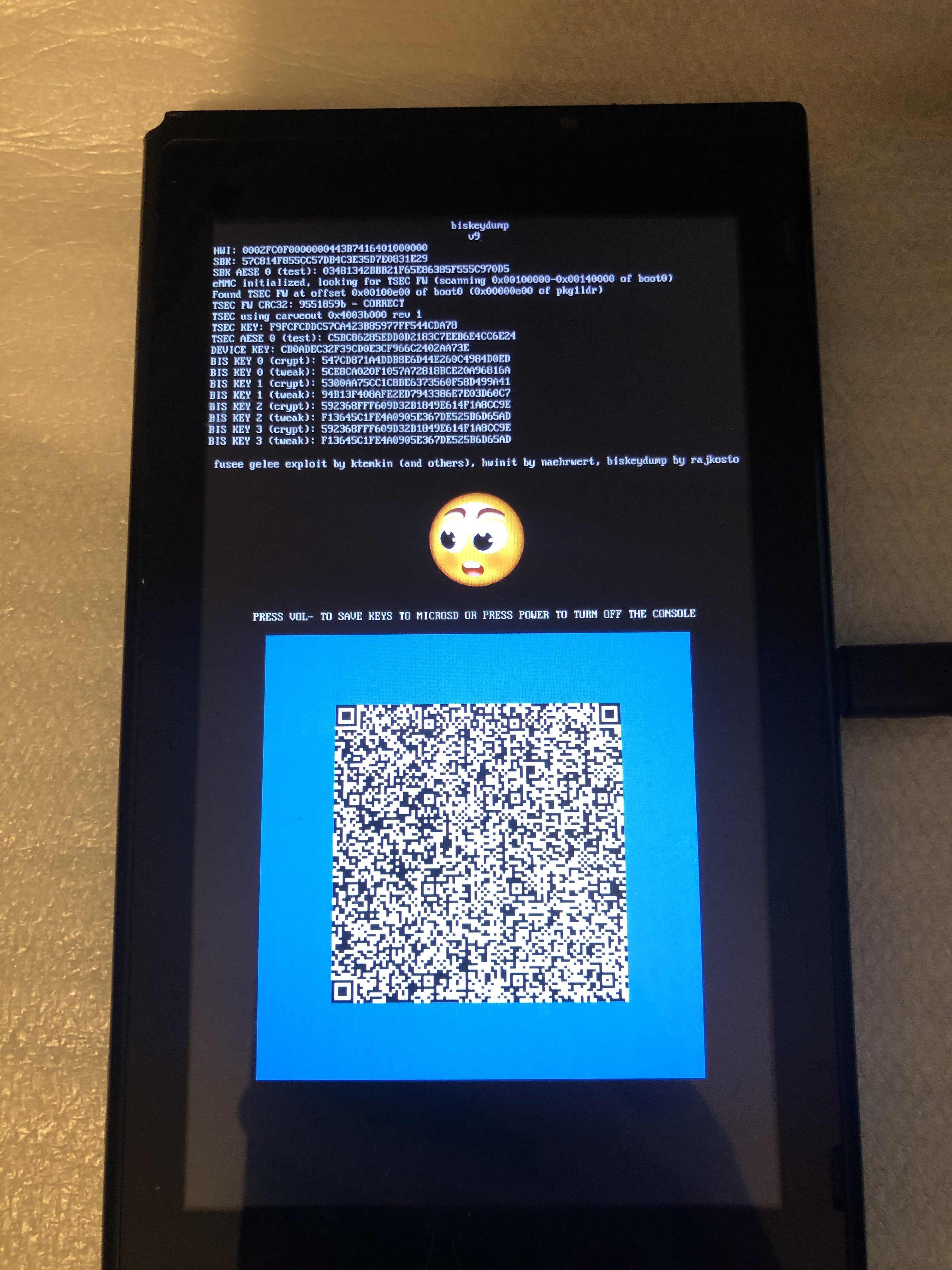
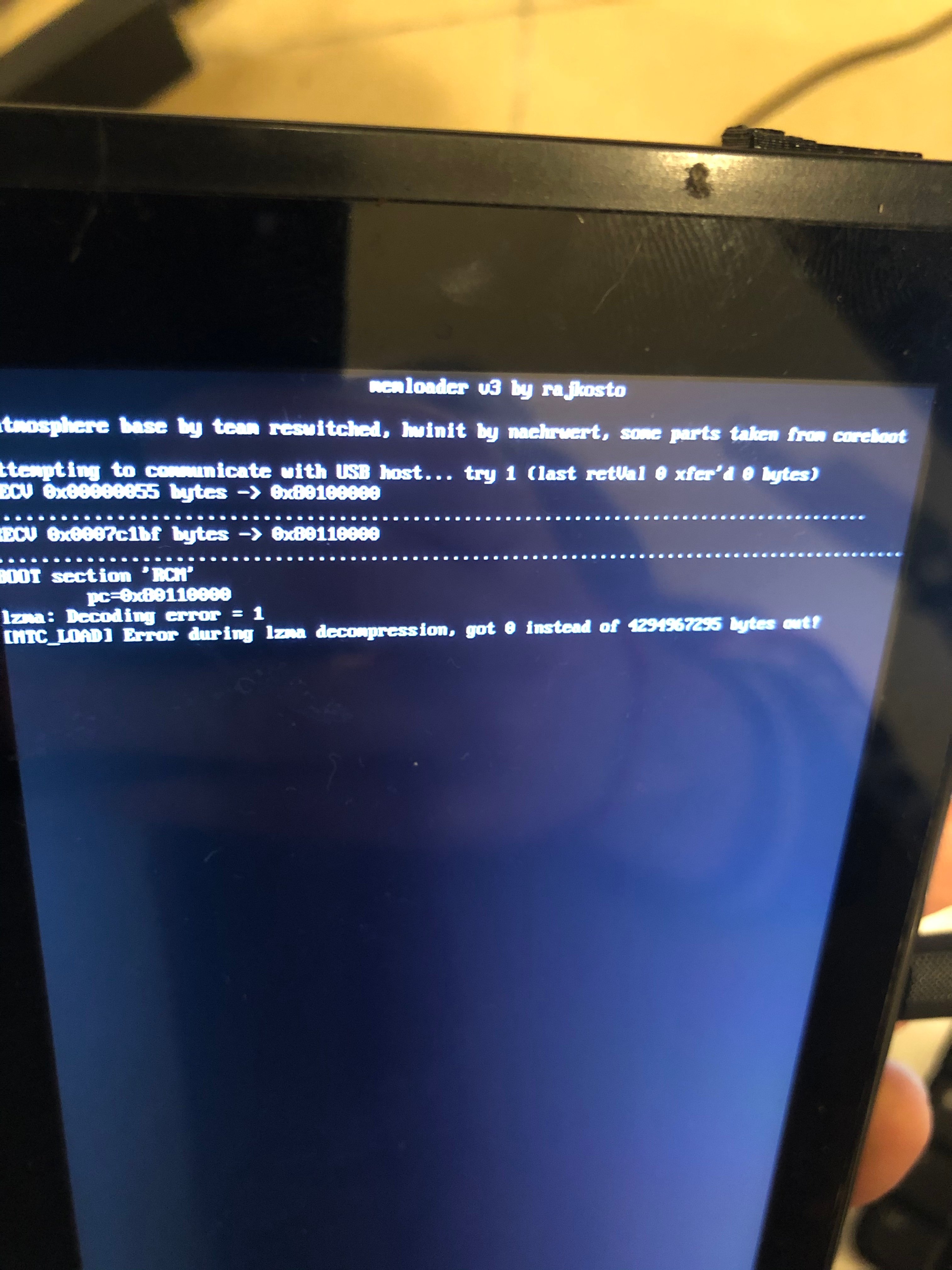
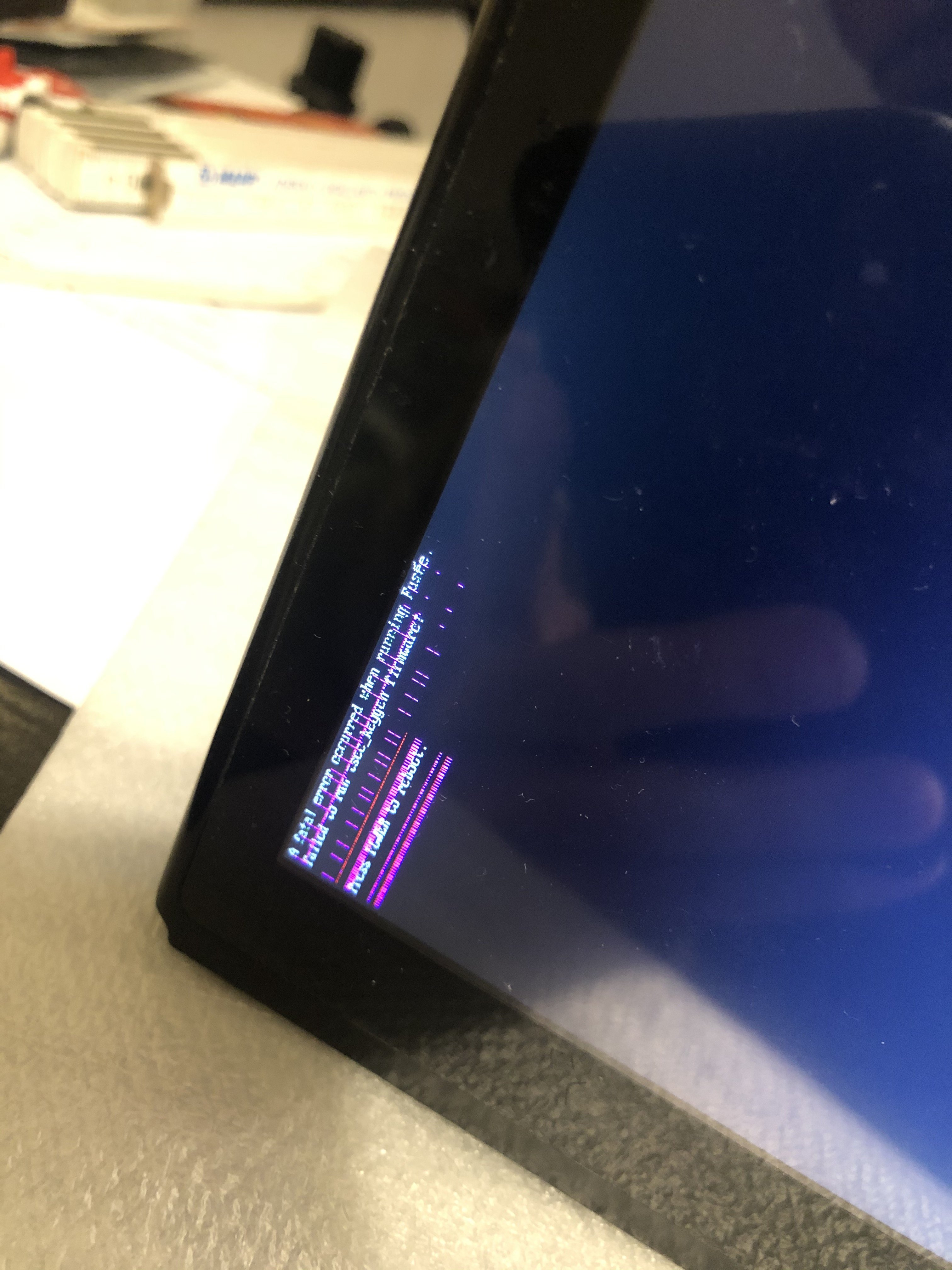
IMG_5809.jpg
IMG_5813.jpg
IMG_5811.jpg
 
BSOD is normally CPU/RAM being the issue. Take the back off, push down on the CPU and hold it whilst booting, does the BSOD go and likely come back when you let go? If not try the 2 RAM chips 1 at a time with the same method if it boots then there is your cause.

You then need to reball or reflow whichever of the ICs you found caused it, reflow might resurrect but it will likely not last.
 
BSOD is normally CPU/RAM being the issue. Take the back off, push down on the CPU and hold it whilst booting, does the BSOD go and likely come back when you let go? If not try the 2 RAM chips 1 at a time with the same method if it boots then there is your cause.

You then need to reball or reflow whichever of the ICs you found caused it, reflow might resurrect but it will likely not last.
Thank you for suggestions. Unfortunately hold does not make any changes. Did worth trying a reflow of both? APU first?
 
Thank you for suggestions. Unfortunately hold does not make any changes. Did worth trying a reflow of both? APU first?
You could try reflowing and seeing what happened, I always reflow the RAM chips first before the main SoC and it does work normally to bring the console back to life, the issue is there is no guarantee how long it will last which is why I normally reball nowadays. reflow is great for proving the issue though.
 
  • Like
Reactions: slimmy182
Reflow done.. Unfortunately no changes at all. I reflowed both ram first, then APU. I reached the melting point for sure. I reflowed also emmc, no luck :( Anything else to try?
 
Last edited by slimmy182,
Reballing is your last option.
yeah, never done. And I've got no clue what to reball: ram, apu or emmc. I still got solid blue screen, but now when I inject fusee.bin I can see Atmosphere logo for one second with gliches, then go to the same error like the one I posted above (fatal error fusèe..)
 
That artifact on screen is a very bad sign, chances are the tegra soc is on its way out. Seen similar issue with PS3 and PS4, it's caused by dead GPU/APU 90% of the time (or bad hdmi cable/hdmi chip). On PC it's the same story, if you see artifacts on your screen everywhere then your GPU's dying. I don't think this is fixable, but do let us know if you figure something out.
 
yeah, never done. And I've got no clue what to reball: ram, apu or emmc. I still got solid blue screen, but now when I inject fusee.bin I can see Atmosphere logo for one second with gliches, then go to the same error like the one I posted above (fatal error fusèe..)
First ram (easy) then Apu (very hard) then emmc (unlikely)
 
That artifact on screen is a very bad sign, chances are the tegra soc is on its way out. Seen similar issue with PS3 and PS4, it's caused by dead GPU/APU 90% of the time (or bad hdmi cable/hdmi chip). On PC it's the same story, if you see artifacts on your screen everywhere then your GPU's dying. I don't think this is fixable, but do let us know if you figure something out.
Yeah my gut feeling is the SoC as have seen similar BUT a reball fixed them as it was just some of the connections to the board not being properly connected.

Could be RAM same reason, poor connection causing missing graphical data as well, I would only certify dead after a reball personally as if the GPU is on its way out then it will persist after.

I pretty much ruled EMMC out with that graphical glitch as that just wouldn't happen from a misread of the EMMC.
 
  • Like
Reactions: slimmy182
I attemped an other reflow, more intensive, but same blue screen. I feel that maybe there is a broken pin/trace under the soc in the worst case. Can you suggest other components to check? I would like to find a schematic of this board, or a good photos for the small caps surroundings the two rams
 
UPDATE: I’ve just pressed very, very hard ram module close to the usb-c connector and voilà, normal boot! I’ve reflowed twice this ram, but it did’t solve so I guess it’s time to replace it. I hope that there is no bad trace under it. Some advise where I can find this replacement?
 
Search in AliExpress the number from the bga chip.
Erista is LPDDDR4 Mariko is LPDDR4X.
I can't remember the number right now. ordere a bga 200 stencil and solder paste to. don't make the same mistake as me
 
  • Like
Reactions: slimmy182
Search in AliExpress the number from the bga chip.
Erista is LPDDDR4 Mariko is LPDDR4X.
I can't remember the number right now. ordere a bga 200 stencil and solder paste to. don't make the same mistake as me
Mine is Samsung K4F6E304HB MGC. I never reball anything, that would be first try. I only need bga 200 stencil and solder paste? What was your mistake?
 

Site & Scene News

Popular threads in this forum