Hacking 3DS hacking after eShop shuts down

  • Thread starter Thread starter Ondrashek06
  • Start date Start date
  • Views Views 43,537
  • Replies Replies 42
  • Likes Likes 1
I just keep an NTRBOOT R4i Flash cart in my 3DS hacking kit. That way I can hack people's 3DS systems on the go, without having to lug my laptop with me.
I do that as well. I use an AK2i and a Scuf remap magnet as my tools of choice.
 

Attachments

  • C81EFA90-C084-46F3-A982-71C68BD092C4.jpeg
    C81EFA90-C084-46F3-A982-71C68BD092C4.jpeg
    903.8 KB · Views: 119
A good rule of thumb is that cart exploits *usually aren't patchable, but they may require a little bit of work and research to work on latest.
They actually "patched" savegame exploits with firmware updates on DSi by cheecking the savegames before starting the game (classichack and cookhack). https://dsibrew.org/wiki/1.4.4
Do you know if there are current saves for oot3d that can be used to exploit the system? It was kind of primary, too because it could be used with a power saves device.
 
They actually "patched" savegame exploits with firmware updates on DSi by cheecking the savegames before starting the game (classichack and cookhack). https://dsibrew.org/wiki/1.4.4
Do you know if there are current saves for oot3d that can be used to exploit the system? It was kind of primary, too because it could be used with a power saves device.
The way it's handled on 3ds is that for some blacklisted titles (*) the system will check for a "minimum version" and block the eshop title from launching if the update version is < minimum required, thus enforcing the user to run a patched game. This doesn't apply to carts though, for the reasons I mentioned in my previous post.

There aren't prepared powersaves images (or save files) for latest firmware, but I assume they could be made by compiling the repo with more recent *hax otherapp payloads (the otherapp needs to be embedded in the oot save because the game has no sd access).
edit: lol, the repo uses "3dshaxclient", I would strongly suggest ignoring that outdated tech and just use gm9 to dump the raw saves and let Myria's powersaves script handle the rest.
 
Last edited by zoogie,
  • Like
Reactions: Technicmaster0
The way it's handled on 3ds is that for some blacklisted titles (*) the system will check for a "minimum version" and block the eshop title from launching if the update version is < minimum required, thus enforcing the user to run a patched game. This doesn't apply to carts though, for the reasons I mentioned in my previous post.
Yeah. I just wanted to throw that bit of interesting side information in there. Actually they probably did the same on 3ds to block the exploits, so it's technically how they did it on 3DS. But only for DSi games :D
 
  • Like
Reactions: zoogie
Do you know if there are current saves for oot3d that can be used to exploit the system? It was kind of primary, too because it could be used with a power saves device.
There aren't prepared powersaves images (or save files) for latest firmware, but I assume they could be made by compiling the repo with more recent *hax otherapp payloads (the otherapp needs to be embedded in the oot save because the game has no sd access).
As above, 11.15E will require a Powersaves with the 11.10E payload, but a Powersaves that can be used for 11.7U can still be used on 11.15U without further modification. (Holy crap, has it been four years already?!)
https://gbatemp.net/threads/oothax-11-7-0-40u-payloads.510172/

(Don't forget that the New 3DS requires a different payload from the Old 3DS.)

There's an offline installer for oot3dhax that you can, in theory, use to install any payload to an oot3d cartridge (including universal-otherapp, probably), but that installer can only be run through some other "primary" exploit.
https://gbatemp.net/threads/install-oot3dhax-offline.446390/

The "online" installer for oot3dhax (and other games like Sticker Star) was never updated after 11.6 and is only useful with some trickery.
https://gbatemp.net/threads/update-11-10-and-homebrew.539492/post-8656719

Sticker Star doesn't work with Powersaves since the cartridge uses a newer kind of encryption than the one found in oot3d. I kind of suspect that something or other developed in the last four years can probably be used to circumvent it – but, again, these things are not of much interest anymore.
 
Last edited by Kwyjor,
I just keep an NTRBOOT R4i Flash cart in my 3DS hacking kit. That way I can hack people's 3DS systems on the go, without having to lug my laptop with me.
Question on your kit setup. How do yo get stuff copied over to the targets 3ds without a pc?

I have a R4i Gold 3ds plus with the ntr switch.
Do you keep 2 SD cards? One with safeb9installer for setup, then a second with luma 3ds and home brew to install to ctrnand and get files on system for the user?
 
Youtube guides are often outdated, incomplete, and inaccurate and are usually not recommended.

The only guide anyone should need is http://3ds.guide .
But the ntrboot section of 3ds guide also contains mistakes from the beginning that were never fixed. One example that jumped directly into my eye: stargate works but isn't mentioned. Also, ntrboot tutorials don't really get "outdated".
 
But the ntrboot section of 3ds guide also contains mistakes from the beginning that were never fixed. One example that jumped directly into my eye: stargate works but isn't mentioned.
How would that even work..? Isn't the Stargate a 3DS flashcart? And isn't the whole point of Stargate that it works without installing CFW at all? (And isn't it vastly more expensive and uncommon compared to the other options available there?)

Also, ntrboot tutorials don't really get "outdated".
Perhaps, but there are still important steps like doing a NAND backup and copying Luma to CTRNAND that tutorials can leave out.
 
How would that even work..? Isn't the Stargate a 3DS flashcart? And isn't the whole point of Stargate that it works without installing CFW at all? (And isn't it vastly more expensive and uncommon compared to the other options available there?)
But it works. The stargate is both, a DS and a 3DS flashcart. You might even argue that it's one of the smoothest experiences because it works without flashing anything.
The price point isn't really a reason not to mention it. Maybe someone got a stargate already and wants to install a cfw.
 
But the ntrboot section of 3ds guide also contains mistakes from the beginning that were never fixed. One example that jumped directly into my eye: stargate works but isn't mentioned. Also, ntrboot tutorials don't really get "outdated".
The ntrboot section is a bit neglected. Maybe because not everybody owns a compatible R4 clone (or other) and pure software methods are available. Despite some minor problem, The Guide is (my personal opinion) the gold standard for softmodding a device – and huge problems in the 3DS section on GBAtemp often sound like this:

"I followed this video"
[embedded YouTube window]
"and now […] does not work. HELP!!"

What does get outdated on YouTube videos, even if starting with ntrboot, are "convenient" all-in-one packages with lots of software in the video description for "just extract to SD to follow this tutorial" (and the videos are often simply bad copies of some version of 3ds.hacks.guide to make some quick advertising money).
 
  • Like
Reactions: Alexander1970
What does get outdated on YouTube videos, even if starting with ntrboot, are "convenient" all-in-one packages with lots of software in the video description for "just extract to SD to follow this tutorial" (and the videos are often simply bad copies of some version of 3ds.hacks.guide to make some quick advertising money).
We can agree on that. Videos should link to the original source and obviously make it clear when they don't work anymore. But videos can also help in clarity etc. Also, people should ask the person whom's tutorial they followed if they have problems.
 
quick question

With eshop closing and alternative CFW install process becoming more important, is it possible to make a single SD card install without a pc using a flashcart?

I have an R4i gold plus with the ntr switch that works. Would I be able make an SD card, pop it in a 3ds, install CFW, then copy contents to the 3ds so that I could then copy it back over to the original SD card without needing a pc in between?

I’ve seen some old scripts from 3-4 years ago, but not sure how relevant they are today.

Tia
 
I just keep an NTRBOOT R4i Flash cart in my 3DS hacking kit. That way I can hack people's 3DS systems on the go, without having to lug my laptop with me.
What exactly is an NTRBOOT R4i Flash cart?
I looked it up and only found an RF1 B9S NTRBoot Card. Is that the same thing? I also can't really find any info on it.
 
quick question

With eshop closing and alternative CFW install process becoming more important, is it possible to make a single SD card install without a pc using a flashcart?

I have an R4i gold plus with the ntr switch that works. Would I be able make an SD card, pop it in a 3ds, install CFW, then copy contents to the 3ds so that I could then copy it back over to the original SD card without needing a pc in between?

I’ve seen some old scripts from 3-4 years ago, but not sure how relevant they are today.

Tia
I understand the need for a method not requiring Nintendo servers for the future. But I don't get this: Why avoid using a PC?? Some kind of challenge to make things harder than needed?

Did I understand this correctly:
  • Prepare an "special" SD with all needed files for CFW installation on a PC once
===============
  • Whenever a console should get CFW, insert this special SD, do ntrboot into GodMode9 or Luma3DS chainloader for startigng SafeB9SInstaller
  • Copy luma to CTRNAND
  • Copy those to NAND (bonus drive, possibly new series consoles only -- or CTRNAND)
    • SD:/3ds
    • SD:/cias (with the homebrew software from finalizing setup page)
    • SD:/gm9
    • SD:/luma
    • SD:/boot.3dsx
    • SD:/boot.firm
  • Remove special SD, insert SD that was in console before, copy files from NAND to SD
  • Finalizing setup
Well... it should be possible to develop gm9 scripts automating this. Still doesn't make sense for me when a simple copy+paste from a prepared folder on a PC can achieve the same with 98% less work.

What exactly is an NTRBOOT R4i Flash cart?
I looked it up and only found an RF1 B9S NTRBoot Card. Is that the same thing? I also can't really find any info on it.
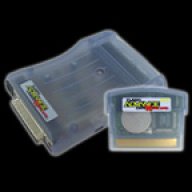
An ntrboot cart is a flashcart which has it's normal firmware replaced by the exploit (ntrboothax) that allows us executing arbitrary software independently from the main operating system.
Many R4(i) clones are compatible and can be flashed with the exploit (and restored to normal operation afterwards if needed).
https://www.3dbrew.org/wiki/Bootloader#Non-NAND_FIRM_boot

 
I understand the need for a method not requiring Nintendo servers for the future. But I don't get this: Why avoid using a PC?? Some kind of challenge to make things harder than needed?

Did I understand this correctly:
  • Prepare an "special" SD with all needed files for CFW installation on a PC once
===============
  • Whenever a console should get CFW, insert this special SD, do ntrboot into GodMode9 or Luma3DS chainloader for startigng SafeB9SInstaller
  • Copy luma to CTRNAND
  • Copy those to NAND (bonus drive, possibly new series consoles only -- or CTRNAND)
    • SD:/3ds
    • SD:/cias (with the homebrew software from finalizing setup page)
    • SD:/gm9
    • SD:/luma
    • SD:/boot.3dsx
    • SD:/boot.firm
  • Remove special SD, insert SD that was in console before, copy files from NAND to SD
  • Finalizing setup
Well... it should be possible to develop gm9 scripts automating this. Still doesn't make sense for me when a simple copy+paste from a prepared folder on a PC can achieve the same with 98% less work.


An ntrboot cart is a flashcart which has it's normal firmware replaced by the exploit (ntrboothax) that allows us executing arbitrary software independently from the main operating system.
Many R4(i) clones are compatible and can be flashed with the exploit (and restored to normal operation afterwards if needed).
https://www.3dbrew.org/wiki/Bootloader#Non-NAND_FIRM_boot
Yes, that’s what I was wondering.

It was another’s users reply about their “ntr kit” that made me start wondering how it could be done.
 
I'm not sure where you get that idea, but a lot of sites with information on these are badly outdated or at least poorly maintained – which is understandable, considering that they aren't used much anymore. Freakyhax uses whatever payload you have on the SD card. (Presumably it will even work with universal-otherapp.) And the 11.7U payload for Ninjhax will work right up to 11.15U. See for instance http://smealum.github.io/ninjhax2/ .
So 11.7.0-7U Ninjhax QR code will work on 11.15.0-47U 3DS firmware?
 
So 11.7.0-7U Ninjhax QR code will work on 11.15.0-47U 3DS firmware?
That is exactly what I wrote, yes. (I have not tried this personally, but I have seen no indications to the contrary.)

You will need to make sure you are using the appropriate QR code for a New or Old system, as I wrote above.
 

Site & Scene News

Popular threads in this forum