Status
Not open for further replies.

TX Presents SX OS v2.9 BETA - With Full v9.0 Firmware Support!

NEW UPDATE FIXES UPGRADE ISSUES!


PLEASE USE V2.9.1b INSTEAD OF 2.9


YOU CAN NOW USE CHOIDUJOURNX 1.0.2 WITH 2.9.1b

**********************************************


Good day, fans and believers! We hope you are all having a good weekend.
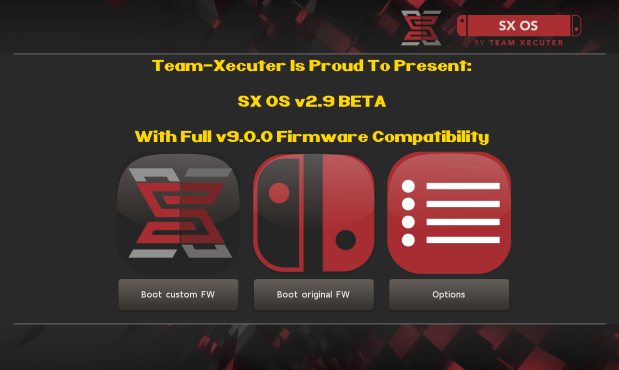
SXOS29.png

Team-Xecuter has done it again, they have updated their world-famous SX OS to now support the latest v9.0 Switch firmware from Nintendo.
Today, we bring you a much needed update of SX OS. Full compatibility with the latest Switch firmware 9.0! Sorry that we kept you waiting, we wanted to make sure all our unique features still properly work.

Additionally, we also introduced support for the "Horizon split format". This means that people who use FAT32 can have folders named 'game.xci' with split parts contained therein (named 00, 01, 02, etc.). Make sure the folder has the 'archive' bit set.

We know you are waiting for some other big features in SX OS, they are coming.. We wanted to get this compatibility update out first though.

So what are you waiting for? SX OS 2.9 beta is available for download on our website now! (and also through the builtin online updater part of SX OS.)
—< Team-Xecuter - Rocking the Switch in 2019 and beyond! >—

:arrow: Source: MaxConsole
 
Last edited by SonyUSA,
Is it just me or are there no archive version of sx-os on their website? i´d like to go back to 2.8 and update manualy and i can´t happen to find a working link for it.
 
Im definitely gonna keep backing up my NAND now and in the future :). One more noob question, should I do a backup now or when there's a new support for future firmwares?
Back up now, since 9.0 is working with SX OS no reason not to.
Is it just me or are there no archive version of sx-os on their website? i´d like to go back to 2.8 and update manualy and i can´t happen to find a working link for it.
You are correct; here is a repository
REMOVED

--------------------- MERGED ---------------------------

Can someone answer to this please ? I am in the same situation.
I tested Emunand 9.0 and the cart slot works. If you're still spooked; then update without burning fuses so you can downgrade if you find some bugs along the way.
 
Last edited by Joe88, , Reason: Please dont link to sxos
Just to make things clear ...

Updated to 9.0 by accident (ofw) ...
Waited to 2.9b SX OS to drop ...
Do not have any nand backup at hand right now ...

On a scale from 0 to Thanos ... how screwed am I ? :)
 
Last edited by mastermischke,
It really a good wake up call for me i'm not gonna get careless again like ever now i'm use hecate to back up asap
 
Last edited by myangel,
Just to makes things clear ...

Updated to 9.0 by accident (ofw) ...
Waited to 2.9b SX OS to drop ...
Do not have any nand backup at hand right now ...

On a scale from 0 to Thanos ... how screwed am I ? :)
Thanos screwed; jk read the thread there's a solution to your problem. Last few pages will have the answer.
 
Install atmosphere on your sdcard.
Boot to atmosphere
Using choi redo the installation of 9.0 fw update
Put sxos v2.9 on sdcard
Boot to sxos
 
Atm i am on SYS 8.1 and EMU 8.1

I need to update my SYS because i need to redownload my legit games.

So what is the best i can do now? First update my SYS to 9.0. And after that update my EMU to 9.0?
 
Atm i am on SYS 8.1 and EMU 8.1

I need to update my SYS because i need to redownload my legit games.

So what is the best i can do now? First update my SYS to 9.0. And after that update my EMU to 9.0?
Since most of us messed it up using 2.9 to update 8.1. I believe if you use SX OS 2.8 and boot into emunand 8.1 you can update using the latest choi. As for sysnand you can just connect to Nintendo Servers and update it. You can do that first, as I ran sysnand 9.0 and emu 8.1 without issues but remember if you use Nintendo to update it removes autorcm
 
I rather TX took their time to test SXOS properly before releasing it than rushing it and creating all these problems.

Miyamoto once said "A delayed game is eventually good, but a rushed game is forever bad."

Hey TX, pirate this thought from the Master.
 
  • Like
Reactions: xabier
Since most of us messed it up using 2.9 to update 8.1. I believe if you use SX OS 2.8 and boot into emunand 8.1 you can update using the latest choi. As for sysnand you can just connect to Nintendo Servers and update it. You can do that first, as I ran sysnand 9.0 and emu 8.1 without issues but remember if you use Nintendo to update it removes autorcm

First line i guess you mean 9.0 ?

Dont use AutoRCM anyway. Reason for also updating EMU is because of some updates for games that need 9.0

Making a nand backup atm :P
 
I have used atomsphere before using SX OS and i want to only using SX OS. Can i delete atomsphere or do you recommend i keep it? How do i delete atomsphere?
I remember you from vita,
you should stay 8.1 for sx, most people got black screen brick, or you can just continue with kosmos for now, after sx solves that problem you can change it to sx os.
And I suggest you to take a nand backup and emunand too maybe
 
First line i guess you mean 9.0 ?

Dont use AutoRCM anyway. Reason for also updating EMU is because of some updates for games that need 9.0

Making a nand backup atm :P
Well most people were updating from 8.1 to 9.0 but yeah, when updating to 9.0 people were using SX OS 2.9 which is broken atm. So use 2.8 to update, then update to 2.9.
 
I have a banned switch, accidentally got upadated to ofw 9.0 through official way (official firmware).
Can I just use the sxos 9 beta to boot into sxos?
 
Well most people were updating from 8.1 to 9.0 but yeah, when updating to 9.0 people were using SX OS 2.9 which is broken atm. So use 2.8 to update, then update to 2.9.


Lucky enough i still have the SX OS 2.8.

So best thing to do. First update EMU with 2.8 to 9.0. After that replace 2.8 with 2.9. And after that update the SYS to 9.0. Right path?
 
Lucky enough i still have the SX OS 2.8.

So best thing to do. First update EMU with 2.8 to 9.0. After that replace 2.8 with 2.9. And after that update the SYS to 9.0. Right path?
Update sysnand first, then update emunand. That's the way I did it. (Since I was still able to boot into SX OS 2.8 with my sysnand on 9.0)
 
Everything seems to be working fine here, Dragon Quest XI 1.01 included.

Used choixdujour 1.02 and sx 2.8 to update emunand, shut down.
Updated sys nand via nintendo servers.
Changed to sx 2.9 and no problems at the moment in sys or emunand.
Backing up now.


Going to use your advice ;)
 
Is it just me or are there no archive version of sx-os on their website? i´d like to go back to 2.8 and update manualy and i can´t happen to find a working link for it.

I have a banned switch, accidentally got upadated to ofw 9.0 through official way (official firmware).
Can I just use the sxos 9 beta to boot into sxos?

Since you are already at 9.0, you can use 2.9 or atmosphere if you want
 
  • Like
Reactions: Fimo420
I have a banned switch, accidentally got upadated to ofw 9.0 through official way (official firmware).
Can I just use the sxos 9 beta to boot into sxos?
Yeah you should be able to. Be sure to make an emunand and backup nand tough to avoid any issues in the future with updates. (if your emunand gets updated you can just create a new one using your sysnand)

--------------------- MERGED ---------------------------

No problems with XCI loading?
None! My cart reader was spooky though so if you are booting into emunand 8.1 with 9.0 sys; take out any carts in the system.
 
  • Like
Reactions: Fimo420
Status
Not open for further replies.

Site & Scene News

Popular threads in this forum