MM-LINX - Super Mario Maker 2 Level Injector

nstall the MM-LINX homebrew application on your switch, to install levels uploaded to https://tinfoil.io/MarioMaker/ directly to your Super Mario Maker 2 Level slots!

Very early release, please be patient and it will get better with time as all of my applications do :) Feel free to post feature requests and bug reports.

This is currently hard coded to use the first user profile. Please ensure that Super Mario Maker 2 is not running, and that you have at least one SMM2 save on the first user's profile.

For maximum compatibility and stability, we recommend that you use ReiNX or SX.

Download: https://github.com/blawar/mmlinx

edit: 1.01 fixed sorting, press + to sort
edit: 1.02 added support for uploading your levels to tinfoil.io from MM-LINX
edit: 1.03 added file browser for installing levels from (sd, ftp, http, gdrive, usb, etc), search, ability to change user, translation (needs work), ability to copy files to and from smm2's save directly, themes, other stuff I probably forgot.
edit: 1.04 saving / loading is now much faster and does not overwrite your save progress; added columns for difficulty, rating, and course id; ability to unlock hammer and super flower on supported cfw's.
edit: 1.05 increased security, mandatory update. Cloud servers will no longer work with previous versions (downloads section will be empty).
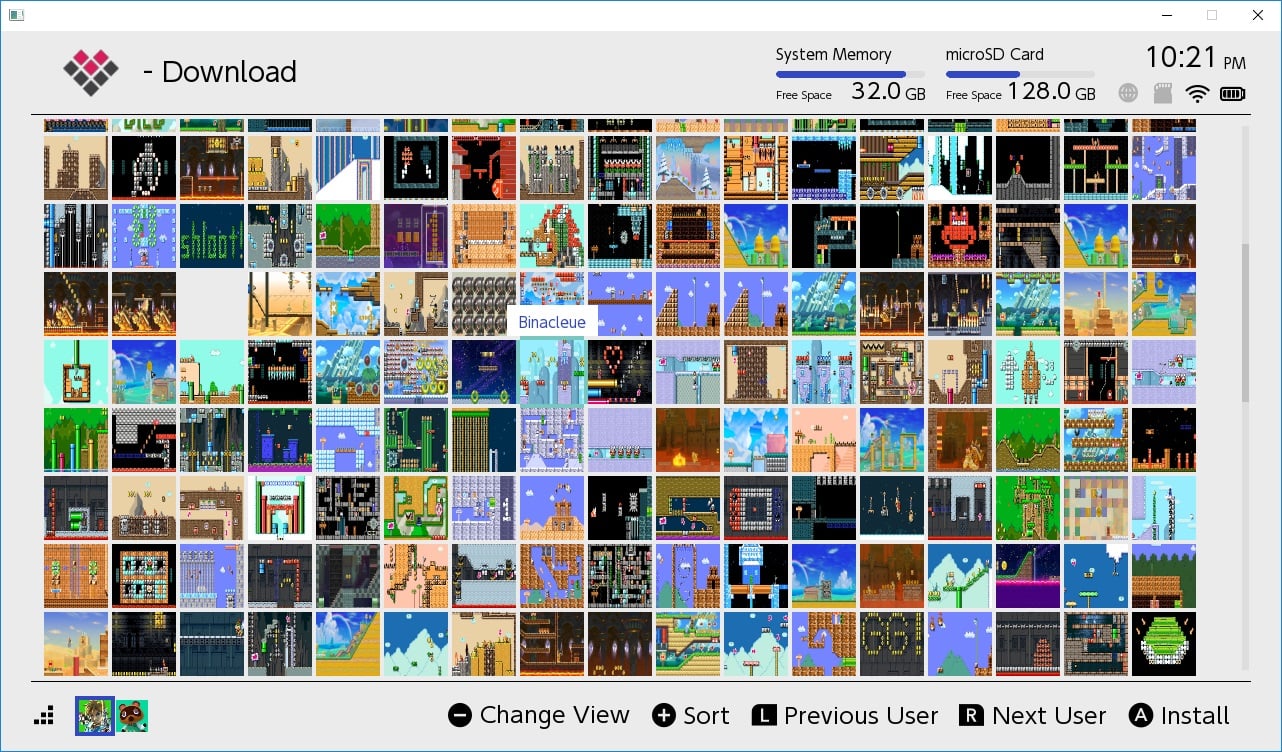
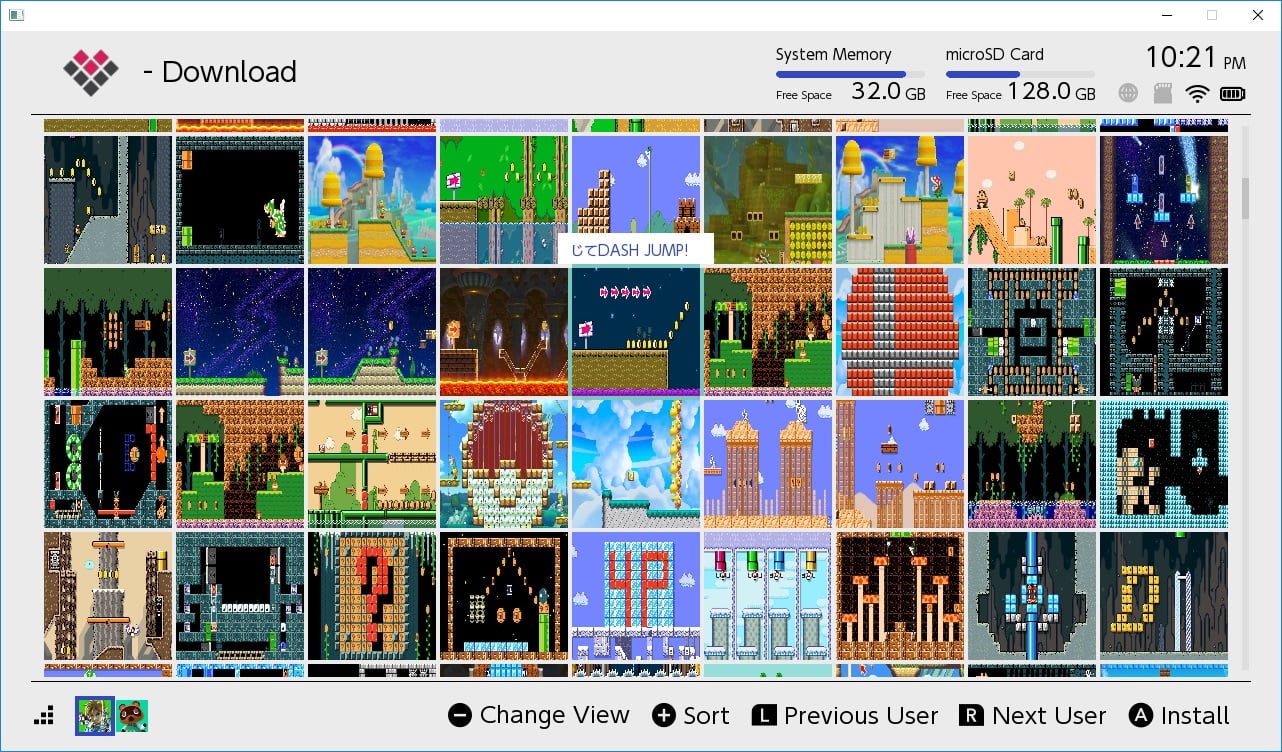
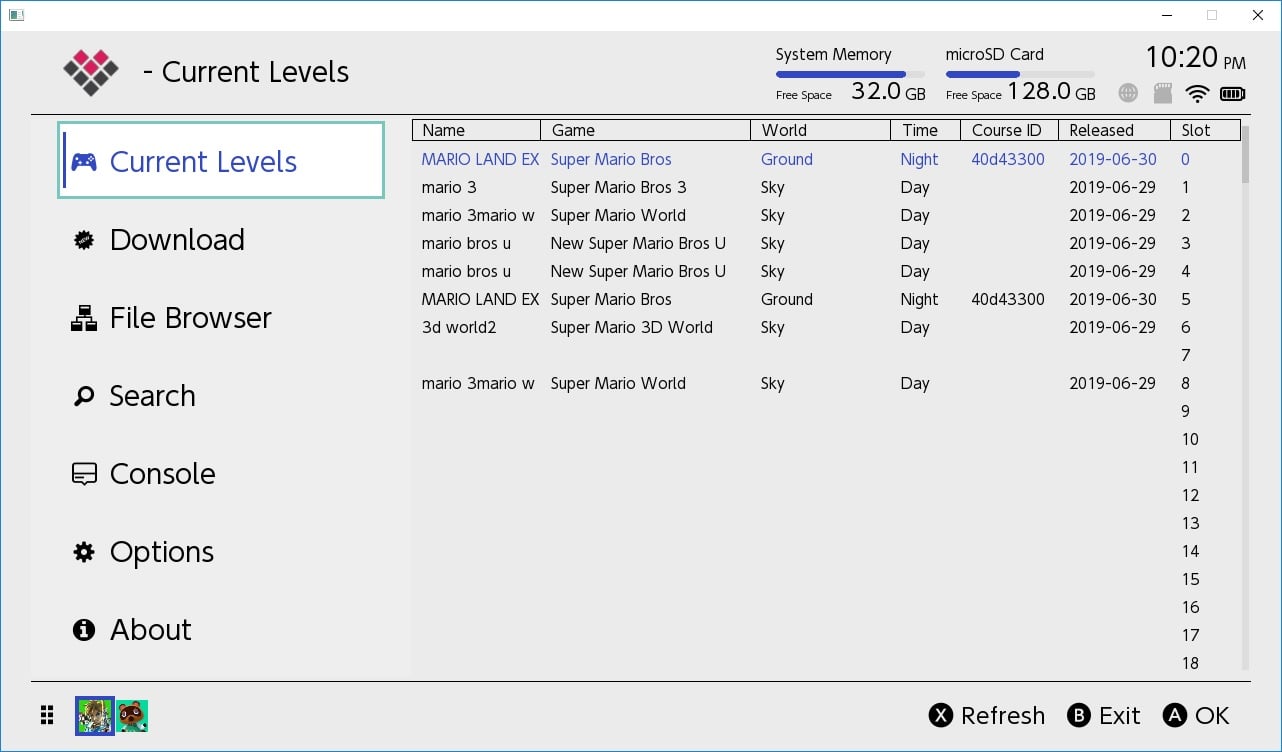
mmlinx4.jpg
mmlinx3.jpg
mmlinx2.jpg
mmlinx1.jpg


Download: https://github.com/blawar/mmlinx
 

Attachments

  • mmlinx3.jpg
    mmlinx3.jpg
    442.9 KB · Views: 2,335
  • mmlinx1.jpg
    mmlinx1.jpg
    206.2 KB · Views: 778
  • mmlinx2.jpg
    mmlinx2.jpg
    99.5 KB · Views: 856
Last edited by blawar,
Like, I don't see a download section in the left corner with all the menu options... :( Is this related to me using Kosmos and the dev blocking it or what?
Yea same thing happened to me
I did use the app for the past week and it worked properly but today the download section was missing . Its the same app and version I didnt change anything since what was working
I am using kosmos/atmos latest (don't know anything about acid patches) sysnand 7.0.1
 
@blawar could it be possible to show the title of the course from a BCD file when using file browser? Now when I use the top 60 courses and install for example normal and variety there are duplicates installed. It would be a nice feature to see what we install upfront.
 
do you have an internet connection? check your connection log

I do but I have dns set to 163.172.141.219 and 45.248.48.62 to block Nintendo servers. Maybe it doesn't have entry for tinfoil.io domain, IDK??? In the console tab in mmlinx I'm not seeing anything under network error.
 
Last edited by Relys,
@blawar could it be possible to show the title of the course from a BCD file when using file browser? Now when I use the top 60 courses and install for example normal and variety there are duplicates installed. It would be a nice feature to see what we install upfront.

Yeah I need to overhaul offline installation. It was quick and easy to just use tinfoil's file browser to install them at the time.

Also, anyone that is missing the download tab, you are either a) on an old version, update b) no network connection. The server is not rejecting anyone.
 
  • Like
Reactions: DuveltjeDG
I know this if I’m correct wasn’t meant for atmosphere or I should say kosmos, when I didn’t have kosmos installed this was working perfect, don’t get me wrong it does still work but with the latest version after exiting, I get an atmosphere crash. I did replace files and that didn’t work, later I when I get a chance I will delete the files and put them back on my sd card, just wondering if I’m the only one with this issue, the version I am using right now says it’s cracked, I don’t know if that makes a difference or not.
 
Yeah I need to overhaul offline installation. It was quick and easy to just use tinfoil's file browser to install them at the time.

Also, anyone that is missing the download tab, you are either a) on an old version, update b) no network connection. The server is not rejecting anyone.

I just replaced my version with whatever version is on the first page of this post. Still no “Download” option. I can update my SXOS just fine, I’m connected to a network. My switch is banned but has been banned for a while and I still managed to download 5 courses a few days ago when it was working. I do see this message “network error: error reading ca cert file romfs:/certs/cabundle.pem - mbedTLS: (-0x3E00) PK Read/write of file”
 
I know this if I’m correct wasn’t meant for atmosphere or I should say kosmos, when I didn’t have kosmos installed this was working perfect, don’t get me wrong it does still work but with the latest version after exiting, I get an atmosphere crash. I did replace files and that didn’t work, later I when I get a chance I will delete the files and put them back on my sd card, just wondering if I’m the only one with this issue, the version I am using right now says it’s cracked, I don’t know if that makes a difference or not.

Don’t know what happened but I just downloaded a level and went back to home menu without getting a crash.
I think one of the levels I had was a bit corrupted or something because I did get a message like that because like that for a level that didn’t install, once I deleted I guess a copy of that level everything started to work right again without problems or because I dragged those levels to a different spot from where they were originally installed, either that or the cfw I’m using is the problem.
 

Attachments

  • 1D02AEDA-C486-4F4E-A125-9A16E6A72C10.jpeg
    1D02AEDA-C486-4F4E-A125-9A16E6A72C10.jpeg
    1,001.6 KB · Views: 231
  • 3ACD862F-61C9-4C0F-9229-C81B96649A8E.jpeg
    3ACD862F-61C9-4C0F-9229-C81B96649A8E.jpeg
    1.3 MB · Views: 211
Last edited by fst312,
Don’t know what happened but I just downloaded a level and went back to home menu without getting a crash.
I think one of the levels I had was a bit corrupted or something because I did get a message like that because like that for a level that didn’t install, once I deleted I guess a copy of that level everything started to work right again without problems or because I dragged those levels to a different spot from where they were originally installed, either that or the cfw I’m using is the problem.
How do I fix this issue I deleted from the list here but levels still download on higher slots.
 

Attachments

  • 73A91C2F-302A-4811-B1BF-9C3EDA6EF387.jpeg
    73A91C2F-302A-4811-B1BF-9C3EDA6EF387.jpeg
    1.1 MB · Views: 210
I know this if I’m correct wasn’t meant for atmosphere or I should say kosmos, when I didn’t have kosmos installed this was working perfect, don’t get me wrong it does still work but with the latest version after exiting, I get an atmosphere crash. I did replace files and that didn’t work, later I when I get a chance I will delete the files and put them back on my sd card, just wondering if I’m the only one with this issue, the version I am using right now says it’s cracked, I don’t know if that makes a difference or not.

I accidently forgot to update the hash for the new version on the server and it inadvertently said "cracked", but this was removed.
How do I fix this issue I deleted from the list here but levels still download on higher slots.

Must be a bug, easy fix, just boot up mario maker and it will clean then up.
 
I accidently forgot to update the hash for the new version on the server and it inadvertently said "cracked", but this was removed.


Must be a bug, easy fix, just boot up mario maker and it will clean then up.
Maybe I downloaded wrong version, it is version 1.06 though,I start the game up after downloading a level, I start the game and game the file corrupt message and everything goes back to the slot they were downloaded too. Maybe I should delete and redownload.

Edit
Just going to keep things as is for now, don’t even know why I deleted or moved around levels.
 

Attachments

  • 9C5E402E-53F7-4C6A-8D48-27A6AF2DD29F.jpeg
    9C5E402E-53F7-4C6A-8D48-27A6AF2DD29F.jpeg
    883.1 KB · Views: 184
  • 2C9CCAC3-BC69-4F58-A807-1C2308641A8B.jpeg
    2C9CCAC3-BC69-4F58-A807-1C2308641A8B.jpeg
    1.2 MB · Views: 190
Last edited by fst312,
I figured out the problem with many people not seeing the downloads tab: sync your clock. apparently there are many people who have the wrong date / year set and this causes ssl to fail.
 
  • Like
Reactions: Budsixz and Relys
I figured out the problem with many people not seeing the downloads tab: sync your clock. apparently there are many people who have the wrong date / year set and this causes ssl to fail.
Ubuntu might be a big reason for this although I doubt too many MM-LINX users are Ubuntu users.

However, someone (you, Blawar?) would do a great job to create a homebrew, that quickly syncs the clock with the internet for those that don't wanna (or can't) connect to Nintendo to do that.
 
Yeah I need to overhaul offline installation. It was quick and easy to just use tinfoil's file browser to install them at the time.

Also, anyone that is missing the download tab, you are either a) on an old version, update b) no network connection. The server is not rejecting anyone.

This would be a very nice feature. Will keep an eye out for the next update.
 
I figured out the problem with many people not seeing the downloads tab: sync your clock. apparently there are many people who have the wrong date / year set and this causes ssl to fail.

Thanks that fixed it! :)
 
  • Like
Reactions: ELY_M
I figured out the problem with many people not seeing the downloads tab: sync your clock. apparently there are many people who have the wrong date / year set and this causes ssl to fail.

I changed my clock even though the time was only off by 2 minutes, the day, month and year were all correct. But I still don’t have a “Download” option. As I mentioned in an earlier post, I also see this message within the mmlinx app “network error: error reading ca cert file romfs:/certs/cabundle.pem - mbedTLS: (-0x3E00) PK Read/write of file”
 

Site & Scene News

Popular threads in this forum