ROM Hack [XY/ORAS/SM] Custom 3D Models / Textures Sharing Thread

  • Thread starter Thread starter Asia81
  • Start date Start date
  • Views Views 932,243
  • Replies Replies 2,592
  • Likes Likes 26
Ehi guys now there are new mega evolutions in Kalos!!!!!!:
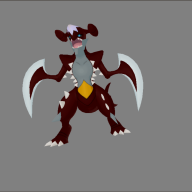
We have mega dedenne that has absorbed the energy of the Kalos power plant and now has a radio transmitter on its head, brutal fennekin that has become a murderous fox and I know it can be seen from its eyes reddened by anger; mega Queen Meowstic that has become the royal cat of the golden palace, a mega slurpuff that has managed to enhance its hearing and smell with antennae on the sides and in the head to help pastry chefs in the composition of cakes and various desserts and finally Primal Shadow Yveltal which has come directly from the underworld of Kalos with these powerful horns that is ready to launch brutal attacks on opponents.
A special thanks to @Xeogran for Primal Shadow Yveltal , @Lighstar2009 for Brutal Fennekin and to @Jinglefruit for the textures of jinglesdex , but Mega Dedenne, Mega Queen Meowstic and Mega Slurpuff they were modeled by me:yay::yay::yay::yay::yay::yay:
 

Attachments

  • Screenshot (120).png
    Screenshot (120).png
    782.5 KB · Views: 423
  • Screenshot (121).png
    Screenshot (121).png
    1.6 MB · Views: 357
  • Screenshot (122).png
    Screenshot (122).png
    1.6 MB · Views: 363
  • Screenshot (116).png
    Screenshot (116).png
    796.7 KB · Views: 263
  • Screenshot (117).png
    Screenshot (117).png
    860 KB · Views: 277
  • Screenshot (118).png
    Screenshot (118).png
    707.6 KB · Views: 274
  • Screenshot (119).png
    Screenshot (119).png
    500.5 KB · Views: 353
  • Screenshot (110).png
    Screenshot (110).png
    1.6 MB · Views: 328
  • Screenshot (111).png
    Screenshot (111).png
    1.6 MB · Views: 344
  • Screenshot (112).png
    Screenshot (112).png
    1.7 MB · Views: 270
  • Screenshot (113).png
    Screenshot (113).png
    1.7 MB · Views: 319
  • Screenshot (114).png
    Screenshot (114).png
    1.3 MB · Views: 284
  • Screenshot (115).png
    Screenshot (115).png
    1.3 MB · Views: 308
  • Mega Dedenne.rar
    Mega Dedenne.rar
    301.8 KB · Views: 235
  • Brutal Fennekin.rar
    Brutal Fennekin.rar
    387.2 KB · Views: 233
  • Mega Queen Meowstic Female.rar
    Mega Queen Meowstic Female.rar
    464.3 KB · Views: 236
  • Mega Slurpuff.rar
    Mega Slurpuff.rar
    538.7 KB · Views: 220
  • Primal Shadow Yveltal.rar
    Primal Shadow Yveltal.rar
    646.8 KB · Views: 174
Last edited by Tower,
  • Like
Reactions: Lighstar2009
Anyone know where the PSS Avatars are located? The pastebin didn't help with that specific thing.

Edit: Just want to add that in XY, it says PSS icons are in a/0/2/7 and that the icon folder is in a/0/5/1. Whenever I extract them, I get 2 bclims that are just the loading icons instead of the actual icon sprites. ORAS doesn't have them labeled and when I went through whatever was labelled as PSS, I got the same results.
 
Last edited by Deleted member 383034,
S̶o̶r̶r̶y̶ ̶i̶f̶ ̶t̶h̶i̶s̶ ̶h̶a̶s̶ ̶b̶e̶e̶n̶ ̶a̶s̶k̶e̶d̶ ̶a̶l̶r̶e̶a̶d̶y̶.̶ ̶I̶ ̶d̶i̶d̶ ̶a̶ ̶q̶u̶i̶c̶k̶ ̶s̶e̶a̶r̶c̶h̶ ̶a̶n̶d̶ ̶c̶o̶u̶l̶d̶n̶'̶t̶ ̶f̶i̶n̶d̶ ̶a̶n̶y̶t̶h̶i̶n̶g̶ ̶r̶e̶g̶a̶r̶d̶i̶n̶g̶ ̶i̶t̶ ̶t̶h̶o̶u̶g̶h̶.̶
D̶o̶e̶s̶ ̶a̶n̶y̶o̶n̶e̶ ̶k̶n̶o̶w̶ ̶i̶f̶ ̶t̶h̶e̶ ̶P̶o̶k̶e̶m̶o̶n̶ ̶m̶o̶d̶e̶l̶s̶ ̶f̶r̶o̶m̶ ̶S̶u̶M̶o̶ ̶c̶a̶n̶ ̶b̶e̶ ̶s̶w̶a̶p̶p̶e̶d̶ ̶i̶n̶t̶o̶ ̶O̶R̶A̶S̶?̶
L̶i̶k̶e̶,̶ ̶s̶a̶y̶ ̶I̶ ̶w̶a̶n̶t̶e̶d̶ ̶t̶o̶ ̶a̶d̶d̶ ̶L̶i̶t̶t̶e̶n̶ ̶t̶o̶ ̶m̶y̶ ̶O̶R̶A̶S̶ ̶g̶a̶m̶e̶.̶ ̶C̶o̶u̶l̶d̶ ̶I̶ ̶r̶e̶p̶l̶a̶c̶e̶ ̶a̶ ̶d̶i̶f̶f̶e̶r̶e̶n̶t̶ ̶P̶o̶k̶e̶m̶o̶n̶'̶s̶ ̶m̶o̶d̶e̶l̶ ̶i̶n̶ ̶O̶R̶A̶S̶ ̶w̶i̶t̶h̶ ̶i̶t̶?̶ ̶O̶r̶ ̶i̶s̶ ̶t̶h̶a̶t̶ ̶j̶u̶s̶t̶ ̶g̶o̶n̶n̶a̶ ̶m̶a̶k̶e̶ ̶e̶v̶e̶r̶y̶t̶h̶i̶n̶g̶ ̶'̶s̶p̶l̶o̶d̶e̶?̶
I̶ ̶w̶o̶u̶l̶d̶ ̶j̶u̶s̶t̶ ̶t̶r̶y̶ ̶i̶t̶ ̶a̶n̶d̶ ̶s̶e̶e̶ ̶f̶o̶r̶ ̶m̶y̶s̶e̶l̶f̶,̶ ̶b̶u̶t̶ ̶m̶y̶ ̶c̶o̶m̶p̶u̶t̶e̶r̶ ̶t̶a̶k̶e̶s̶ ̶a̶r̶o̶u̶n̶d̶ ̶3̶-̶i̶s̶h̶ ̶h̶o̶u̶r̶s̶ ̶t̶o̶ ̶r̶e̶c̶o̶m̶p̶i̶l̶e̶ ̶e̶v̶e̶r̶y̶t̶h̶i̶n̶g̶ ̶a̶n̶d̶ ̶I̶'̶d̶ ̶r̶a̶t̶h̶e̶r̶ ̶n̶o̶t̶ ̶d̶o̶ ̶i̶t̶ ̶o̶n̶l̶y̶ ̶t̶o̶ ̶f̶i̶n̶d̶ ̶o̶u̶t̶ ̶I̶ ̶w̶a̶s̶t̶e̶d̶ ̶m̶y̶ ̶t̶i̶m̶e̶.̶

Editing to say I tried inserting models from SuMo into ORAS, (Litten over Charmander, specifically) and it did not work. I just got a white screen. So, fyi if anyone reads this, porting models backwards doesn't work.

Also here: Have a thing I made. It's a dragon-type Eeveelution made with Vaporeon as the base.
(I have no idea where the little dark red dot near the inner back leg is coming from. I spent over half an hour tweaking this and was never able to find/fix it.)
I doubt anyone would actually want it, but if you want to use this in a hack, go ahead. Consider this permission.


Untitled3.png

pm0134_00_Body1.png
pm0134_00_Eye1.png
pm0134_00_Mouth1.png

 
Last edited by Lycanthropire,
I am having hard times making mega pokemon work in oras. when i import the models in the game the model shows but the name dosnt. someone in this thread told to "dump the text and edited" but it dosnt work for me as i couldnt see it to edit. Please someone can reply and help me with this custom mega evolution by leaving a full indepth guide on how to make custom mega pokemon. Thx
 
So i wanted to post my mimikyu hat which goes over the pikachu hat its not exactly the best edit, but i did what i could, these are for Ultra Sun and Moon. These are also for the Female hats and should go into a/2/2/1-Female Hats (Overworld), and a/1/9/5-Female Hats (Battle). The rar files include the textures if you wish to edit them.
 

Attachments

  • Battle or Changing Room 1.png
    Battle or Changing Room 1.png
    67.9 KB · Views: 239
  • Battle or Changing Room 2.png
    Battle or Changing Room 2.png
    34 KB · Views: 208
  • Battle or Changing Room 3.png
    Battle or Changing Room 3.png
    51.6 KB · Views: 290
  • overworld 1.png
    overworld 1.png
    130.1 KB · Views: 236
  • overworld 2.png
    overworld 2.png
    55.7 KB · Views: 270
  • Battle.rar
    Battle.rar
    118.2 KB · Views: 200
  • Overworld.rar
    Overworld.rar
    22.2 KB · Views: 149
Last edited by GrumpCatPie,
  • Like
Reactions: a4n
Anyone know how to change key items icon? I edited the "Left Poke Ball" item originally. :o And I did my best to do texture arceus like the Mega Arceus fanart on the internet.
Capture.PNG
 

Attachments

  • Capture.PNG
    Capture.PNG
    1.1 MB · Views: 306
  • arceus2.PNG
    arceus2.PNG
    970.9 KB · Views: 370
Last edited by Leraixous,
im trying to use luma3ds and add textures to my omega ruby cia, but they aren't loading. can anyone help out with this?
 
im trying to use luma3ds and add textures to my omega ruby cia, but they aren't loading. can anyone help out with this?
The garcs need to be placed in the same spot as they are in the original romfs and knowing so, they go into\luma\titles\000400000011c400\romfs\
 
Last edited by Leraixous,
that's where they are, and they aren't loading. and i cant even save
thats weird. i dont know about not being able to save but if as youre turning on your device hold the select button and enable game patching. If you've done that too i dont know what your problem is
 
Anyone know where the hair color location is in USUM? The textures in the a189 folder all have a "blank" or white texture, surely there must be separate texture files with colors?
 
  • Like
Reactions: GrumpCatPie
Made these for fun White and Blue Flareon, Pink Shiny Nidoqueen aka the way it should be in the first place, Pink Shiny Dragonite and finally Suicide based off the Shiny Suicune from Colosseum/XD

2019-06-29_09-24-59.938_top.png 2019-06-29_09-26-33.447_top.png 2019-06-29_09-27-40.849_top.png 2019-06-29_09-23-43.839_top.png
 
  • Like
Reactions: Leraixous
Gave up on the other contacts and worked on the rest, kinda happy on how it turned out personally. Modified the kommo-o costume
 
Last edited by Leraixous,
Sorry for double post, but does anyone know where the clothes are located for Serena? in XY
Should be in a/0/8/9 in the romfs. I might be wrong since I haven't gone through XY much but do remember that Serena's model is comprised of seperate models.

Hey I've been working on a hack of AS and was wondering if anyone knew how to edit the textures for the soaring in the sky models? I've edited the playermodel and the mega latias model textures in a/0/2/1 but they aren't edited in game. I also saw somewhere about the models for soaring being in 2/5/4 but after extracting them I can't open them in ohana to edit. If anyone is able to help would be greatly appreciated c:
Should be in a/2/5/4 but you need to extract the garc file to get a .bin first, then open the extracted .bin under the containers tab in Ohana. Then you find the model file in that list to edit the player OW model. Do note that although the textures that are loaded on the model look like a mess, they're still fine.
 
Last edited by Deleted member 383034,

Site & Scene News

Popular threads in this forum