GCN Xeno GC chip install problem - DVD drive doesn't work anymore?

  • Thread starter Thread starter kai98yoshi
  • Start date Start date
  • Views Views 11,270
  • Replies Replies 43

kai98yoshi

Well-Known Member
Member
Joined
Sep 25, 2016
Messages
157
Reaction score
19
Trophies
1
Age
28
XP
2,060
Country
Germany
Hello there,

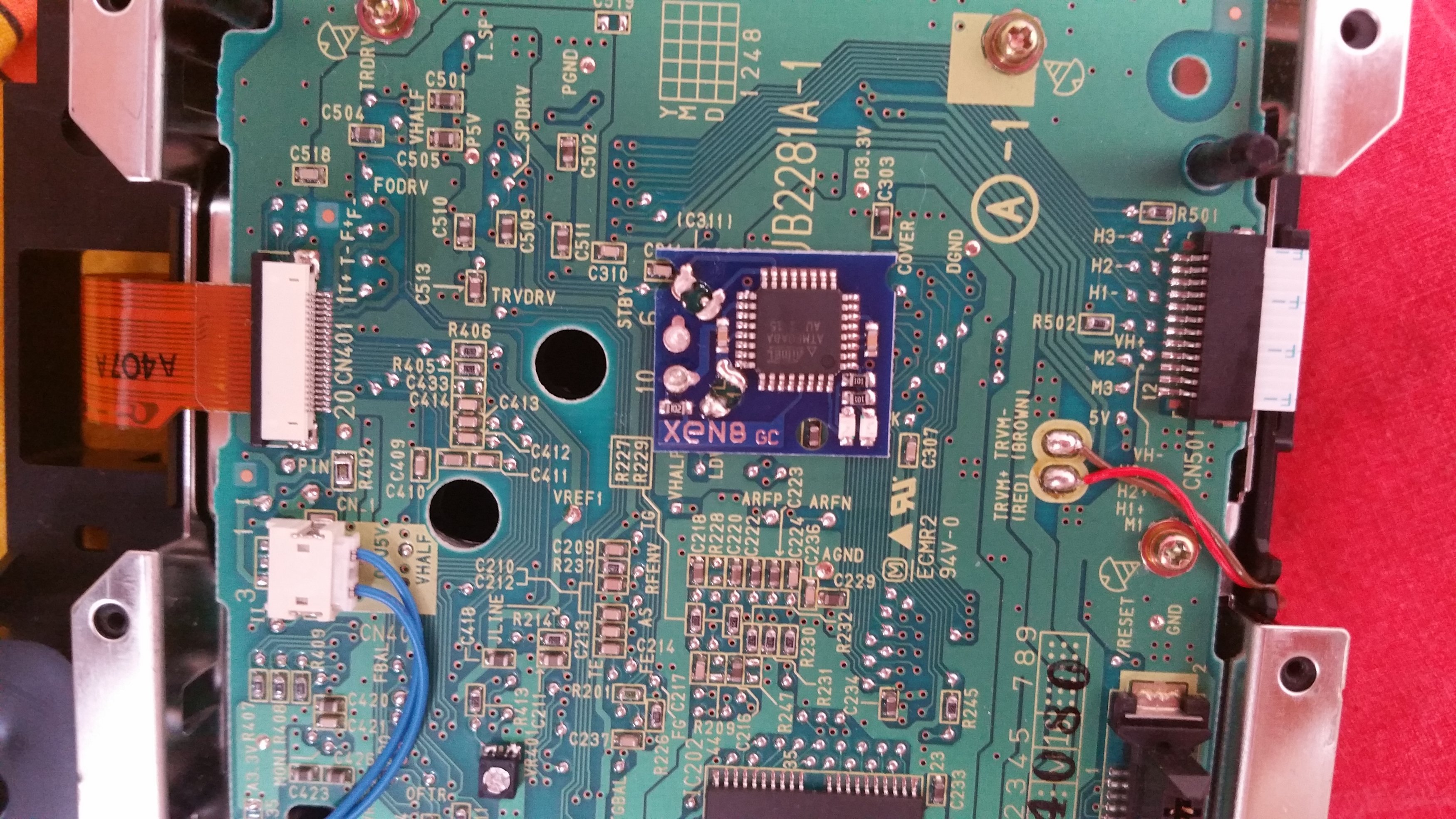
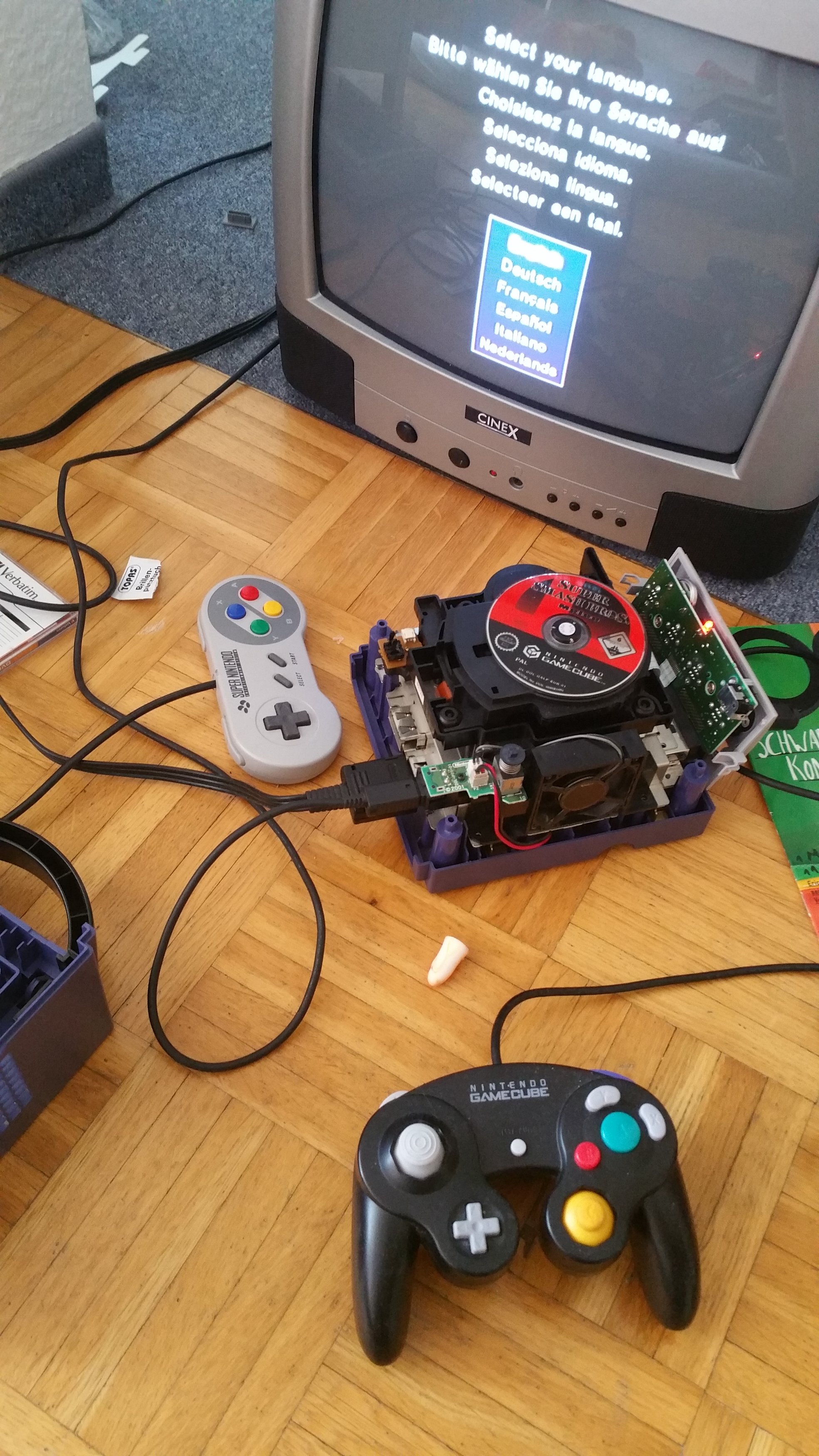
I've installed a Xeno modchip to my gamecube. I don't know what went wrong. But everytime when I start the console this menu shows up instead of the normal Gamecube menu...

Can anybody help me?

Thank you for answers.

Have a nice day :)
20190608_125353.jpg
20190608_163933.jpg
 
Possible dead CR2032? It would have also reset the settings if you removed the ribbon cable out where the controller ports are.
Last time I modded a Gamecube, I removed that battery and soldered in a battery socket.

As always, check your points or redo your work.
 
  • Like
Reactions: Ryccardo
Possible dead CR2032? It would have also reset the settings if you removed the ribbon cable out where the controller ports are.
Last time I modded a Gamecube, I removed that battery and soldered in a battery socket.

As always, check your points or redo your work.
Thank you for your answer. Yes, I temporarily removed the ribbon cable where the controller ports are. What can I do now? I can't select anything with my controller when this menu pops up. Before I had installed the modchip/ opened my gamecube the controller worked 100%.
 
Last edited by kai98yoshi,
Try to power on the console with the optical drive not inserted, to confirm whether or not it is the problem

If the console still doesn't respond, make sure you reconnected properly the front panel (there's not much else to go wrong)
 
Try to power on the console with the optical drive not inserted, to confirm whether or not it is the problem

If the console still doesn't respond, make sure you reconnected properly the front panel (there's not much else to go wrong)
When the optical drive is not inserted, the same menu shows up and I also can't select anything.
 
Now I've recognized that the controller is working. I just have to be fast enough to press something before the controls stop working. It seems like there isn't a problem with the controller port. Apparently there is a problem with the console itself? Because after I choose a language very fastly the console boots up and displays a error message.
20190608_175241.jpg
 
I think you have the frontpanel flat cable not connected properly. Or a faulty frontpanel. Did you short anything while assembling all the parts together??

--------------------- MERGED ---------------------------

Have you connected the metal plates that touch the frontpanel rear side??
 
I think you have the frontpanel flat cable not connected properly. Or a faulty frontpanel. Did you short anything while assembling all the parts together??

--------------------- MERGED ---------------------------

Have you connected the metal plates that touch the frontpanel rear side??
Sorry, I'm not 100% sure which metal plates do you mean?
 
I would try to leave the front panel unplugged for the night (or, again after unplugging it, shorting the leftmost pin of the socket to the metal shell for some second) to have the SRAM lose power, then to reassemble the console (front panel + drive) and see if the situation improved - not holding my breath, though
 
Y
These two metal plates provide negative. Did you try with them connected?
Yes, I've tried with them connected.

--------------------- MERGED ---------------------------

I would try to leave the front panel unplugged for the night (or, again after unplugging it, shorting the leftmost pin of the socket to the metal shell for some second) to have the SRAM lose power, then to reassemble the console (front panel + drive) and see if the situation improved - not holding my breath, though
Can't it be that the error message only occurs because there is no optical drive detected?
 
Can't it be that the error message only occurs because there is no optical drive detected?
Could be, that's why I said to try reconnecting the drive after clearing the SRAM - although I vaguely remember you could use the main menu (didn't try the initial setup, though) without a drive connected
 
Could be, that's why I said to try reconnecting the drive after clearing the SRAM - although I vaguely remember you could use the main menu (didn't try the initial setup, though) without a drive connected
But you think it doesn't have to do with the modchip installation itself, right?
 
Last edited by kai98yoshi,
But you think it doesn't have to do with the modchip installation itself, right?
It may be the cause (defective chip putting an excessive load on the 3,3V line? assuming it's even connected to it, which it probably is), it's unlikely but you know Murphy's law :D

You also said the controllers still didn't work with the drive unplugged - I don't know if the GC uses self-resetting fuses (like the Wii does), but if that's the case, they should have started working again after leaving the console off for a while (although that could be measurable in days, in the worst case scenario, as seen in some raspberry pis)
 

Site & Scene News

Popular threads in this forum