TX Presents SX INSTALLER v1.1

TX is back with nice update to their 'SX Installer' app, check out all the details below:
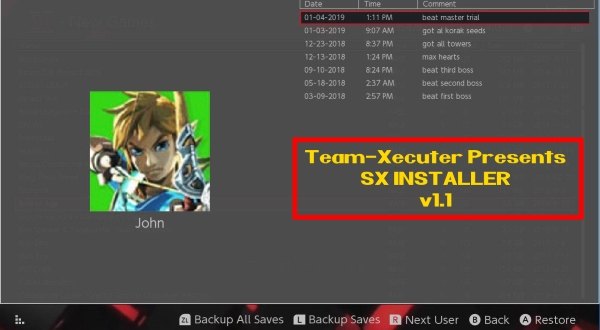
SX_APP_11.jpg

Near the end of 2018, TX released their stand-alone SX INSTALLER app, and now in the New Year, they have updated it with a bunch of 'bug fixes' and a ton of improvements, check it out below, we are sure you will love this nice update to their SX app, like the amazing new feature to backup and restore your game saves, that will come in handy for many of our loyal SX OS users! :)
Your friends at Team-Xecuter are back again with another major update for the always improving SX Installer V1.1

As it becomes a more and more powerful tool, you will find now not only lots of stability improvements, but also key new features like touch screen support and the never seen before ability for the user to be able to drag the list of games.

We will let you discover the rest, please find below the change log for v1.1:
  • Fixed "delete after install"
  • Fixed file browser copy progress bar.
  • File browser delete now works for SD, FTP, and USB HDD.
  • File browser rename now works for SD and FTP.
  • File browser can now write to SD, FTP, and USB HDD, so files can be copied to FTP and USB HDD now.
  • Single click back up all game saves!
  • Added Touch Screen support everywhere!
  • Added ability to preload meta images.
  • Images are now stored in image database files, as some fat32 users ran into SD card issues with the sheer number of image files before. /switch/sx/cache/ and /switch/sx/icons/ can now be deleted.
  • Added support for backing up and restoring game saves.
  • There is an option to specify the game save backup directory, which supports SD, FTP, and USB HDD. So you can backup and restore your save games from across the network or from your hard drive.
  • Improved stability for network installs.
  • Improved translations for ZH, NL, and RU.
  • Added confirmation dialog for deleting files.
More to come soon on all fronts, and as usual do not hesitate to email us for bug reports and suggestions, or to utilize our TX Community for support from fellow users like yourself. Our motivation is your satisfaction.

—< Team-Xecuter - Rocking the Switch in 2019 and beyond! >—

:arrow: Source: MaxConsole
 
Last edited by garyopa, , Reason: added missing 'touch screen' feature from bulleted list!
It doesn’t seem to register split xci games. And from what I can see you can only back up saves from installed nsp games. Hopefully these can be fixed in later versions.
 
One of reasons forces me to use 1.0 is the annoying scanning folder with xcis in usbhdd on 1.1 File Browser (take forever for 200+ xcis, on 1.0 it loads instantly ). I use this mainly for mounting xcis.
 
One of reasons forces me to use 1.0 is the annoying scanning folder with xcis in usbhdd on 1.1 File Browser (take forever for 200+ xcis, on 1.0 it loads instantly ). I use this mainly for mounting xcis.

There will be ma bugfix released for this, and the nut issue shortly I am sure.
 
  • Like
Reactions: thaikhoa
Hi, very nice tool good work! However here are some bugs I found:
- xci loading from ftp doesn't work (error 2568)
- Copying from sdmc to ftp seems to not write (the popup with progress bar shows but when it finishes I can't find the file where it is supposed to be)
Please also add transfer speed when copying files around it's a pretty useful info
 
have a question there is any cfw or some jailbreak metod where u dont need to fcking everytime with RCM or use shitty AUTORCM when i want to load cfw ?
 
Last edited by DuckNoir,
have a question there is any cfw or some jailbreak metod where u dont need to fcking everytime with RCM or use shitty AUTORCM when i want to load cfw ?
Just use a dongle like sx gear/pro as your power source, leave your switch on autorcm and plug your dongle in all the time, it boots straight up, if you leave your switch in reboot mode then you have no need to press the power button each boot up, which you would have to do on ofw or using a mod chip just depends on what you feel is more inconvenient to you pressing a tiny power button in with your finger nail or plugging a small dongle in the C port? just make sure you leave your switch charging up all the time and when you want to power it up plug your dongle in and then use powertoolsnx to shut it down with reboot plug your charging lead back in.
 
Last edited by Reecey,
Can someone send a link to sxinstaller_v1.0.zip?
It takes way too long to load up all the games on my USB HDD with this new release (1.1).
TX seem to have deleted their old version from their site.

Thanks in advance
 
So there currently is no way to restore savegames? I found the option but it always responds: Restoring Save failed
 
It still takes about 5 minutes to load all content from my USB HDD with the new version 1.2. And it crashes more often than 1.1. No dice this time
 
Is there a way to get themes working on the sx installer v1.2? It does come with previous installed themes
 

Site & Scene News

Popular threads in this forum