TX Announces SX OS v2.2 BETA with Docked USB Drive Support
It's only been a week since Team-Xecuter made the big announcement of SX OS v2.1 with their 'cheat engine'
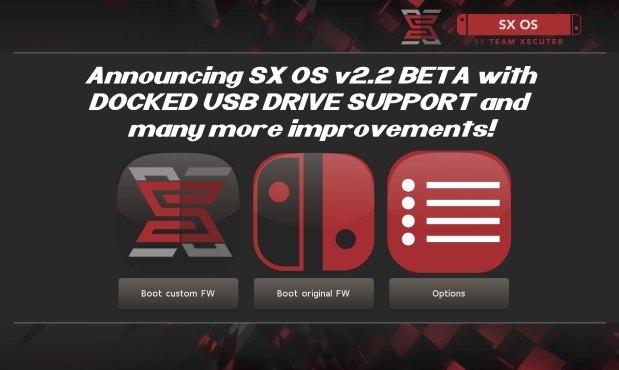
And now they are back and on a roll with them adding 'Docked USB Drive Support' and many other nice improvements to their 'cheat engine' and a few bug fixes!

Enjoy!How do you do, dear SX OS users?
Today we are back once again with a much anticipated new feature as well as various improvements to existing functionality for SX OS. While this is still labelled as BETA we've had some good success with it internally, we're looking forward to your feedback.
Lets jump into the list of changes!
Yes. You read it right. You can now plug a USB mass storage device into your switch' dock and load XCI or install NSP content from there directly. No longer are you limited by the size of your microSD card when playing the switch from the comfort of your couch, but you can now enjoy TERABYTES of content by using external harddisks and such! The filesystem on the drive needs to be either FAT32 or exFAT, and the directories that are being scanned for content are equal to the ones you'd use on the microSD card.
- Docked USB drive support!
That's it folks. Enjoy this BETA and let us know what you think. We have more tricks up our sleeves, more rabbits in our tophats. And we only have one gear: FORWARD.
- Updates to the cheat system
- More accurate progress indication during cheat search
People were reporting "freezes" during cheat searches, often times these were just due to impatience and a suboptimal UI from our end. The progress bars are more honest and update more frequently now!- Cheat search for exact value requires no initial dump anymore
For 'exact value' searches a big initial dump file on your microSD is not needed, and since this is often the way people start a cheat search we decided to streamline the cheat finder process a bit. You are now prompted with a question whether you want to start an exact value search or arbitrary value search, in case of the former the process will be much faster.- Automatically apply/disable cheats upon toggle
The interface for "applying" the cheats was a bit counterintuitive, you now no longer have to press the plus (+) button in order to apply cheats. They are automatically applied/disabled once you toggle them. Disabling cheats now properly works as well, so there's no need for having a dummy cheat any more to work around that limitation.- Ability to add cheats using the UI
Identifying memory locations for cheats using just the console is nice, but previously there was no way of adding an actual cheat-code for a location you found to the cheat code library. This has been addressed, and there is now an interface for doing this directly from our menu.- Show homebrew NSP icons in TX menu
Some homebrew NSP titles were not displaying their icons properly. This has been investigated and fixed.- Fix error 2345-0021 when in docked mode opening TX menu
People who play/cheat in docked mode will like this fix. The frequent crashes that happened when opening the TX menu in docked mode are now a thing of the past!
--< Team-Xecuter - Rocking the Switch in 2018 and beyond! >--
Source: MaxConsole
Last edited by garyopa,
, Reason: typos


















 what I've been waiting for