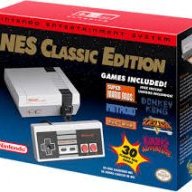
Official hakchi2 - NES Mini very simple pimp tool

  • Thread starter Thread starter Cluster
  • Start date Start date
  • Views Views 4,402,520
  • Replies Replies 18,558
  • Likes Likes 138
For anyone having trouble running cores (emulators)-> be sure you always edit the command line from /bin/x to bin/"name of the core". You can always find the core's name you need to puth behind bin/ in the cores (.hmod) folder inside the bin folder.[/QUOTE

I assume you mean the command line arguements for each individual game, either from hakchi2 gui or the .desktop files?

So "Exec=/bin/md /usr/share/games/nes/kachikachi/CLV-G-BLTHQ/Columns_III__USA_.md.7z" should read "Exec=/bin/snes02 /usr/share/games/nes/kachikachi/CLV-G-BLTHQ/Columns_III__USA_.md.7z" ?

edit - and if so, is there an easy way to apply this to all SNES games? As it stands if I were to do a find/replace on all .desktop files in ../games/ I'd re-write the path for nes and genesis games too.
 
Last edited by Lukano,
I deleted my Hakchi 2.13 folder before backing up the kernel. Now what do I do? Is there a place I can just download the original Kernel?
thanks
 
I assume you mean the command line arguements for each individual game, either from hakchi2 gui or the .desktop files?

So "Exec=/bin/md /usr/share/games/nes/kachikachi/CLV-G-BLTHQ/Columns_III__USA_.md.7z" should read "Exec=/bin/snes02 /usr/share/games/nes/kachikachi/CLV-G-BLTHQ/Columns_III__USA_.md.7z" ?

edit - and if so, is there an easy way to apply this to all SNES games? As it stands if I were to do a find/replace on all .desktop files in ../games/ I'd re-write the path for nes and genesis games too.

Just edit manual the path for all games, as for now there is no automatic edit by Hakchi Tool. Like i said, you can check in the bin folder of each core what name you need to use. Example:For snes9x2010.hmod core the path is /bin/snes2010 /usr.
 
Just edit manual the path for all games, as for now there is no automatic edit by Hakchi Tool. Like i said, you can check in the bin folder of each core what name you need to use. Example:For snes9x2010.hmod core the path is /bin/snes2010 /usr.

Gah. It's easier and less time consuming to just remove all games, reset and reinstall cores, and add games back again. Manually editing the path for hundreds of games is not really what I was hoping for :S
 
  • Like
Reactions: AndyVr
Well, after two days of playing with the 8bitdo nes30 pro, It is my go-to controller for all things NES Classic. It's a great controller and the analog sticks work great for N64 games. It feels like holding an old SNES controller, although it is a little thinner.

[...]
Follow @Kobe46's steps here to get the directional pad to work properly with Retroarch:

Easy steps after patching:
1. Plug receiver in player 1 port.
2. Plug wired controller in player 2 port.
3. Turn on NES Classic
4. For the 1st 8bitdo device, hold start to begin pairing mode. The receiver should also be blinking blue LED.
5. When paired should be solid blue on each.
6. Go to a game that uses RetroArch, once game is loaded hit (default Start+Select to get into RetroArch menu) on the 8bitdo controller.
7. On wired controller in player 2 port, navigate the menu: Settings > Input > Input User 1 Binds.
8. Go down to the user bind for directional, tap A on controller 2 to allow you to enter new binding, then on 8bitdo controller tap the corresponding direction.
9. Follow steps until all directionals are set on controller 1.
10. Confirm now with 8Bitdo device that you can move up and down through the menu.
*Steps below are only needed if you have 2 receivers like myself
11. Unplug 2nd controller and plug in 2nd receiver and pair that with 2nd controller.
12. Once paired, this time use Controller 1 to go back 1 menu to Input Menu, this time select Input User 2 Binds.
13. Follow steps from 8 to 10.
14. Presto, both controllers are now functional, enjoy your gaming
*PS I am not 100% sure if you need to do these steps if you re-flash due to the Retroarch configs get wiped. (If I am wrong that could be only if you re-flash RetroArch itself, if you just add games it should not affect it.)

The directional pad is not the problem, the controllers are working, with a nes behavior. up, down, left, right, a, b, start, select, are perfectly working.
We can't map the buttons, Y=L1 = turbo B --- X=R1= turbo A, this is firmware coded and can NOT be changed, plus L2 L3, R2 R3 and the right pad, are not even detected as inputs

and btw where did you get that 1.05 beta3 RR firmware and what is the changelog? the link on the forum is still for 1.05 beta0

ps, the nes30pro new firmware is v2 which is the same as 1.73beta0

ps2, can you post a picture of your retroarch inputs?
 
Last edited by NeoPolak,
No space left on device... NES Mini's internal flash memory is full. Seems like there are something really large in rewritable memory. It can be some mods (retroarch's assets pack?) or save states. Old SNES core using very large savestates.
You can use clovershell (https://github.com/ClusterM/clovershell-client/releases) tool to check filesystem and remove large files. But it requires basic Linux knowledge.
my same problem :( i used to have over 730 games and all worked fine, after testing the last version i wanted to write again my old games list, now even if i flash 600 games it give me no space left error, i can't use linux. how i can fix the problem?? please!
 
The directional pad is not the problem, the controllers are working, with a nes behavior. up, down, left, right, a, b, start, select, are perfectly working.
We can't map the buttons, Y=L1 = turbo B --- X=R1= turbo A, this is firmware coded and can NOT be changed, plus L2 L3, R2 R3 and the right pad, are not even detected as inputs

and btw where did you get that 1.05 beta3 RR firmware and what is the changelog? the link on the forum is still for 1.05 beta0

ps, the nes30pro new firmware is v2 which is the same as 1.73beta0

ps2, can you post a picture of your retroarch inputs?

I believe the 1.05 Beta03 RR firmware is the latest on their main support site:
http://8bitdo.com/retro-receiver-nes-classic/support.html
Go to Downloads and you can see. It is the new firmware that supports the Switch's Joy cons.

I have not tested this firmware version yet, I can later today. I own SNES30, SFC30, 2xNES30. so I can see how that works out. I will let you know my findings when I get home on this. In previous I have had no issue except for D-PAD problem, using the 1.05 Beta0 and followed the steps I posted on page 320.
 
nes30 firmware is not the same as nes30 pro, they don't have the same output
that's why you can use nes30 on more than nes games, but in current stage nes30 pro is useless for more than nes or gameboy games
I believe the 1.05 Beta03 RR firmware is the latest on their main support site:
http://8bitdo.com/retro-receiver-nes-classic/support.html.
ha, didn't saw that one ^^


anyways, no change at all ):
 
Last edited by NeoPolak,
The directional pad is not the problem, the controllers are working, with a nes behavior. up, down, left, right, a, b, start, select, are perfectly working.
We can't map the buttons, Y=L1 = turbo B --- X=R1= turbo A, this is firmware coded and can NOT be changed, plus L2 L3, R2 R3 and the right pad, are not even detected as inputs

and btw where did you get that 1.05 beta3 RR firmware and what is the changelog? the link on the forum is still for 1.05 beta0

ps, the nes30pro new firmware is v2 which is the same as 1.73beta0

ps2, can you post a picture of your retroarch inputs?

What worked for me was upgrading the NES30 pro with the 1.73beta0 found here:
http://forum.8bitdo.com/forum.php?mod=attachment&aid=NTM1fGFhYWRhNzczfDE0OTAzMDMzNTN8MHwxMTc5

I then upgraded the Retro Receiver's firmware to 1.05beta3 found here:
http://download.8bitdo.com/Tools/Receiver/NesMini/8Bitdo_NesMini_RR_Firmware_V105_beta3.zip

I didn't need to remap any buttons, they all worked as expected (i.e. X = X, Y = Y, L and R = L and R) . The only thing I needed to do was remap the D-pad. Analog sticks work fine too, although they are a tad too sensitive.
 
Last edited by HeisenMack,
For anyone having trouble running cores (emulators)-> be sure you always edit the command line from /bin/x to bin/"name of the core". You can always find the core's name you need to puth behind bin/ in the cores (.hmod) folder inside the bin folder.
where is the bin folder ? Do I have to change the "name of the core" only if there's a problem ?
 
my same problem :( i used to have over 730 games and all worked fine, after testing the last version i wanted to write again my old games list, now even if i flash 600 games it give me no space left error, i can't use linux. how i can fix the problem?? please!
I got this error with 96mb. So Its obviously a bug or something.
 
I deleted my Hakchi 2.13 folder before backing up the kernel. Now what do I do? Is there a place I can just download the original Kernel?
thanks
I did that too lol first time I setup hakchi on 2.06. I haven't had my original kernel since. Except now on my other mini. So I could just use that one. But I'm sure someone could upload one for you if you needed.
 
What worked for me was upgrading the NES30 pro with the 1.73beta0 found here:
http://forum.8bitdo.com/forum.php?mod=attachment&aid=NTM1fGFhYWRhNzczfDE0OTAzMDMzNTN8MHwxMTc5

I then upgraded the Retro Receiver's firmware to 1.05beta3 found here:
http://download.8bitdo.com/Tools/Receiver/NesMini/8Bitdo_NesMini_RR_Firmware_V105_beta3.zip

I didn't need to remap any buttons, they all worked as expected (i.e. X = X, Y = Y, L and R = L and R) . The only thing I needed to do was remap the D-pad. Analog sticks work fine too, although they are a tad too sensitive.
This is very strange, that's what i'm doing for like a week now, i'm going insane

well i guess i'll start from a fresh dump
 
has anyone using mame2003mini and neogeo rom/mame roms noticed a wierd sound bug when you launch from a saveslot? goes all echoy[like theres only one channel of pcm running] until the sound channels catch up[after a level restarts etc] and then sometimes it fixes it self but it never did that before?
 
Last edited by Piklz,
has anyone using mame2003mini and neogeo rom/mame roms noticed a wierd sound bug when you launch from a saveslot? goes all echoy[like theres only one channel of pcm running] until the sound channels catch up[after a level restarts etc] and then sometimes it fixes it self but it never did that before?
You can actually launch a save slot of a mame or neo geo game? I can't and didn't think the save ability was available for mame or neo geo games.
 
You can actually launch a save slot of a mame or neo geo game? I can't and didn't think the save ability was available for mame or neo geo games.

sure it works well but i reflashed from scratch the system and reloaded the hmods and gamesagain.. saves still there of course launched it and now the sound is broken ..but if i start the game as a new game sound is fine so its just from loading the save slot in nesmini (not the save state in RA) not sure whats happened im sure yesterday i launched many save slots on outrun ghouls and ghosts .. metalslug... and it was fine...
update: ( happens in both mame2003 /or mini ) is it factory reset time :(
 
Last edited by Piklz,

Site & Scene News

Popular threads in this forum