Official hakchi2 - NES Mini very simple pimp tool

  • Thread starter Thread starter Cluster
  • Start date Start date
  • Views Views 4,410,406
  • Replies Replies 18,558
  • Likes Likes 138
Hello so i have just been able to buy a pal version.
Am i correct to say that its best to add U roms to it?
Can i also add pal also?
Thanks
 
don't get me wrong, i don't demonize the option that you can use RA, on the contrary i like it a lot! because now we can start games like batman, mr Gimmick and all the other awesome games with mapper problems.... OHHHH.... FINAL FNATAY VII .... but for me its a "NES" and not a MegaDrive (Genesis) or SNES. for this i can use my original hardware or my Pi. but maybe i give it a try for games like Wily Wars ;) but for this....:

Did you pay attention to the fact that he is launching a Genesis game from within the GUI of the Nes Mini without using the interface of RetroArch?

...must this happen... easily, direct out of the app without any "coding skillz"
 
  • Like
Reactions: DbD and jelmer
Retroarch folder is just very huge...
When there are many games hakchi2 splitting them into several transfers. Maximum transfer size - 40MB. But RetroArch folder is 60MB and hakchi2 can't split it :(
It's possible to rewrite split functions but what the point? It's possible to install RetroArch and use instead of default emulator.

So this is why im only abke sync around 26.3 MB worth of roms? I tried 30 MB didn't work.
 
Last edited by Mad-Mega,
  • Like
Reactions: herm4n and DbD
I compiled the latest hakchi, but didnot see the custom folder stuff anywhere, I went into options and checked a box about custom folders but am not sure where to find this new functionality at.
 
I compiled the latest hakchi, but didnot see the custom folder stuff anywhere, I went into options and checked a box about custom folders but am not sure where to find this new functionality at.
It appears when you click the button to upload the new kernel and games.

--------------------- MERGED ---------------------------

Will the new version show the kernel size before flashing? It would be nice to have some indicator of how much you can put in the nes mini, instead of just getting the "kernel too big" error after you've already started.
If u want an idea of kernel size it's about the size of the TEMP folder that is created.
 
Some guy already managed to do exactly this.


Just saw this video and WOW!! If this is how you plan on implementing RetroArch on a later update of Hakchi2 @Cluster this would be perfect!! :D I love how you can select the game just like any other NES game within the NES Mini GUI. This is perfect. :D If anything, I'd prolly just add Gameboy games on this and I'm golden. :) Looking forward to your next update @Cluster!!
 
  • Like
Reactions: Grandin and DbD
Just saw this video and WOW!! If this is how you plan on implementing RetroArch on a later update of Hakchi2 @Cluster this would be perfect!! :D I love how you can select the game just like any other NES game within the NES Mini GUI. This is perfect. :D If anything, I'd prolly just add Gameboy games on this and I'm golden. :) Looking forward to your next update @Cluster!!

From the youtube vid, there is a link to a reddit thread... Look for user "norefillonsleep", his post has links to explanations on what he did to get it.

https://www.reddit.com/r/nesclassic...w_to_stream_line_retroarch_rom_into_the_main/

https://www.reddit.com/r/nesclassic...tructions_for_retroarch_on_the_nesce/ddj5hlg/

Well if @Cluster can incorporate it into the GUI without any problems and it will allow me to play nes games with mappers not supported previously... I have no complaints. ^_^
 
Last edited by DbD,
So logically the next step would be for when you add the games into hackchi, it would detect which type of system it's for and this executable code would be generated automatically as well for the main GUI to launch the game. For example if you dragged a Super Nintendo game in Hakchi would know it's a Super Nintendo ROM, and add the shortcut to the retroarch emulator automatically. Probably a lot harder to do then I make it sound...
 
Last edited by NESCLASSIC,
So logically the next step would be for when you add the games into hackchi, it would detect which type of system it's for and this executable code would be generated automatically as well for the main GUI to launch the game. For example if you dragged a Super Nintendo game in Hakchi would know it's a Super Nintendo ROM, and add the shortcut to the retroarch emulator automatically. Probably a lot harder to do then I make it sound...
Logically, yes. I can only assume this will be implemented if Cluster decides to update his program. It is certainly a pretty solid possibility. And as DbD quoted earlier there are already ways to implement it yourself. Me personally will wait for a more automated solution though, hopefully through a future version of Hakchi2.

https://www.reddit.com/r/nesclassic...w_to_stream_line_retroarch_rom_into_the_main/
 
Last edited by jelmer,
Logically, yes. I can only assume this will be implemented if Cluster decides to update his program. It is certainly a pretty solid possibility. And as DbD quoted earlier there are already ways to implement it yourself. Me personally will wait for a more automated solution though, hopefully through a future version of Hakchi2.

https://www.reddit.com/r/nesclassic...w_to_stream_line_retroarch_rom_into_the_main/

I hope @Cluster is working on this theory in depth and can be totally stable...
 
  • Like
Reactions: jelmer
I guess to me
iliustracija_2d_-_v2_-06_1x.jpg


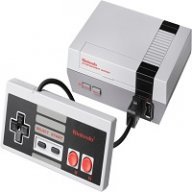
In the sense that the NES Classic Mini is starting to just turn into a Raspberry Pi with limited storage (prior to I'm sure external USB / Storage devices will exist for it). I think improving on the classic adding the entire library perhaps changing the interface I was OK with. I'm glad the rest of you are happy but I think less is more.

I think more focus should be brought back to the NES side of things as far as improvements / changes are concerned.

The simplicity of the system gave the NES Classic Edition it's charm...

I don't want to plug in a Sega genesis cart into my original NES... no thank you. When I wanna bust home and play sonic it will be on my Sega Genesis.

NESCE NINTENDO Entertainment System Classic Edition.
 
Last edited by 8bit4life,
I guess to me
iliustracija_2d_-_v2_-06_1x.jpg


In the sense that the NES Classic Mini is starting to just turn into a Raspberry Pi with limited storage (prior to I'm sure external USB / Storage devices will exist for it). I think improving on the classic adding the entire library perhaps changing the interface I was OK with. I'm glad the rest of you are happy but I think less is more.

I think more focus should be brought back to the NES side of things as far as improvements / changes are concerned.

The simplicity of the system gave the NES Classic Edition it's charm...

Well I myself do plan to put only NES/Famicom games into my unit, though if the RetroArch can be incorporated in the GUI without having to access the RA menu, I would use it to put in the games with mappers currently not supported by the mini. :)
 
I guess to me
iliustracija_2d_-_v2_-06_1x.jpg


In the sense that the NES Classic Mini is starting to just turn into a Raspberry Pi with limited storage (prior to I'm sure external USB / Storage devices will exist for it). I think improving on the classic adding the entire library perhaps changing the interface I was OK with. I'm glad the rest of you are happy but I think less is more.

I think more focus should be brought back to the NES side of things as far as improvements / changes are concerned.

The simplicity of the system gave the NES Classic Edition it's charm..
 

Site & Scene News

Popular threads in this forum