Hacking NTR 3.4 Screen Recorder Test Thread

  • Thread starter Thread starter NekoMichi
  • Start date Start date
  • Views Views 85,129
  • Replies Replies 443
  • Likes Likes 5
The Legend of Zelda - Tri Force Heroes Single Player (Den of Trials Fast Run)


Console

N3DS XL/A9LH/Luma3DS 5.2/Updated sysNAND 10.7
NTR CFW 3.4 preview version 2

NTR Settings
Quality: 60 (My router is very old, so I had to set this quality to keep between 29 to 32 fps)

OS
Windows 8.1 x64

Router
D-LINK DSL-524B
3DS connected via 2.4GHz 802.11b/g
PC connected via Ethernet

Recording Software
Bandicam 2.0.3.674
 
  • Like
Reactions: Lamato
Hey, how do you get it work on linux ? I'm stuck because of .NET... If I install the .NET4, the debugger ask me to install 4.5, and if I try to install 4.5, it fail :(

I run the debugger with mono and the viewer with wine

For a unrelated app awhile ago I went overkill on some dependencies after getting tired of just tracking down the ones I need by going into synaptic and installing anything to do with libmono and don't know what ones you may need just for this but if it doesn't work with the base install it may need some of them
 
  • Like
Reactions: cavolo
I run the debugger with mono and the viewer with wine

For a unrelated app awhile ago I went overkill on some dependencies after getting tired of just tracking down the ones I need by going into synaptic and installing anything to do with libmono and don't know what ones you may need just for this but if it doesn't work with the base install it may need some of them
Oh yes, didn't think to try mono :p
Debugger work, connect() work, viewer launch.
I'll have to move my laptop (no battery ~~) near an ethernet :p
 
to those who tried pokemon how did they not get a black screen on ntrviewer, im playing pokemon x
 
to those who tried pokemon how did they not get a black screen on ntrviewer, im playing pokemon x

You have to be online so the game doesn't disconnect Wi-Fi just go online in game an it will start showing again or use the command from the wiki to prevent the disconnect.
 
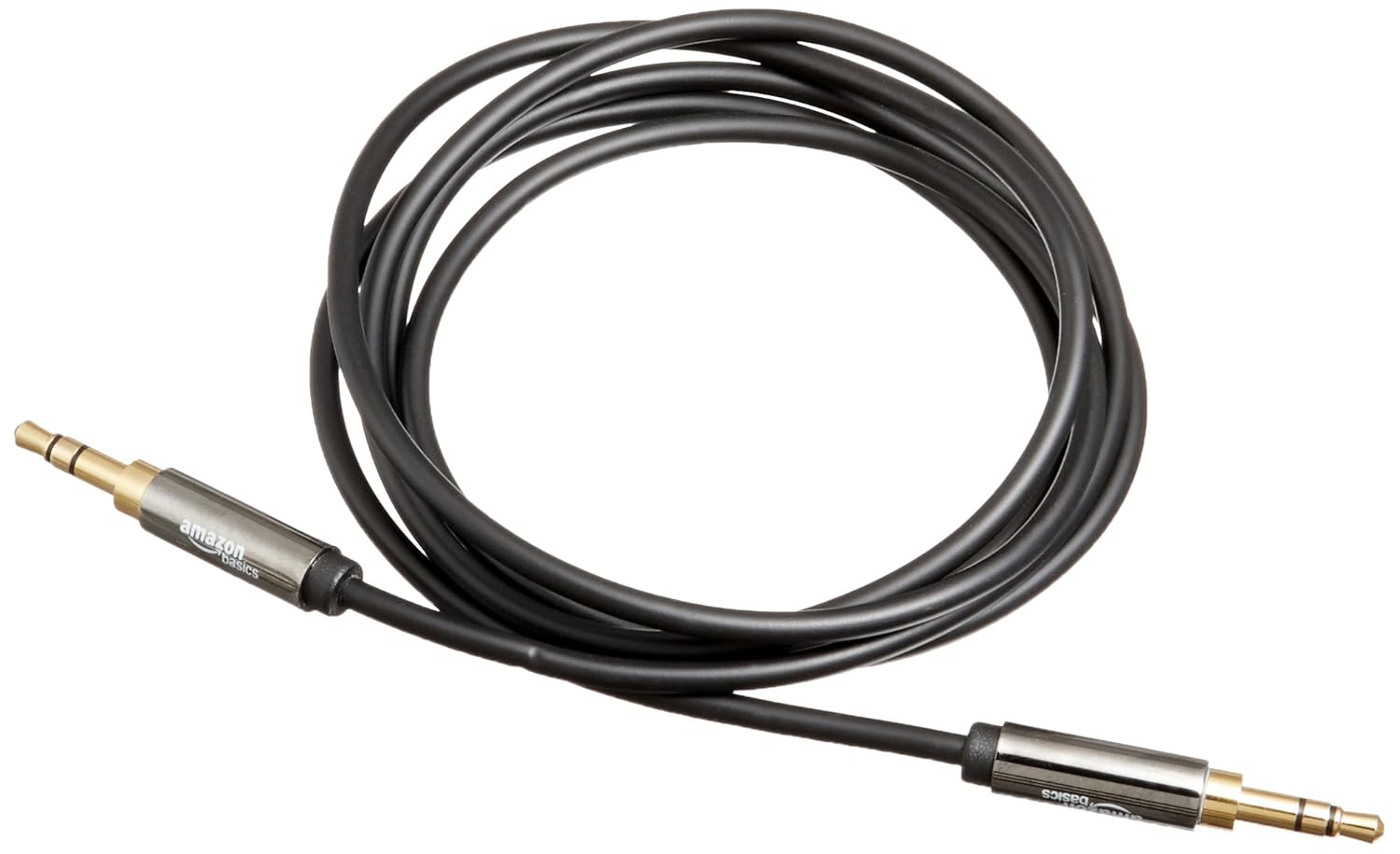
final question i cant recall coming across it in this thread but how do you record audio?
With something like that

71CG4nZRNRL._SL1500_.jpg
 
  • Like
Reactions: mariobear
NSMB2 Levels 1-1, 1-2, 1-3, 1-4, 2-1


Console

N3DS XL/Menuhax/Aureinand/
NTR CFW 3.4 preview version 2

NTR Settings
Quality: 100

OS
Windows 7 x32

Router
Used Portable hotspot on my phone to connect PC to my 3DS

Recording Software
OBS
 
Last edited by ElyosOfTheAbyss,
Guess I'll post my results for Smash Bros.


I'm thoroughly impressed with how this turned out. ~30fps with the bottom screen disabled all over a wireless connection? Really, that's insanely good.

I tried to test a stage with a static background and another with a dynamic (Final Destination) to test fps. I also did a random 1v1 For Glory match to see how that would affect the stream. Results were overall pretty good.

Kind of disappointed that I couldn't find a male to male cable lying around, but thankfully Smash usually does fine without in game audio, haha. Major kudos to the developer and everyone here that helped with fine tuning. I have a more thorough description on the actual video for anyone who's interested.

Edit: Added Specs

Console
N3DS XL/A9LH/AuReiNAND v5.5.1 (have yet to upgrade to Luma)/Updated sysNAND 10.7
NTR CFW 3.4 preview version 2

OS
Windows 8.1 (x64)

Router
CISCO DPQ3925
3DS connected via 2.4GHz
PC connected via gigabit Ethernet

Recording Software
OBS
 
Last edited by Lamato,
  • Like
Reactions: NekoMichi
Guess I'll post my results for Smash Bros.


I'm thoroughly impressed with how this turned out. ~30fps with the bottom screen disabled all over a wireless connection? Really, that's insanely good.

Kind of disappointed that I couldn't find a male to male cable lying around, but thankfully Smash usually does fine without in game audio, haha. Major kudos to the developer and everyone here that helped with fine tuning. I have a more thorough description on the actual video for anyone who's interested.

If you reduce the quality value to 90, sometimes you can even get 40-50FPS. The loss in image quality compared to quality 100 isn't that visible and could even be reverted in post-production. :)
 
If you reduce the quality value to 90, sometimes you can even get 40-50FPS. The loss in image quality compared to quality 100 isn't that visible and could even be reverted in post-production. :)

I think I forgot to mention that I set the quality at 80 and the qosValue at 100 (<- unless you meant changing the qosValue to ~90) during this recording. I'm not sure if it's even registering my specifications, lol. Here's what I input on NTR Debugger and what returns:

Code:
> remoteplay(priorityMode = 0, priorityFactor = 0, quality = 90, qosValue = 90)
null
Will be disconnected in 10 seconds to enhance performance.
cpu was locked on 804MHz, L2 Enabled
starting remoteplay...
buf: 07001000, size: 0003f000
remotePC: 001231d0
> disconnect()
null
Unable to read data from the transport connection: A blocking operation was interrupted by a call to WSACancelBlockingCall.
Server disconnected.

Despite it saying server disconnected, it's still running, but the cmd prompt still has the quality capped out at 100% unless I'm missing something here.
 
I think I forgot to mention that I set the quality at 80 and the qosValue at 100 (<- unless you meant changing the qosValue to ~90) during this recording. I'm not sure if it's even registering my specifications, lol. Here's what I input on NTR Debugger and what returns:

Code:
> remoteplay(priorityMode = 0, priorityFactor = 0, quality = 90, qosValue = 90)
null
Will be disconnected in 10 seconds to enhance performance.
cpu was locked on 804MHz, L2 Enabled
starting remoteplay...
buf: 07001000, size: 0003f000
remotePC: 001231d0
> disconnect()
null
Unable to read data from the transport connection: A blocking operation was interrupted by a call to WSACancelBlockingCall.
Server disconnected.

Despite it saying server disconnected, it's still running, but the cmd prompt still has the quality capped out at 100% unless I'm missing something here.
The debugger and viewer are actually running separately, when it displays "disconnected", it means the debugger is no longer connected to the 3DS in order to free up bandwidth for the video stream. You won't be able to enter commands through the debugger, but the viewer remains connected to provide the video feed.

The "quality" that appears under the viewer command window is actually describing something different to the "quality" entered under the debugger; it refers to the percentage of overall streaming quality given the conditions you've set under rempteplay(). When it says 100%, it means that it's performing at the full potential based on the quality/priority settings you've given it. If it falls below 100%, it means that something is preventing it from performing at maximum potential, resulting in frame rate drops. Often this happens when attempting to stream at a high quality level that the router can't handle, or if the 3DS communications are being interrupted by interference.
 
  • Like
Reactions: Lamato
The debugger and viewer are actually running separately, when it displays "disconnected", it means the debugger is no longer connected to the 3DS in order to free up bandwidth for the video stream. You won't be able to enter commands through the debugger, but the viewer remains connected to provide the video feed.

The "quality" that appears under the viewer command window is actually describing something different to the "quality" entered under the debugger; it refers to the percentage of overall streaming quality given the conditions you've set under rempteplay(). When it says 100%, it means that it's performing at the full potential based on the quality/priority settings you've given it. If it falls below 100%, it means that something is preventing it from performing at maximum potential, resulting in frame rate drops. Often this happens when attempting to stream at a high quality level that the router can't handle, or if the 3DS communications are being interrupted by interference.

Ah, that makes total sense now, thank you. As for the reduction in quality to improve the stream, you're saying I should reduce the quality to below 90 to find the sweetspot where I'm constantly at 100% "quality" when viewed on NTRViewer, correct?
 
  • Like
Reactions: NekoMichi
I'm getting a 64 bit laptop soon meaning more memory, this will let me record longer videos so that I can record the Kirby Robobot gameplay
 
Ah, that makes total sense now, thank you. As for the reduction in quality to improve the stream, you're saying I should reduce the quality to below 90 to find the sweetspot where I'm constantly at 100% "quality" when viewed on NTRViewer, correct?
Usually that's the case, though there comes a point where the trade off in image quality becomes too much. It's mostly about finding a good balance between image quality and frame rate.
 
  • Like
Reactions: Lamato
I decided to give it a try, and recorded a little of SSF4 3D:Edition and Boxboy!
I didn't have the cable necessary to record audio, so there is no sound (except one at the beginning ;)). Also, for during SSF4 there's random jumps. Which is weird, because later i recorded again, and it didn't have those random jumps. Weird.

This was recorded with Bandicam (OBS doesn't like my laptop :() in the last version of ReiNand. I recorded with both my laptop and my 3ds being as closest as possible to my router.

Btw, i actually recorded a video today of Kirby: PR and other games with audio, but it sounded like the audio in ElyosOfTheAbyss' videos, so i didn't uploaded. I'll probably check tomorrow if i can improve the sound without buying a new cable.
 

Site & Scene News

Popular threads in this forum