Hardware nand flash dump (3ds xl)

  • Thread starter Thread starter lightenup
  • Start date Start date
  • Views Views 642,521
  • Replies Replies 1,973
  • Likes Likes 6
Dump it more than once right after each other and check the MD5 Hashes of the dumps. If they are equal everything works fine, and you SHOULD be okay to write it back (Keep in mind there is a reason I wrote 'should' and not 'will'. There are always things that can go wrong). If not, you made something wrong and should NOT write anything to the 3DS. (For me my cables were too long)
 
  • Like
Reactions: Syphurith
mine look like this ... short wire ...

flasher.JPG
 
Just bought a spare Red XL on 4.4. Read out nand and also installing a 3dscapture card on main Blue XL :) :)


2p6q.jpg


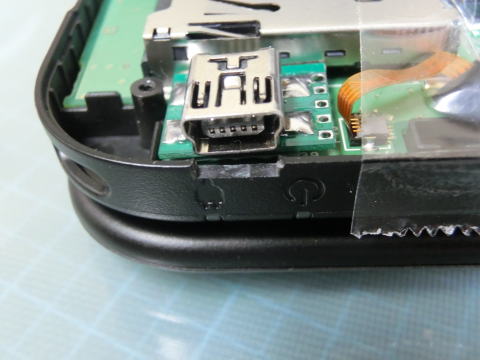
i am adding a female micro usb port on the internally under Select button and wiring up a microusb to SDCARD adaptor (like how capture cards are installed)

CIMG06981.jpg
 
Just bought a spare Red XL on 4.4. Read out nand and also installing a 3dscapture card on main Blue XL :) :)


i am adding a female micro usb port on the internally under Select button and wiring up a microusb to SDCARD adaptor (like how capture cards are installed)

CIMG06981.jpg


good idea :)
this is mini usb not micro right ?
 
So like... you CAN already dump and write your firmware back ?
I haven't flashed it back yet, but others already did.

(What is that program loaded in this screenshot anyways?)
It is no separate app. If you have connected the SDcard (with the wires to your 3DS) in a cardreader, the 3DS is no longer able to reach the eMMC chip and reports a blue screen. This is normal.

can we make it more clean, like a original port inside of the console to plug in and out when we need it?
I also have a connector, my is hidden below the bottom plate.

god, this is becoming impossible without soldering!
As I already said above, on the XL there is a chance to do it without soldering. Perhaps with a sub-plate holding 4 pogo pins - like docking station B-)
 
  • Like
Reactions: Syphurith
To ground ,everywhere in the motherboard :lol:

You can take ground,for example,from the big soldering points of the slot for the cards
 
I finally got the bluescreen but i doesnt show up in windows.
This procedure has come working for me:
1. connect 3DS with 4-wire cable to DScard with an USB-cardreader
2. switch on 3DS
-> blue screen occur
3. connect USB-cardreader with pc
-> after a few seconds a new drive is announced. You can verify this with the disk management from the administrative tools (don't remember the exact name from the english Windows)

If this doesn't work, something is wrong with your wiring.
 
This procedure has come working for me:
1. connect 3DS with 4-wire cable to DScard with an USB-cardreader
2. switch on 3DS
-> blue screen occur
3. connect USB-cardreader with pc
-> after a few seconds a new drive is announced. You can verify this with the disk management from the administrative tools (don't remember the exact name from the english Windows)

If this doesn't work, something is wrong with your wiring.


Or simply the reader incompatible with the 3ds

It's a common problem also with the xbox 360

Try another reader
 
Yay! Just finished my solderless 3DS XL flash kit :grog:
Ordered a White 3DS XL yesterday from amazon.de. Version 4.4 !

I desoldered 4 pogo pins from an old xecuter modchip.

t0g2.jpg

This is my board layout... ugly but works :D

I have not yet made pics of the final board because it is currently in use and I don't want to change a running system :P

tvj.png

I marked the spots in red where I put my pogo pins.

The flasher leaves NO TRACE ;)

I'm ready for the Gateway reviews!
Hopefully the Gateway exploits can be modified for use with the internal SD in the near future...

I followed the community for a long time, but never registered... First post. Hope you like it :)
 

Site & Scene News

Popular threads in this forum