



Here' the problem im playing on my r4 earlier and i turn it off and when i open it, an error has occured pop-up and i try to restart it several times still didn't work what could be the problem?
EDIT 1:
(I already updated my flashcart to V4.5 and my 3DS version is v4.5 and my flashcart come from this website CLICK)
EDIT 2:
(When i test it on my ds lite just stays on white screen)
EDIT 3:
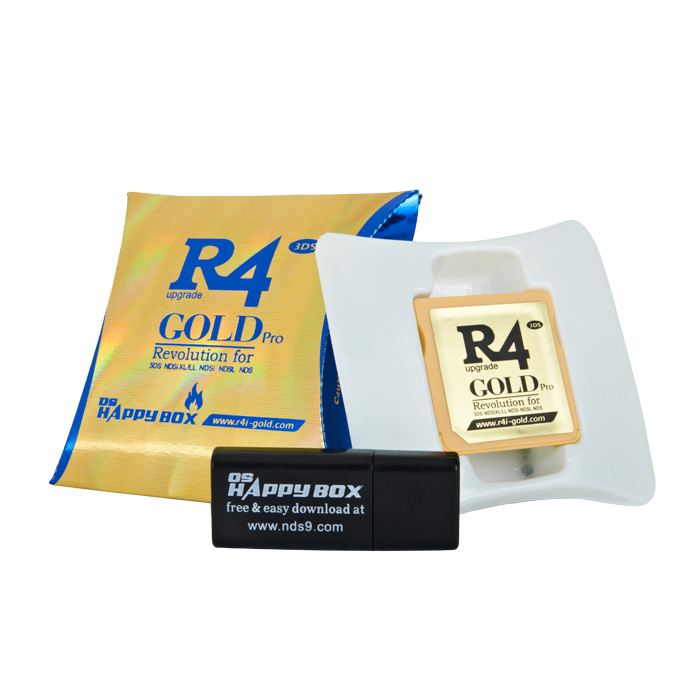
Here's the pic for my cart.
EDIT 4:
I Didn't do any firmware update and i already installed the kernel.
Any help would be appreciated.
Sorry for my bad english.
EDIT 1:
(I already updated my flashcart to V4.5 and my 3DS version is v4.5 and my flashcart come from this website CLICK)
EDIT 2:
(When i test it on my ds lite just stays on white screen)
EDIT 3:
Here's the pic for my cart.
EDIT 4:
I Didn't do any firmware update and i already installed the kernel.
Any help would be appreciated.
Sorry for my bad english.


