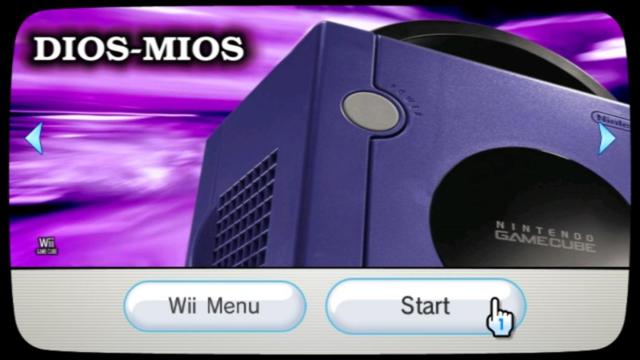
Will later versions of DM eventually take care of HDDs that go idle after a certain period of inactivity in-game? I've never had this problem with Wii games.
Some HDDs have the option in the firmware that forces the sleep mode off. In the case of the Western Digital MyPassport brand, you need SMARTWARE or whatever it's called to turn sleep/idle mode off.
I am using Usb Loader GX. Everything is working fine exepting that I got a green bar at the bottom of my HDTV in mario sunshine and 480p. I dont have that problem in Dios mios booter !
Will later versions of DM eventually take care of HDDs that go idle after a certain period of inactivity in-game? I've never had this problem with Wii games.
I am using Usb Loader GX. Everything is working fine exepting that I got a green bar at the bottom of my HDTV in mario sunshine and 480p. I dont have that problem in Dios mios booter !
I am using Usb Loader GX. Everything is working fine exepting that I got a green bar at the bottom of my HDTV in mario sunshine and 480p. I dont have that problem in Dios mios booter !
I am using Usb Loader GX. Everything is working fine exepting that I got a green bar at the bottom of my HDTV in mario sunshine and 480p. I dont have that problem in Dios mios booter !
all resident evils, both baten kaitos's all work u can save right before the disc change on all these games. Metal Gear Solid Twink Snakes and Tales of Symphony on the other hand does not work right now because it doesnt let u save before u change discs. I hope that helps a bit
yea i thought some of the resident evils prompted save at disc change but i couldnt remember.... it doesnt say whether or not there are any problems with this on the dml compatability list.. have u tried all the resident evil games with dios mios? does dios mios have a new compatability list of its own now or what...
Some HDDs have the option in the firmware that forces the sleep mode off. In the case of the Western Digital MyPassport brand, you need SMARTWARE or whatever it's called to turn sleep/idle mode off.
Just wanted to post an update of my previous reports:
I tested GX and the Booter with update 3a before moving on to update 4. Both of them had the same video mode issues that PAL only could be forced to PAL60 and not NTSC. Realizing that it was definitely a DM issue I then installed update 4 (also uses content 11 and 12 so installed over the top just fine) and lo and behold it WAS able to completely force to NTSC. I can't even begin to describe my excitement. When I saw that Nintendo logo in red and not in gray I just started yelling.
Anyway, I tested a few games but my wife got involved in Luigi's Mansion and I couldn't continue my tests (she rather enjoys the fact that it's in her native language now).
What I did find:
- Luigi's Mansion and Harry Potter 2 have no hz selector and worked just fine.
- Smash Bros has a selector but had frozen when forced to PAL60 in the previous version. It it doesn't feeze but still puts up a black screen while showing the selector. The selector, though, successfully put's it back to 60hz NTSC.
- Burnout 2 works great. It has a selector but neither of the options actually change the screen resolution. It's obvious, though, that it thinks it's still has the extra lines of resolution from PAL50 if you select it because the HUD is half off the bottom of the screen in game when 50hz is selected.
- Wario World still flickers up and down but it is in color on my NTSC only TV. It's the same flicker that I reported in the attempt at PAL60 from 3a but PAL50 if more of a fast, flickerning scrolling for me so the problem is at least reduced now (I would dare say it's playable) AND it's in color.
I have yet to test Zelda Winda Waker and Twilight Princess but I have hopes that they're similar to Burnout 2. I would also hope Rayman 3 could work but I'm not too optimistic since I haven't actually been able to get it to work at all yet. (only two or three atempts, though)
The rest of my games are already NTSC and, of course, work great. I haven't tried forcing any of them to PAL50 but it's too much effort for me when my TV doesn't actually support it.
Just wanted to post an update of my previous reports:
I tested GX and the Booter with update 3a before moving on to update 4. Both of them had the same video mode issues that PAL only could be forced to PAL60 and not NTSC. Realizing that it was definitely a DM issue I then installed update 4 (also uses content 11 and 12 so installed over the top just fine) and lo and behold it WAS able to completely force to NTSC. I can't even begin to describe my excitement. When I saw that Nintendo logo in red and not in gray I just started yelling.
Anyway, I tested a few games but my wife got involved in Luigi's Mansion and I couldn't continue my tests (she rather enjoys the fact that it's in her native language now).
What I did find:
- Luigi's Mansion and Harry Potter 2 have no hz selector and worked just fine.
- Smash Bros has a selector but had frozen when forced to PAL60 in the previous version. It it doesn't feeze but still puts up a black screen while showing the selector. The selector, though, successfully put's it back to 60hz NTSC.
- Burnout 2 works great. It has a selector but neither of the options actually change the screen resolution. It's obvious, though, that it thinks it's still has the extra lines of resolution from PAL50 if you select it because the HUD is half off the bottom of the screen in game when 50hz is selected.
- Wario World still flickers up and down but it is in color on my NTSC only TV. It's the same flicker that I reported in the attempt at PAL60 from 3a but PAL50 if more of a fast, flickerning scrolling for me so the problem is at least reduced now (I would dare say it's playable) AND it's in color.
I have yet to test Zelda Winda Waker and Twilight Princess but I have hopes that they're similar to Burnout 2. I would also hope Rayman 3 could work but I'm not too optimistic since I haven't actually been able to get it to work at all yet. (only two or three atempts, though)
The rest of my games are already NTSC and, of course, work great. I haven't tried forcing any of them to PAL50 but it's too much effort for me when my TV doesn't actually support it.
I think that my Samsung S2 has a sleep mode, because Twilight Princess sometimes freeze on load screens =(
I finished the Wii version of the game using the same HD, and never had this problem.
My toshiba canvio 3.0 500gb has the same problem with sleep mode; just a question, this sleep mode feature comes from the caddy interface or the hard drive?
Sony made a shocking announcement today, revealing that the company plans to move away from physical game releases in the future. Citing claims of how the industry is...
Last month we got confirmation of a new model of Switch 2 to better comply with upcoming EU regulations. With the legislation set to come into effect in February of...
The end has come for the PlayStation 3 and the PlayStation Vita. After supporting the PSN Store on the PS3 and PS Vita since 2006 and 2011 respectively, Sony has...
Tired of waiting for Game Freak to bring Pokemon Emerald to modern platforms? We've got you covered with a brand new port in the works. Currently available on GitHub...
For fans of Sinnoh, the pickings are slim. If you want the best experience you're left deciding between the updated region in Platinum, or the somewhat controversial...
Ocarina of Time is back in style as the upcoming Switch 2 remake looms on the horizon. But what's a fan of the game to do over the next few months? If you've been...
The Switch 2 has been out for a year now, but you shouldn't count the original system out yet! Released a few days ago, popular PS2 emulator NetherSX2 has found its...
Hot on the heels of their NetherSX2 port, @Nagaa is back with another hugely anticipated release: a Switch port of the popular Wii U emulator Cemu. We've got more...
The Pokemon series is known for its vast assortment of spin off titles, with the majority being well-received. We've had an assortment of Mystery Dungeon titles, a...
Saber Interactive, in collaboration with Universal Products & Experiences, revealed a new gameplay trailer for Turok: Origins. This new entry to the dino-hunting...
Sony made a shocking announcement today, revealing that the company plans to move away from physical game releases in the future. Citing claims of how the industry is...
Last month we got confirmation of a new model of Switch 2 to better comply with upcoming EU regulations. With the legislation set to come into effect in February of...
The end has come for the PlayStation 3 and the PlayStation Vita. After supporting the PSN Store on the PS3 and PS Vita since 2006 and 2011 respectively, Sony has...
Ocarina of Time is back in style as the upcoming Switch 2 remake looms on the horizon. But what's a fan of the game to do over the next few months? If you've been...
Tired of waiting for Game Freak to bring Pokemon Emerald to modern platforms? We've got you covered with a brand new port in the works. Currently available on GitHub...
Amidst news of layoffs and cancellations in the wake of Xbox's larger changes, Bethesda has today come out with a statement discussing their active projects. In this...
For fans of Sinnoh, the pickings are slim. If you want the best experience you're left deciding between the updated region in Platinum, or the somewhat controversial...
Announced today during the Octopath Traveler 8th Anniversary live stream, it's been confirmed that both the first game and its sequel will be launching on the Switch...
In this time of everything costing more a year after it's released, it's nice to see some things sticking to the old ways. Capcom have today announced that the latest...
Saber Interactive, in collaboration with Universal Products & Experiences, revealed a new gameplay trailer for Turok: Origins. This new entry to the dino-hunting...