Hardware Put battery backwards, can I recover?

  • Thread starter Thread starter Xppp1
  • Start date Start date
  • Views Views 7,857
  • Replies Replies 16

Xppp1

Member
Newcomer
Joined
Feb 28, 2017
Messages
24
Reaction score
12
Trophies
0
XP
521
Country
Mexico
As the title says, I am unfathomably dumb and connected the battery backwards when testing my N3DSXL, now it won't give me any sign of life besides the charging led turning on when I plug it to power, is there a chance I can fix this, or at least recover my data from its nand and inject it Into another console?
 
As the title says, I am unfathomably dumb and connected the battery backwards when testing my N3DSXL, now it won't give me any sign of life besides the charging led turning on when I plug it to power, is there a chance I can fix this, or at least recover my data from its nand and inject it Into another console?
This is quite a common mistake when taking 3DSes apart, IIRC it just blows a fuse which can be replaced.
 
  • Like
Reactions: SylverReZ
Yes, It might be a problem of a broken fuse, there are two on the motherboard located. Or the chargingchip might be corupted.

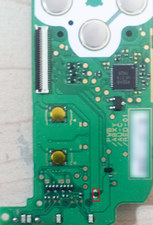
On the New 3DS XL the f2 fuse located on the daughterboard is for battery power.
1669461491876.png


Solution from ifixit.com (link above) :
Check your fuses, diodes; power circuitry. The fuses (in red) should have continuity, the diode (in blue) when tested with multimeter: red lead on output and black lead on input should be OL; reversing the leads should give 0.165V (Diode test mode). Also check the resistor values, and inspect the solder joints.
Block Image


The fuse for the battery power is located on the action buttons board (in red).
Block Image


Replacing the fuse or daugtherboard may fixe the issue in that case.

 
Last edited by Sypherone,
Yes, It might be a problem of a broken fuse, there are two on the motherboard located. Or the chargingchip might be corupted.

On the New 3DS XL the f2 fuse located on the daughterboard is for battery power.
View attachment 339992

Solution from ifixit.com (link above) :
Check your fuses, diodes; power circuitry. The fuses (in red) should have continuity, the diode (in blue) when tested with multimeter: red lead on output and black lead on input should be OL; reversing the leads should give 0.165V (Diode test mode). Also check the resistor values, and inspect the solder joints.
Block Image


The fuse for the battery power is located on the action buttons board (in red).
Block Image


Replacing the fuse or daugtherboard may fixe the issue in that case.
Hi, i finally got time to test, all the fuses and the diode seem to be working, The 68.5 res gives me 67.5, 1.13 gives me 1.2, 10 gives me 10.1 and the other 10k and the 2k ones are exact, i'm not a expert on this so i'm not sure if these ranges are normal or not
 
Hi, i finally got time to test, all the fuses and the diode seem to be working, The 68.5 res gives me 67.5, 1.13 gives me 1.2, 10 gives me 10.1 and the other 10k and the 2k ones are exact, i'm not a expert on this so i'm not sure if these ranges are normal or not
Resistor tolerance is usually +/- 5% so those seem to be about within spec.
If fuses are good, I guess that leaves the charging chip as the likely culprit. I thought it would still power on though.... but IDK.
 
Resistor tolerance is usually +/- 5% so those seem to be about within spec.
If fuses are good, I guess that leaves the charging chip as the likely culprit.
How would I test the charging chip? Althougt I feel it isn't that since it does turn on the LED when plugged
 
The powerboard or anything related to the charging wouldn't be my main concern here, especially since charging seemingly works (that could be verified with a multimeter, or roughly by measuring power consumption trying to charge an almost full battery compared to one below 50% of charge.

Maybe big N cheaped out here and omitted putting a protection (to the best of my very limited knowledge a diode should do it) against wrong polarity here. Their reason would be something like: "End user may not open device, inserting battery the wrong way is impossible without removing back cover."
This could have damaged one or more important chips on the motherboard, but troubleshooting this (finding the problem) probably requires deep knowledge in electronics.

Anyway, the easiest and fastest way to check if something on the powerboard is damaged, is simply using another one for testing.


I'm sorry that I can't do tests myself in this regard: 2|3DS hardware is too expensive to destroy some on purpose/for science. I might be able to connect a battery the wrong way to a dead DSi motherboard (NAND failure, but does still turn on to black screens).
 
The powerboard or anything related to the charging wouldn't be my main concern here, especially since charging seemingly works (that could be verified with a multimeter, or roughly by measuring power consumption trying to charge an almost full battery compared to one below 50% of charge.

Maybe big N cheaped out here and omitted putting a protection (to the best of my very limited knowledge a diode should do it) against wrong polarity here. Their reason would be something like: "End user may not open device, inserting battery the wrong way is impossible without removing back cover."
This could have damaged one or more important chips on the motherboard, but troubleshooting this (finding the problem) probably requires deep knowledge in electronics.

Anyway, the easiest and fastest way to check if something on the powerboard is damaged, is simply using another one for testing.


I'm sorry that I can't do tests myself in this regard: 2|3DS hardware is too expensive to destroy some on purpose/for science. I might be able to connect a battery the wrong way to a dead DSi motherboard (NAND failure, but does still turn on to black screens).
ngl i'd be willing to send it to you for science for free, boards are so expensive the only thing worth anything on this one are the screens
 
Related to this thread and other sources, the charging chip CKP TI 48W Z54P belongs to the BQ24072 family of Texas Instruments. Maybe someone experienced member can use this manual and the diagramms to get a clue how to check it as enduser. Or with help of this BQ24072* user guide that shows on site 5 a test procedere.
1671978145762.png
1671978271839.png


As info : Someone in the other thread replaced his dautherboard and the error was gone, but its not mentioned for sure if he checked the fuse first.
 
in case anyone cares: i killed my new3ds xl by putting battery the wrong way and it wont turn on anymore. checked all fuses and diods all are ok. then i took apart my second n3dxl and swapped power board and the dead 3ds turned on. so replacing daughter board solves this issue. you can order this board on aliexpress for about 20 bucks.by the way dont forget that nintendo poor quality assambly and parts as on every disassambly something brakes. this time i broke R button cable. so be very carefull
 
  • Like
Reactions: KleinesSinchen
in case anyone cares: i killed my new3ds xl by putting battery the wrong way and it wont turn on anymore. checked all fuses and diods all are ok. then i took apart my second n3dxl and swapped power board and the dead 3ds turned on. so replacing daughter board solves this issue. you can order this board on aliexpress for about 20 bucks.by the way dont forget that nintendo poor quality assambly and parts as on every disassambly something brakes. this time i broke R button cable. so be very carefull
Thank you so much for this information, i still haven't sold my dead N3dsxl so i'll try this approach and come back with results
 
  • Like
Reactions: KleinesSinchen
Hi!
No idea if you are still active on here, but I recently received a non functional n3dsxl which won't turn on. Without a battery plugged in, the orange charging light does come on for 5 second when the charger is plugged in, but no light shows up when a functioning battery is present.

I've tested the fuses and diode you pointed out and those seem to be good . most resistors also seem in range of the numbers you stayed, except the 68k resistor. this one basically has no resistance and the signal goes straight through.

Do you think replacing this resistor would be a good idea? Or has the shorting of this component likely caused a lot more damage across the board?

I'm somewhat new to this repairing stuff so I'm really quite at a loss here :')
 

Site & Scene News

Popular threads in this forum