Hacking WiiFlow - an open source GUI USB-Loader

  • Thread starter Thread starter zorglub07
  • Start date Start date
  • Views Views 3,099,498
  • Replies Replies 16,228
  • Likes Likes 6
^ Could anyone who uses multi-number plugins check to see if they're still working? Specifically mplayer, using one ini for standard video files, and one for iso files. When I try each ini separately, the path is saved. When I try them combined, the path isn't saved if I switch to a different plugin and then switch back.
tried your mplayerce magics by making some dummy iso files
no issues here:
al3j9g.jpg

loading the movies works fine,
loading the ISO black screens and goes back to wiiflow (ofc dummy files)
no select partition seen (movies and isos on fat32 partition) Wiiflow stuff on SD
 
Wondering if anyone knows what this might be from - I'm getting a 'DSI' error (crash to a text error screen) much more than I ever have before - I can try to write down the entire code if needed, wasn't sure if the DSI error was enough.

Its generally when browsing covers...but happens sometimes when editing flows. Wasn't sure if it's a memory thing or something else that I could adjust something to reduce the occurrence of. (Not frequent...but enough that it's annoying...)

And it always seems to reboot after the 10 seconds right back to wiiflow without an issue.
 
tried your mplayerce magics by making some dummy iso files
no issues here:
al3j9g.jpg

loading the movies works fine,
loading the ISO black screens and goes back to wiiflow (ofc dummy files)
no select partition seen (movies and isos on fat32 partition) Wiiflow stuff on SD


I have my vids on ntfs because some isos are over 4 GB. But I also tried dummies on a fat flashdrive, same problem.

So what else could I try? Every other plugin works just fine. Could it be an issue with my ntfs partition, or possibly an ios problem? I tried it on my wiiu as well, so I don't think it could be that. Also, I can't seem to combine views with different directoried plugins (NES on SD and PSX on USB1 won't combine, for instance)
 
So what else could I try? Every other plugin works just fine. Could it be an issue with my ntfs partition, or possibly an ios problem? I tried it on my wiiu as well, so I don't think it could be that. Also, I can't seem to combine views with different directoried plugins (NES on SD and PSX on USB1 won't combine, for instance)
I have all roms/ISO's on one USB FAT32 partition, never attempted to combine plugins that have their directories on different partitions. I'll try it out tonight when I get home from work if Abz doesn't beat me to it :P

Although I wouldn't recommend it regardless, if you have the space I would put everything on one partition if you want to use combined view with specific plugins.
 
  • Like
Reactions: ToddofWar420
Thanks for the continued work on this. I'm not sure exactly what, or who fixed it, but I always had trouble using the Triforce games via Wiiflow, I used the dedicated channels or USB Loader GX instead.
However, updating to Quadforce 3.0, the latest version of Wiiflow and the dummy covers from AbdullahTerro's pack, and now the Mario GP and F-Zero Ax work fine from within Wiiflow.
 
Okay, I finally got around to fixing the Neek2o plugin so that it would return properly to the hidden channel.

Download:
http://www.mediafire.com/?a20do8hsz9adoj2

You can now also run and return to channels outside the 00010001 folder. If it's one of the standard HAxx channels it should be able to distinguish where to look for it and if you want to be more specific, take the last hex digit on the folder and add it to the end of the TitleID being sent as an agrument

for example, if you were to want to tell it to boot the WiiFlow hidden channel, WIIH, you would tell it to boot WIIH8 since hidden channels are in the 00010008 folder (the full title ID would be 00010008-WIIH ) Also, if you leave the return to argument blank and just put two hyphens ( -- ) you can make it return to the system menu instead of the hidden channel.


That's what's new for now. I was trying my hand at a WAD Manager plugin and was getting some wierd linking errors and when trying to fix them I accidentally deleted my devkit. I'm taking that as a sign I need to go to bed so I'm publishing this and hitting the sack.
Goodnight World.

can this be used to boot triforce games if quadforce is installed to emunand?
 
Does it work w/o lag and sound errors. It's Mother's Day tomorrow but hopefully I have some time to mess around with it. I really want quadforce on e-NAND & DM on real NAND to work harmoniously w/o using Sneek-DI r196 which only allows for e-NAND on root.
 
A more practical way is to install the GP and AX channels on Emunand and launch them using neek2o option on, this way will allow the direct launch of both DM games from real mios and QF on uneek nand using the 00000008.app file as a solution that doesn't require mios installations.
Not sure about the sound issues can't test until QF works from USB, but until now I have no answer whether it's a problem of uneek2o, DM booter or QF. I hope to get an answer for this as a first step in the endeavor to fix the issue.
 
i dont think i've reported this issue before...but here it goes.

i'm not sure which rev this started happening, but every time i load a wii game, it pauses on the loading bar, its filled about 20% of the way and my hdd light is flashing like crazy. stays that way for about 5-6 minutes, then loads fine. i use emunand that is working fine.

im on latest d2x, always stay up to date with wiiflow. the issue is not present in other loaders, like gx or cfg. on the flip side i sometimes get this with emunand when its saves/reads save data with the other loaders.

i assume its just my hdd but if there is anything i can do to test out what is causing this id like some ideas.
 
i dont think i've reported this issue before...but here it goes.

i'm not sure which rev this started happening, but every time i load a wii game, it pauses on the loading bar, its filled about 20% of the way and my hdd light is flashing like crazy. stays that way for about 5-6 minutes, then loads fine. i use emunand that is working fine.

im on latest d2x, always stay up to date with wiiflow. the issue is not present in other loaders, like gx or cfg. on the flip side i sometimes get this with emunand when its saves/reads save data with the other loaders.

i assume its just my hdd but if there is anything i can do to test out what is causing this id like some ideas.

It's not your HDD cuz mine did that too. I believed it happened when the the Auto Ios was enabled. I think it's just going through till it finds which one it's compatiable with. If you set it to the right one (249, 250 ect.) which helps it load faster, then you can by pass the long wait. I set it to a few of my games and it runs just fine. If I'm wrong here, someone will correct me :)
 
it appears that auto cios is causing this issue im having. and there does not appear to be a way to disable it in the options.

maybe i will just delete the useless cios.

edit: just deleted all cios except for 249/250, still same issue. its like its seeking the game on the hdd.
 
it appears that auto cios is causing this issue im having. and there does not appear to be a way to disable it in the options.

maybe i will just delete the useless cios.

edit: just deleted all cios except for 249/250, still same issue. its like its seeking the game on the hdd.
The gameconfig.....ini files still could have some settings that mess up auto cios. Try deleting those first too.
 
Wiiflow gets the game info from the wiitdb.xml file so delete and re-d/load. If the problem persists it's probably a mistake in the wiitdb.xml file. Also make sure the ID6 for Project Zero 2 matches what gametdb has on their site.
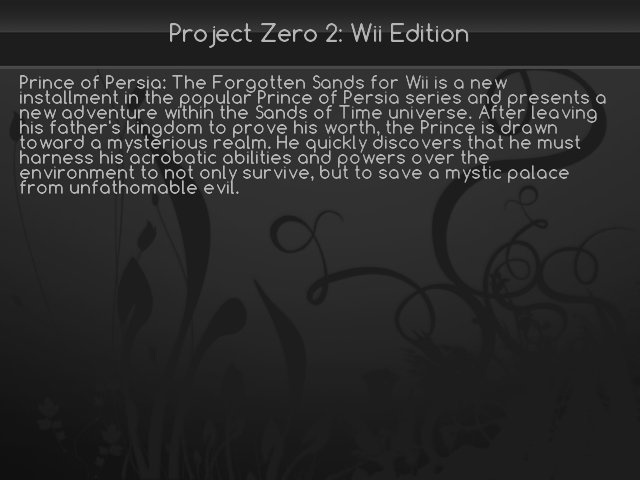
I deleted the old xml, downloaded a fresh one, went straight to Project Zero 2 and the info came up correct. I checked PoP info and rechecked Project Zero 2, it now shows the info of PoP again. I checked Punchout!! info then went back to Project Zero 2. now it shows Punchout!! info.
 
I could remember when alot of people were complaining about wiiflow being slow and buggy.
But from early wiiflow to wiiflow 4, there has been major improvements!
IMO, the compatibility is pretty close to CFG.
Dios Mios support works flawlessly,
Banner animations and nice styles,
Nand emulation and alot of other features (like plugins) has been added.
Well of course, you may stumble upon a few hiccups but hey, excellent work!:grog:
Now it feels like a balance between style and compatibility;)
 

Site & Scene News

Popular threads in this forum