Hardware wii u gamepad button weird issue

  • Thread starter Thread starter mitchjn
  • Start date Start date
  • Views Views 8,794
  • Replies Replies 14

mitchjn

Member
Newcomer
Joined
Jan 24, 2011
Messages
6
Reaction score
1
Trophies
0
XP
170
Country
United States
I'm curios if anyone has had any similar issues to this.

My wii u gamepads X button doesn't respond. The rubber pads were in good shape so I ordered the Conductive Film Key Button Ribbon replaced it and I am still having the same problem. I also noticed that when I play mario kart 8 it is still somehow being triggered automatically because when the race starts it switches to the reverse camera and I am unable to switch it back (X is the button for reverse camera).

My next guess is to make sure all the connections inside the controller are in good order otherwise I'm guessing I need to replace the mainboard but figured I would post a message here to see if anyone has ever had a similar experience.

Thanks

 
Dear mitchjn

I inform you that I have the same problem and that I can solve it. There are games that require that key and failed to play it. When I run the Homebrew Launcher it returns and it does not run.


And to run Loadiine I should turn off the gamepad and use the wii U pro controller.


I do the same with the mario kart 8.
I connected the game with PC with UsendMii and the key X is pressed constantly.

If you find any solutions please let me know.
 
Last edited by victorhidalgo,
Unscrew your Wii U, something got below your button.
I once had it but it fixed itself because i spilled champagne over it.
 
Unscrew your Wii U, something got below your button.
I once had it but it fixed itself because i spilled champagne over it.


Thats initially what I was thinking all it was. But have determined its more than this. I have even had the controller torn apart with the Conductive Film Key Button Ribbon disconnected and it still does it. So I'm thinking its something with the motherboard on the gamepad.
 
Last edited by mitchjn,
Check X button plate. If it's kinda mashed down then that's your issue.

No, its nothing to do with the buttons or the rubber pads behind them or the sensors behind them they are all clean. And I have even tested the controller with the ribbon cable disconnected from the part shown below for the buttons and somehow the X button is still being triggered.
 

Attachments

  • film.jpg
    film.jpg
    40.3 KB · Views: 404
Dear mitchjn:
I want to inform you of the problem, it is a false contact on the ribbon of the buttons.

Nintendo-Wii-U-Gamepad-button-casing-L-_1.jpg


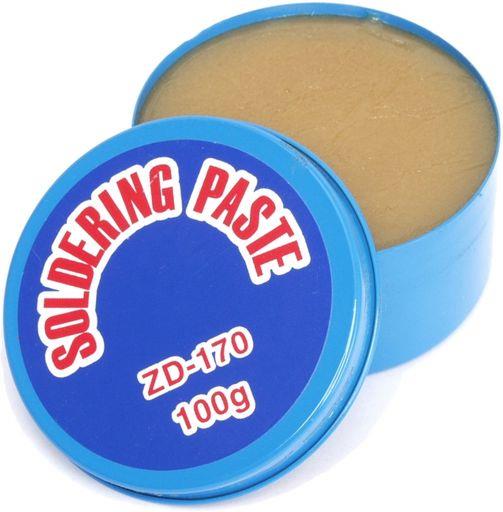
I used soldering paste on the terminals and reconnected them to the gamepad and solved the problem.

I hope this helps other people.
zd170.jpg
 
Dear mitchjn:
I want to inform you of the problem, it is a false contact on the ribbon of the buttons.

Nintendo-Wii-U-Gamepad-button-casing-L-_1.jpg


I used soldering paste on the terminals and reconnected them to the gamepad and solved the problem.

I hope this helps other people.
zd170.jpg

Im unsure if its the same for my case. Ive replaced the entire button ribbon and it still does it. I've even had the ribbon completely disconnected and turned the controller on and its like the X button is still being held down at all times.
 
i have the same probleme..i install batman orgin and failed to install..(wupinstaller) ..now my R trigger is stuck..i restard the wiiU and is working..now i install injustice (wupinstaller) install complete..R trigger is stuck..restart the wiiU 1000 times still stuck..reset wiiU delete all content still stuck..i think is a software problem..maybe mine console is brick..is update automatic..can someone help..
 
I heard, but I do not remember where, that when the console is updated the gamepad does not, it still has the original version of the software installed. But there is the console has inside the gamepad firmware.

There is a way to force the console to update the gamepad firmware, but I do not know how to do that.

This may be a solution.
 
I have the exact problem with the Z button which seems to be pressed all the time. I tested the button with a multimeter and it is working fine. Seems to be a software issue that likely happened after i started installing gamecube games. Havent found a solution to the problem though...
 

Site & Scene News

Popular threads in this forum