Hacking Weird error trying to run a backup

  • Thread starter Thread starter Cokeman999
  • Start date Start date
  • Views Views 3,437
  • Replies Replies 25

Cokeman999

Well-Known Member
Newcomer
Joined
Jan 26, 2008
Messages
58
Reaction score
0
Trophies
1
XP
78
Country
United States
I burned a backup of super paper mario (NTSC)using ImgBurn at 2.4x speed and another at 8x speed and neither worked..
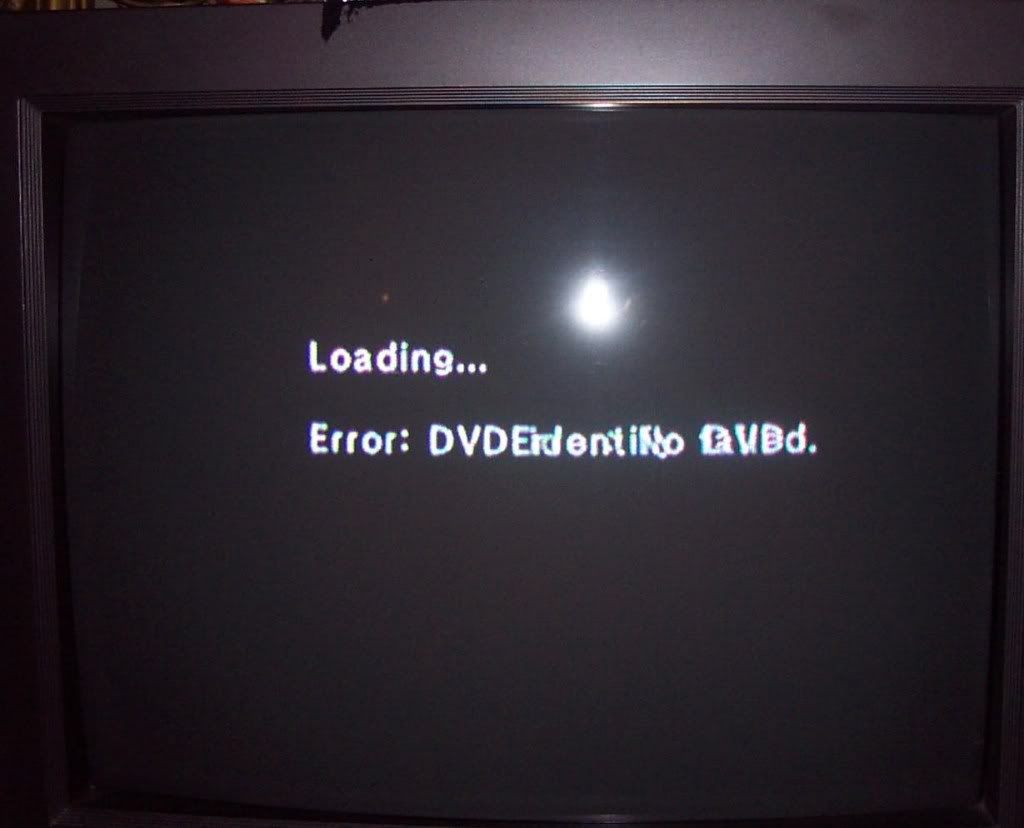
Here is the error it returned to me. I was using the wiigator backup launcher 0.3 and (hopefully) installed the CIOs
DCP_5222.jpg

Please help guys
thanks!
 
I got an error similar to that one when my cIOS was installed wrong (because I was trying to go for the dual loader set-up), basically I uninstalled all of my cIOS and started over with the install from the beginning. It worked correctly after that.
 
Cokeman999 said:
I used dvd+r
as for the iso, it is (said) to be the pefect size for a legit rom..
did you set the booktype to dvd-rom
the best is to use dvd-r or change the booktype to dvd-rom
 
I get that message the first time I try and run a backup, it doesn't seem to be a bad burn, or a bad ISO, because those same discs work for me after a few more tries.
Some things you can try are:
Ejecting, and reinserting the disc.
Exit the loader using the exit menu option, and try again.
Reset the wii.
And fiddling with the hook types, and the VIDTV setting.
 
hey guys..thanks for helping but I think I don't quite understand how to install the "correct" cIOS.. Can someone give me a link ..
Oh another thing.. I have dvdx installed as well..could that matter?
 
That error drove me up the wall for ages. In my experience it was down to media. Updating DVD driive firmware and using compatible DVD disks solved it....and the read-retry fix too
 
There are 2 different error messages because:
When the backuplauncher(Wiigators) tries to start a game, it tries his original/1:1 code first. If this fails it tries the code for decrypted copies. To keep it simple: the original/1:1 code returns(after trying the decrypted code): "Error: No DVD" and the code for decrypted copies returns: "Error: DVD identify failed.".

I know this doesn't help with the problem, it's just a (simple) explanation.
 

Site & Scene News

Popular threads in this forum