Gaming Want a gaming PC

Tonitonichopchop

Well-Known Member
Member
Joined
Dec 9, 2009
Messages
1,210
Reaction score
57
Trophies
1
XP
395
Country
United States
So yeah, I've finally broken down and realize I need a gaming PC for a variety of reasons. Chief among them being my current setup is outdated and slowly deteriorating, so basically I just want something a bit more high end. Here's a nice list of things I'm looking into and would like some help/advice on:

-Looking at spending up to $650 at max.
-Looking for pre-built, but I can build one if I have some sort of guide and it isn't too difficult (I'm an absolute computer N00B)
-Advice on maintenance and all that good stuff would be nice so it stays in top shape

And that's it really. Any help would be appreciated.
 
Guide.png
The above guide can help you think of what parts to look for. If you do decide to build the computer yourself, then you can draw directly from that guide and probably buy the parts from newegg.

You've not mentioned what games you want to play. If it's just minecraft and TF2, you can get by with very low-end graphics, whilst if you're aiming for Crysis, Battlefield or Modern Warfare series, you'll need mid-ranged graphics.

Maintenance is easy - every month or so clean the dust out of the case. Every year or so reinstall Windows from fresh, preferably wiping the boot drive at the same time. Always keep an anti-virus app active. Keep an eye on operating temperatures using an app like SpeedFan. That's about it.

Building computers is easy once you've done it for the first time. Open up the case, put the motherboard in, put the CPU in, put the heatsink on top, put the power supply in, put the drives in, connect all the cables (SATA, power and front panel connectors), put in the graphics card, put in the RAM (push down until the clips click into place), close the case, plug in the rest in the back, done. I've missed a couple steps, but it should be self evident. It's also almost entirely explained in the manual of the motherboard (and case).

I've not offered any advice on pre-built computers because they're priced higher than if you built it yourself... and because I'm not completely familiar with the American parts market.
 
I'm looking to run games through Dolphin at good speeds without slowdown. I'm also planning on getting some current gen games like Super Street Fighter IV and others. I also want it for HD video, and just general emulators like PS2 and Dreamcast (Which don't work on my current setup).
 
Okay, so here are the parts I've chosen. Please tell me if I should change/add something:

1 TB HDD (Any, I'll probably go with whatever is best)

Kingston 4GB 240-Pin DDR3 SDRAM DDR3 1333 (PC3 10600) Desktop Memory Model KVR1333D3N9/4G

COOLER MASTER Gladiator 600 RC-600-KKN1-GP Black SECC Body ; Mesh Front bezel ATX Mid Tower Computer Case

Antec NEO ECO 520C 520W Continuous Power ATX12V v2.3 / EPS12V 80 PLUS Certified Active PFC Power Supply

(Unsure for GPU. The guide wasn't brand specific so I could use suggestions here)

XIGMATEK Apache EP-CD903 92mm Sleeve CPU Cooler supports AM2 AM3 939 754 and LGA 1156

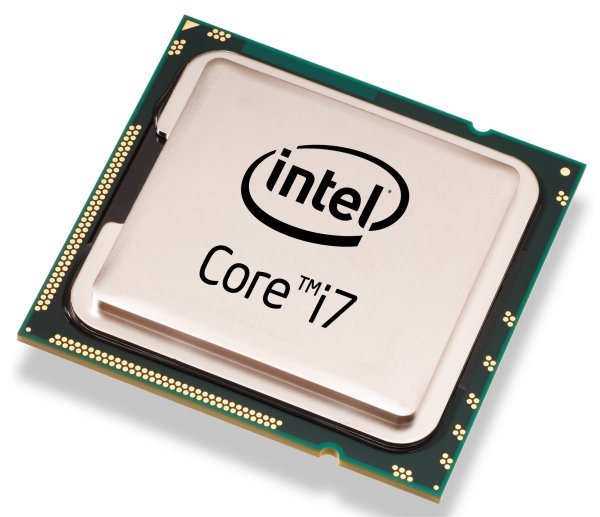
Intel Core i7-2600K Sandy Bridge 3.4GHz (3.8GHz Turbo Boost) 4 x 256KB L2 Cache 8MB L3 Cache LGA 1155 95W Quad-Core Desktop Processor BX80623I72600K

ASUS M5A97 AM3+ AMD 970 SATA 6Gb/s USB 3.0 ATX AMD Motherboard with UEFI BIOS

Grand total for all this (Excluding GPU): $635

Is there anywhere here I can cut corners for the setup I want? And what graphics card should I get?
 
Um...........

ASUS M5A97 AM3+ AMD 970 SATA 6Gb/s USB 3.0 ATX AMD Motherboard with UEFI BIOS
Is NOT compatible with Core i7-2600K. You need a motherboard with Socket 1155.

Here is one ---> http://www.amazon.com/Asus-P8H61-I-LGA1155...d/dp/B004W8EFWK

Here is my PC build, somewhat close to your budget

QUOTE said:
Intel Core i3-2100 3.1GHz
- $125.00 @ Amazon (Using stock fan)

ASUS P8H61-M Socket 1155 MicroATX
- $79.99 @ Amazon

Kingston ValueRAM DDR3 4GB x2
- $37.98 @ Amazon

XFX HD6770 ZNLC
- $119.99 @ Newegg (With $20 rebate and free Shogun 2 game)

Rosewill Green RG430-S12 430W with Rosewill Challenger ATX case combo
- $79.99 @ Newegg

Western Digital 1TB Caviar Blue
- $59.99 @ Amazon

Third party DVD Burner
- $21.00 @ Amazon

Windows 7 Home Premium OEM Build
- $99.99 @ Amazon

With a budget of $650, you pretty much have to go with DIY. No prebuilt computer with a price tag of around $650 can do decent gaming.
 
Yeah, this is pretty much why I asked these questions. Don't want make a mistake like I just could have, so anyone can feel free to point out if something is wrong since I'm bound to make mistakes.

@trumpet-205: Thanks for the suggestion. What about a graphics card though?
 
Tanveer said:
Well, you have a pretty tight budget.. but for graphics card, I would suggest nvidia gtx 560 Ti.

I might be able to go a bit over... but these parts might not be so good by the time I can, it depends really.
 
QUOTE said:
XFX HD6770 ZNLC
- $119.99 @ Newegg (With $20 rebate and free Shogun 2 game)

This is my graphics card. I want to get HD6850, but it's a bit pricey for me right now. I might upgrade later. What's your screen size (resolution)?
 
Tonitonichopchop said:
Intel Core i7-2600K Sandy Bridge 3.4GHz (3.8GHz Turbo Boost) 4 x 256KB L2 Cache 8MB L3 Cache LGA 1155 95W Quad-Core Desktop Processor BX80623I72600K

Is there anywhere here I can cut corners for the setup I want? And what graphics card should I get?

You don't need a i7 for what you want to do with your PC, I would go for a i5 2500k build if I were you.
 
Recommending any type of thermal paste to someone who has never built a computer before isn't really sensible.

As mentioned, you don't need a Core i7-2600K. I doubt you'll be overclocking, so I'd actually recommend the Core i5-2400 and a H61 motherboard (H61, H67, P67 and Z68 are the chipsets compatible with second-gen Core i5/i7 series). For the RAM get the cheapest available ($35 I believe).

For the graphics, I would say minimum GTX 550 or HD 5770 to play all games maxed out. Then go a model or 2 higher if budget allows.

For the HDD, I recommend 1TB Samsung Spinpoint F3. Samsung and WD make good HDDs.
 
If he's not overclocking then the stock heatsink with pre-applied paste will be just fine.
 
Stock fan already has thermal paste. Only get thermal paste if you buy a third party heatsink.

Stock fan for regular user, third party heatsink for overclocker.

Givens OP budget, I'm not sure if OP will benefit from Core i5's two extra physical core. Especially OP wants to run Dolphin and PCSX2, which both softwares do not support physical quad core yet (and from what I've heard, no plan for quad core anytime soon.).
 

Site & Scene News

Popular threads in this forum