

I used FFmpeg to convert but it has video and sound errors when playing on Nintendo DSi.
command line:
ffmpeg -i %1 -f mp4 -vf "fps=24000/1001, colorspace=space=ycgco rimaries=bt709:trc=bt709:range=pc:iprimaries=bt709:iall=bt709, scale=256:144" -dst_range 1 -color_range 2 -vcodec libxvid -profile:v 0 -level 8 -q:v 0 -maxrate 1536k -acodec aac -ar 48k -b:a 64k -ac 1 -slices 1 -g 50 %2
But the video and audio were broken when playing.
I continued to use my friend's computer to render the video, but the error was worse, everything was fine only when I used the computer at the internet cafe to render the video. All 3 times the video was rendered using the same FFmpeg command.
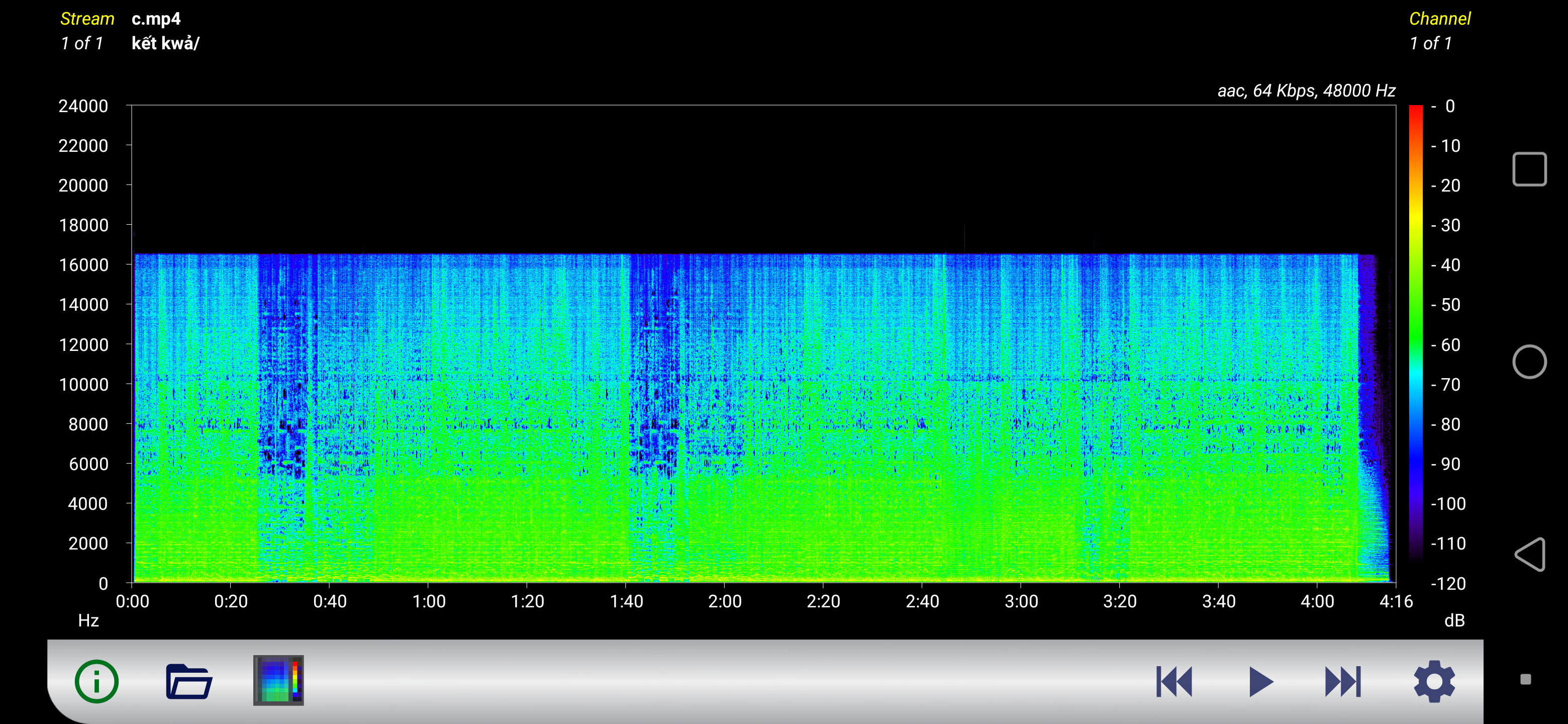
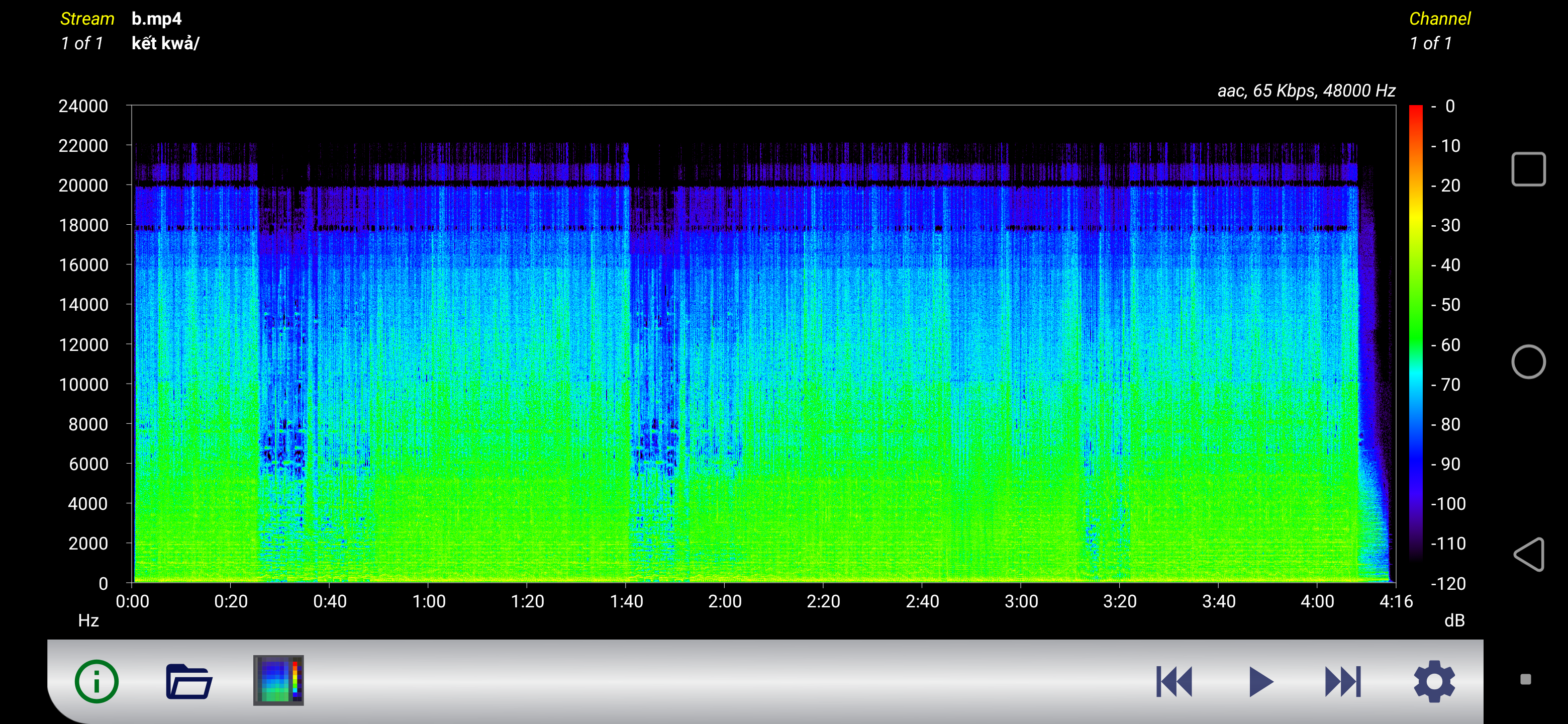
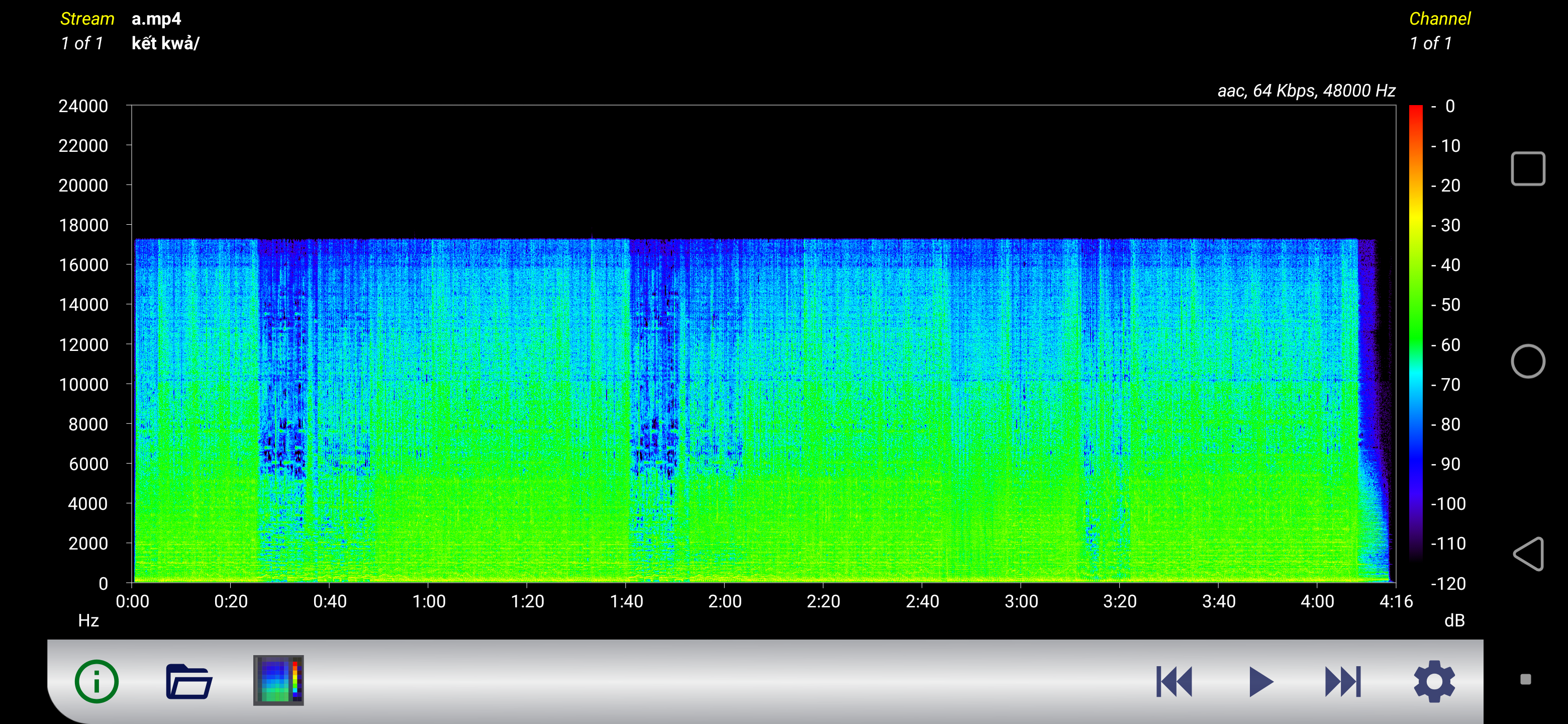
It seems that the error lies in the audio encoding process.
It seems that the original AAC codec version (specified with the FFmpeg command "-acodec aac") is different on each platform/device.
notes:
A: my smartphone
B: my friend's computer
C: computer at the internet cafe
command line:
ffmpeg -i %1 -f mp4 -vf "fps=24000/1001, colorspace=space=ycgco
rimaries=bt709:trc=bt709:range=pc:iprimaries=bt709:iall=bt709, scale=256:144" -dst_range 1 -color_range 2 -vcodec libxvid -profile:v 0 -level 8 -q:v 0 -maxrate 1536k -acodec aac -ar 48k -b:a 64k -ac 1 -slices 1 -g 50 %2But the video and audio were broken when playing.
I continued to use my friend's computer to render the video, but the error was worse, everything was fine only when I used the computer at the internet cafe to render the video. All 3 times the video was rendered using the same FFmpeg command.
It seems that the error lies in the audio encoding process.
It seems that the original AAC codec version (specified with the FFmpeg command "-acodec aac") is different on each platform/device.
notes:
A: my smartphone
B: my friend's computer
C: computer at the internet cafe
Last edited by FamVanHa,