Unity For 3ds Game Crashes Upon Start

  • Thread starter Thread starter Foxils
  • Start date Start date
  • Views Views 4,149
  • Replies Replies 12

Foxils

New Member
Newbie
Joined
Mar 5, 2023
Messages
1
Reaction score
0
Trophies
0
Age
26
XP
47
Country
United States
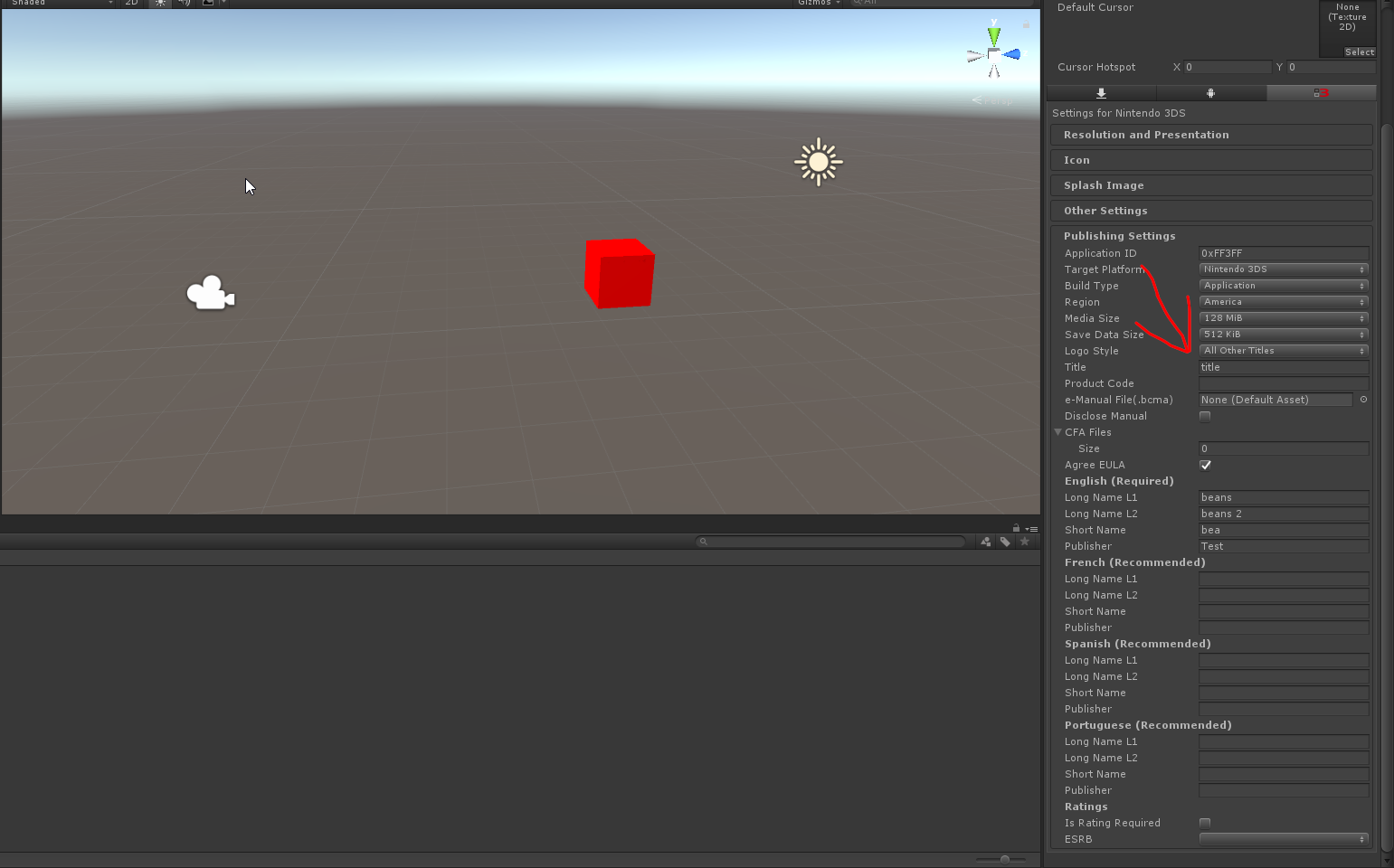
I built an EXTREMELY simple 3d unity scene with unity 3ds shown below which I then built to a cci and converted to cia and installed with gm9.
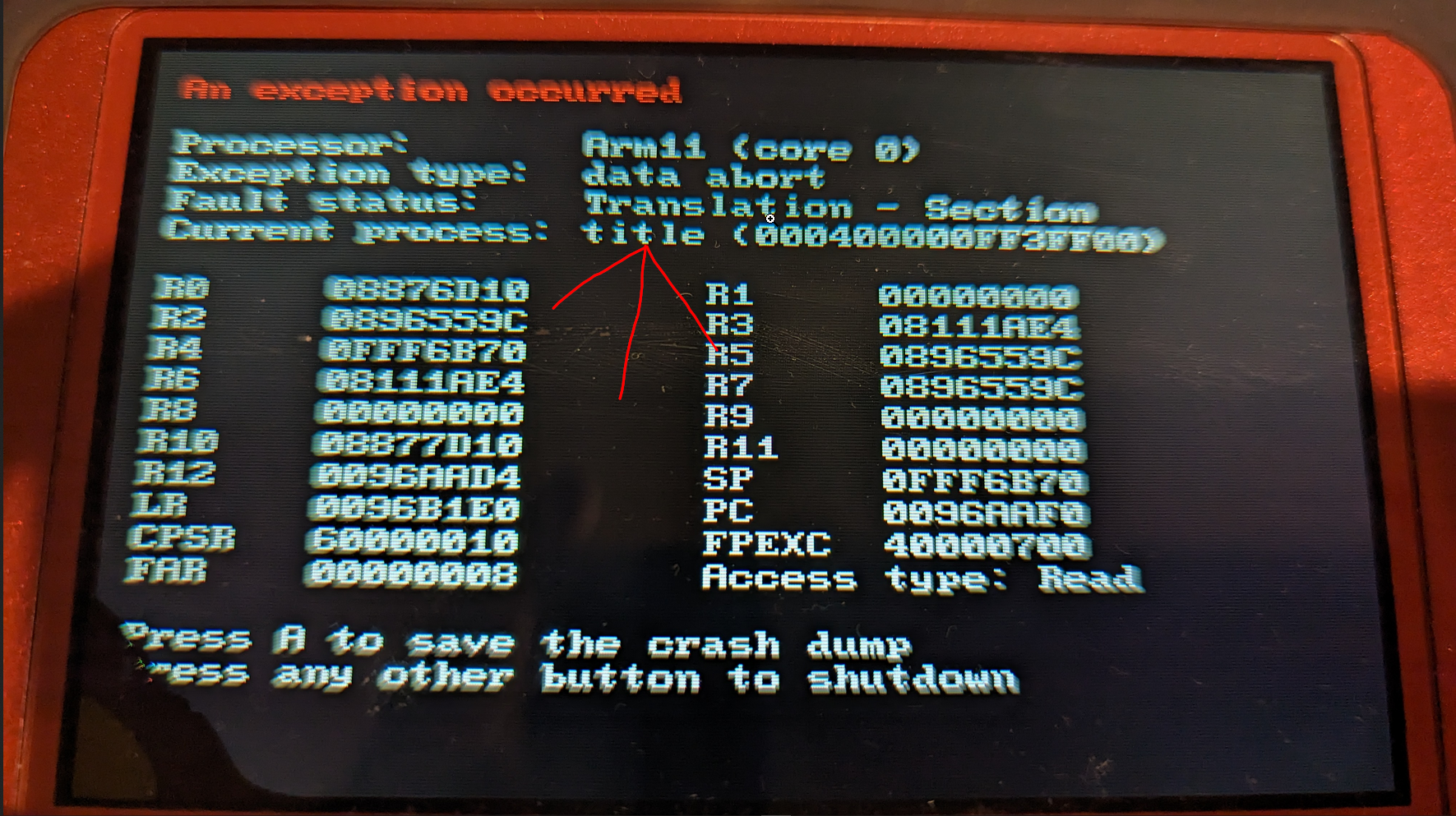
Upon opening the game it crashes after the "Nintendo 3ds" screen with the game title as the current process.
The cci also crashes in Citra emulator.
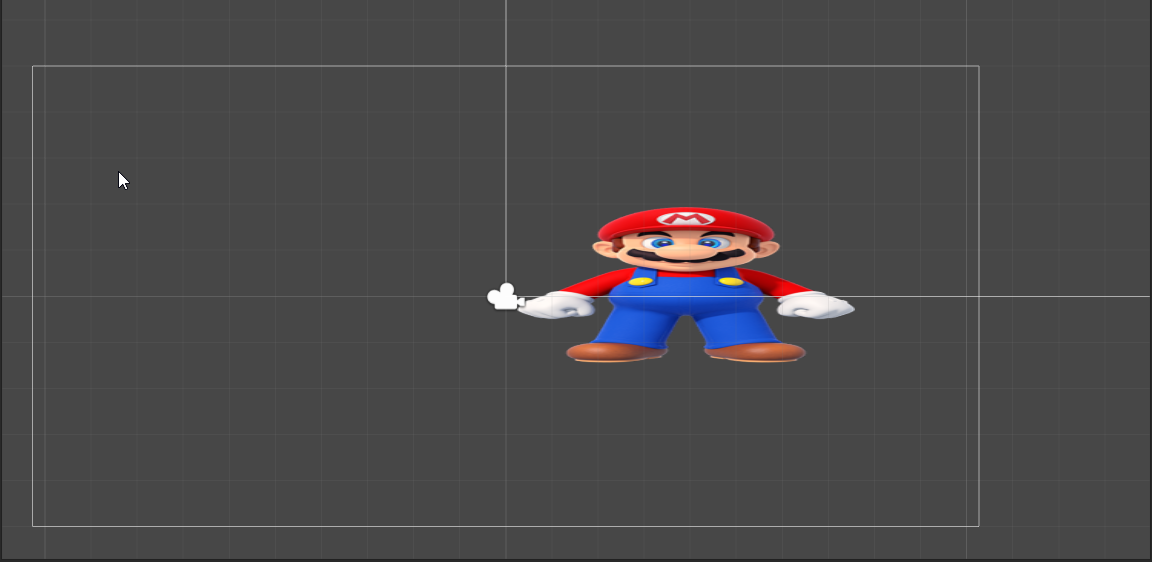
The odd thing is that if I try a 2d untiy scene the game loads in both the 3ds and with the citra emulator.
I am genuinely confused here and would like some help from this community :D
1678046840115.png
1678047137638.png
1678047558513.png
2d scene, 1st video is 3d scene and 2nd is 2d scene with Citra.

 
If you can figure out why it's crashing, please do tell. I'm currently doing the exact same thing with a 3d scene in Citra, and refuses to install as a .cia on my 3ds
 
I also had this issue earlier and have found a solution!

I think there was a problem with the default shaders? And I think them being a bit too much for the 3ds to handle.
The solution ended up, at least for me, a sample scene for the 3ds that i found in the editor.
Assets > Import Package > TerrainExample
1680809161310.png

Post automatically merged:

Did anyone find a solution to this problem? I have the same issue
If you can figure out why it's crashing, please do tell. I'm currently doing the exact same thing with a 3d scene in Citra, and refuses to install as a .cia on my 3ds
I also had this issue earlier and have found a solution!

I think there was a problem with the default shaders? And I think them being a bit too much for the 3ds to handle.
The solution ended up, at least for me, a sample scene for the 3ds that i found in the editor.
Assets > Import Package > TerrainExample
1680809161310.png
 
  • Like
Reactions: jeffyTheHomebrewer
If you can figure out why it's crashing, please do tell. I'm currently doing the exact same thing with a 3d scene in Citra, and refuses to install as a .cia on my 3ds
Cias are broken, uncheck the cia option and build it to .cci, and then install the cci through godmode9
 
what shaders are you using on the cube? and what is the resolution of the mario texture? maximum is 1024, above that the 3DS crashes. and also when you overfill the VRAM then it also breaks (so you shouldnt use high texture resolutions like 1024 since they use too much vram)
 
Hello, make sure you are using the shaders from the list below. The N3DS and 3DS use a Pica200 GPU it is compatible with Open GL ES 1.1 with some very limited functionality for 2.0.

what does that mean?
You have to use shader that where made before the GL 2.0 model which excludes most fragment shaders. AkA Unity's default shaders. Instead use...
  • Mobile/Unlit (Supports Lightmap)
  • Mobile/Particles/Additive
  • Mobile/Particles/Alpha Blended
  • Mobile/Particles/VertexLit Blended
  • Mobile/Particles/Multiply
  • Mobile/VertexLit
  • Legacy Shaders/Transparent/VertexLit
  • Legacy Shaders/Transparent/Cutout/VertexLit
  • Legacy Shaders/Lightmapped/VertexLit
  • Legacy Shaders/VertexLit
The basic rule is they must be shaders written as a fixed function shaders ( old unity 4 - 3 ) shaders / texture combiner shaders.

the List above should be ok for most simple projects..least to get your feet wet.

I should also warn you that its better to test on actual hardware than Citra. I have seen stuff work in Citra that dose not on the hardware. Also I notice that my tests have run much faster on hardware than Citra. A modified N3DS or N2DS with the FTPD software makes testing quick work. That said to get started and see if you want to dig deeper into development citra is a good start.

To answer the Texture question, yes the N3DS can handle up to 1024 that said you really want to be aiming more for a few 512's but more 256 and lower. The N3DS and N2DS only have 6MB of active Vram split between each screen so yeah that 3MB each. Now there is Device and system Memory which also is used for some texture storage but it is slower than the Vram. Now bare in mind when I say 6mb its 6 active mb so as long as your optimization conscious and turning stuff off when its not on screen you can pull it off. Also remember that the device your making a game for has a pair of small screen. Top: 400 x 240 and a Bottom: 320 x 240 you'd be surprised how much 256 gets you. Also make sure to use Nintendo's texture override settings to get Nintendo's texture compression format. it is magic at compressing textures. ETC 4 and 8 bit are the best choices.

hope this helps :)

oh and final note, Nice to see other people messing around with unity for the 3ds other than myself.

 
Last edited by Vasonic,
Hello, make sure you are using the shaders from the list below. The N3DS and 3DS use a Pica200 GPU it is compatible with Open GL ES 1.1 with some very limited functionality for 2.0.

what does that mean?
You have to use shader that where made before the GL 2.0 model which excludes most fragment shaders. AkA Unity's default shaders. Instead use...
  • Mobile/Unlit (Supports Lightmap)
  • Mobile/Particles/Additive
  • Mobile/Particles/Alpha Blended
  • Mobile/Particles/VertexLit Blended
  • Mobile/Particles/Multiply
  • Mobile/VertexLit
  • Legacy Shaders/Transparent/VertexLit
  • Legacy Shaders/Transparent/Cutout/VertexLit
  • Legacy Shaders/Lightmapped/VertexLit
  • Legacy Shaders/VertexLit
The basic rule is they must be shaders written as a fixed function shaders ( old unity 4 - 3 ) shaders / texture combiner shaders.

the List above should be ok for most simple projects..least to get your feet wet.

I should also warn you that its better to test on actual hardware than Citra. I have seen stuff work in Citra that dose not on the hardware. Also I notice that my tests have run much faster on hardware than Citra. A modified N3DS or N2DS with the FTPD software makes testing quick work. That said to get started and see if you want to dig deeper into development citra is a good start.

To answer the Texture question, yes the N3DS can handle up to 1024 that said you really want to be aiming more for a few 512's but more 256 and lower. The N3DS and N2DS only have 6MB of active Vram split between each screen so yeah that 3MB each. Now there is Device and system Memory which also is used for some texture storage but it is slower than the Vram. Now bare in mind when I say 6mb its 6 active mb so as long as your optimization conscious and turning stuff off when its not on screen you can pull it off. Also remember that the device your making a game for has a pair of small screen. Top: 400 x 240 and a Bottom: 320 x 240 you'd be surprised how much 256 gets you. Also make sure to use Nintendo's texture override settings to get Nintendo's texture compression format. it is magic at compressing textures. ETC 4 and 8 bit are the best choices.

hope this helps :)

oh and final note, Nice to see other people messing around with unity for the 3ds other than myself.
I've been playing with the 3DS sdk lately and I'm not so sure that's the issue here as I'm facing the same thing with just an empty scene. Built with 5.6.6f2 + SDK 1.3.0 and 2017.2.5f1 + SDK 2.0.1 (both latest versions of Unity for 3DS). On new 3ds the .cia work just fine, but on old 3ds it always give the read memory issue.
 
I might have found out why it was crashing on my old 3ds.

Go to Project settings > Quality, and set the project quality to "Fastest"

I tried with the terrain sample scene and it runs without crashing (I believe it's because Unity for 3ds doesn't support shadows and the unity project quality is set to fantastic by default, which has shadows enabled)
 
I might have found out why it was crashing on my old 3ds.

Go to Project settings > Quality, and set the project quality to "Fastest"

I tried with the terrain sample scene and it runs without crashing (I believe it's because Unity for 3ds doesn't support shadows and the unity project quality is set to fantastic by default, which has shadows enabled)
N3DS has fastest as default quality settings. Not really a fix for old 3ds unfortunately…
 

Site & Scene News

Popular threads in this forum