ROM Hack Trouble Understanding Font Graphics File Format

  • Thread starter Thread starter Yousurname
  • Start date Start date
  • Views Views 1,168
  • Replies Replies 8

Yousurname

Member
Newcomer
Joined
Feb 27, 2025
Messages
11
Reaction score
6
Trophies
0
Website
yousurname.itch.io
XP
402
Country
United States
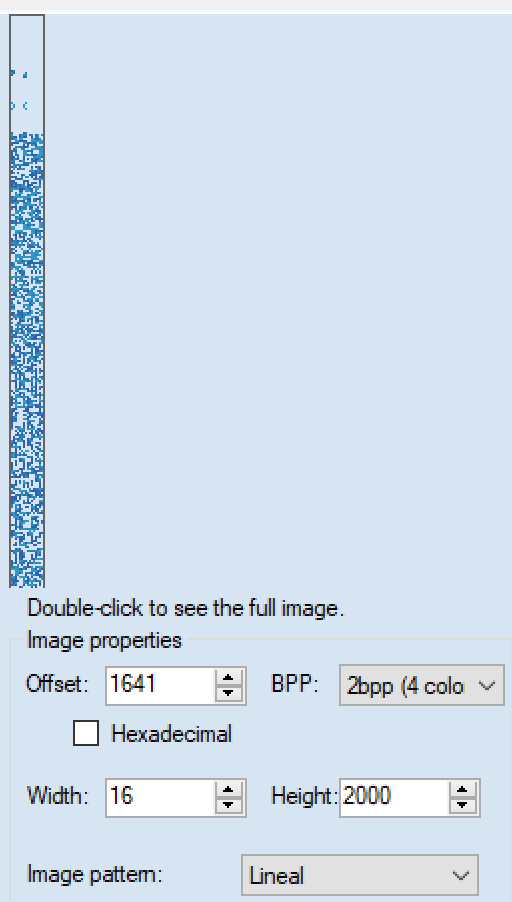
I'm trying to use Tinke to edit the font graphics of a game (Pokémon + Nobunaga no Yabou, the original Japanese version of Pokémon Conquest) for translation purposes. According to this post, it's stored in overlay9_11 (not sure if it's all the fonts or just the most common one), but I don't know how the file is formatted (the image attached in that post may have helped). The file seems to start with some header data, then a list of all the characters supported (in the Shift JIS encoding). After that seems to be the font graphics, or at least something that resembles the graphics for the first three characters ( , 、, and 。), and then what appears to be garbage data. The graphics seem to be either 1bpp or 2bpp.

Font graphics displayed with 1bpp:
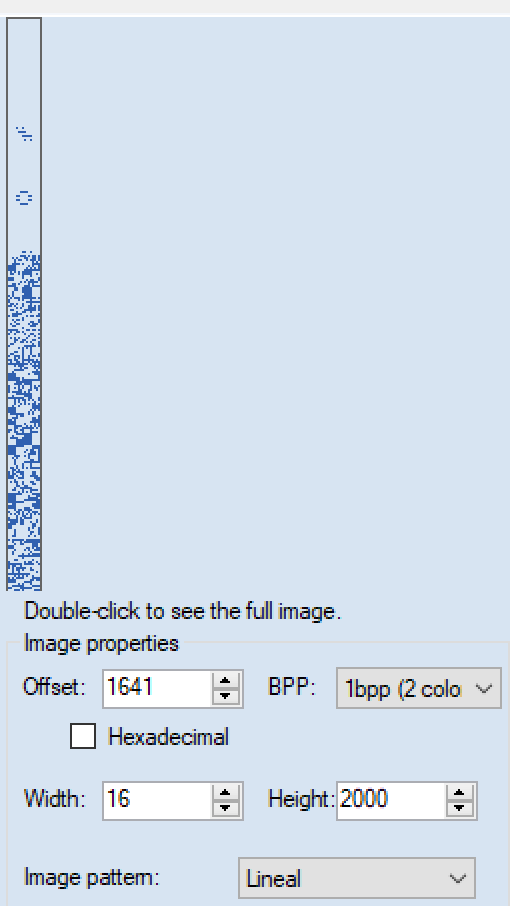
1740616042576.png


Font graphics displayed with 2bpp:

1740616066985.png
 
Last edited by Yousurname,
That likely won't help because the file does not have a file extension and does not seem to be in the NTFR file format (does not start with the required header information).
 
I don't know about the Japanese version of the game, but for the US and EUR regions, the game has 3 fonts. Small and regular fonts are in the overlay 10, the large font is in overlay 11.

The overlay files are executable files, that are loaded into memory with program code. They don't have any specific format, it's code data which is game specific, and there is actual game assembly code before the font data.

In the case of these two regions (again, the Japanese version is probably different), the font structure is as follows:

- Game code (related to font loading)
- Map table (glyph <-> character)
- Glyph images

[TABLE=full]
[TR]
[TH]Font / Parameter[/TH]
[TH]Small[/TH]
[TH]Regular[/TH]
[TH]Large[/TH]
[/TR]
[TR]
[TD]Overlay file[/TD]
[TD]10[/TD]
[TD]10[/TD]
[TD]11[/TD]
[/TR]
[TR]
[TD]Glyph width[/TD]
[TD]8[/TD]
[TD]10[/TD]
[TD]14[/TD]
[/TR]
[TR]
[TD]Glyph height[/TD]
[TD]11[/TD]
[TD]14[/TD]
[TD]19[/TD]
[/TR]
[TR]
[TD]Bits per pixel (bpp)[/TD]
[TD]1[/TD]
[TD]1[/TD]
[TD]2[/TD]
[/TR]
[TR]
[TD]Glyph count[/TD]
[TD]209[/TD]
[TD]209[/TD]
[TD]209[/TD]
[/TR]
[TR]
[TD]Map offset[/TD]
[TD]0x87D8[/TD]
[TD]0x897C[/TD]
[TD]0x28[/TD]
[/TR]
[TR]
[TD]Glyphs offset[/TD]
[TD]0x8B20[/TD]
[TD]0x94EC[/TD]
[TD]0x1CC[/TD]
[/TR]
[/TABLE]

The map table is a list of shift-jis little-endian codepoints (16-bits) for each of the glyphs in the font, in the order of the font glyphs.
The glyph data format is: 1 byte with the character width (for variable width, probably not present in the Japanese version), followed by the image data.

Unfortunately, I don't think you will be able to edit them with Tinke. Export should be easy, I think you only need to change the width in Tinke to 11, 14 or 19.
I did a custom tool to export and import these fonts for our Spanish translation. I plan to make the tool public available, including its source code, as soon as we release our translation project. We hope to finish it in the next few months (we are in the last testing phase) :)
 
  • Like
Reactions: Yousurname
@pleonex Thank you so much for your response. I checked the US version and it seems that the map and glyphs offset for the small and regular font are wrong (or I'm doing something wrong) as overlay9_10 only goes up to 0x7053. Instead, there seems to be a map table starting at 0x4D58. For the large font, everything past the space character glyph still just looks like garbage data to me, and changing the width did not help. Maybe I'm interpreting the glyph image data wrong?
 
By decompressing the overlay files, I was able to gather this information for the Japanese version (but was unable to locate the tiny font):

[TABLE=full]
[TR]
[TH][/TH]

[TH]Tiny (Furigana)[/TH]
[TH]Small[/TH]
[TH]Medium[/TH]
[TH]Thin (ASCII)[/TH]
[TH]Regular[/TH]
[TH]Large[/TH]
[/TR]
[TR]
[TD]Overlay file[/TD]
[TD]?[/TD]
[TD]10[/TD]
[TD]10[/TD]
[TD]10[/TD]
[TD]10[/TD]
[TD]11[/TD]
[/TR]
[TR]
[TD]Glyph width[/TD]
[TD]6?[/TD]
[TD]8[/TD]
[TD]10[/TD]
[TD]6[/TD]
[TD]12[/TD]
[TD]16[/TD]
[/TR]
[TR]
[TD]Glyph height[/TD]
[TD]6?[/TD]
[TD]8[/TD]
[TD]10[/TD]
[TD]12[/TD]
[TD]12[/TD]
[TD]16[/TD]
[/TR]
[TR]
[TD]Bits per pixel (bpp)[/TD]
[TD]1[/TD]
[TD]1[/TD]
[TD]1[/TD]
[TD]1[/TD]
[TD]1[/TD]
[TD]2[/TD]
[/TR]
[TR]
[TD]Glyph count[/TD]
[TD]89?[/TD]
[TD]179[/TD]
[TD]268[/TD]
[TD]70[/TD]
[TD]800 (462 kanji)[/TD]
[TD]798 (460 kanji)[/TD]
[/TR]
[TR]
[TD]Map offset[/TD]
[TD]?[/TD]
[TD]0x890C[/TD]
[TD]0x8A74[/TD]
[TD]0x8880[/TD]
[TD]0x949C[/TD]
[TD]0x2C[/TD]
[/TR]
[TR]
[TD]Glyphs offset[/TD]
[TD]?[/TD]
[TD]0x8F04[/TD]
[TD]0x9ADC[/TD]
[TD]0x8C8C[/TD]
[TD]0xA878[/TD]
[TD]0x668[/TD]
[/TR]
[/TABLE]

The character width byte is not present in any fonts.
 
Last edited by Yousurname,
@pleonex Editing the font seems to work fine, but adding characters makes the game crash. I assume I need to change the glyph count stored somewhere. Would you happen to know where the glyph count (and possibly glyph width and height) are stored?
 
After some more investigating, I was able to uncover additional font data (for the Japanese version):

Furigana​
Small​
Thin Medium​
Medium​
Thin​
Regular​
Large​
Filearm9.binoverlay9_10overlay9_10overlay9_10overlay9_10overlay9_10overlay9_11
File offset0x20040000x22272600x22272600x22272600x22272600x22272600x2227260
Glyph width6851061216
Glyph height581010121216
Bits per pixel1111112
Glyph count831791826870800798
Map offset0xABFCC0x890C0x87DC0x8A740x88800x949C0x2C
Glyphs offset0xAC0740x8F040x88000x9ADC0x8C8C0xA8780x668
Glyph count value offset0x809A4 (within mov)0xB8 (within mov)0x90 (within mov)0x68 (within mov)0x40 (within mov)0x18 (within mov)0x28 (literal)
Map pointer offset0x809AC0xC00x980x700x480x200x20
Glyphs pointer offset0x809B00xC40x9C0x740x4C0x240x24
Glyph width value offset (arm9.bin)0xABF14
0xABF20
0xABF2C
0xABF38
0xABF300xABF280xABF240xABF10
0xABF1C
0xABF34
0xABF0C0xABF18
Glyph height value offset (arm9.bin)0xABFA4
0xABFB0
0xABFBC
0xABFC8
0xABFC00xABFB80xABFB40xABFA0
0xABFAC
0xABFC4
0xABF9C0xABFA8
BPP value offset (arm9.bin)0xABF44
0xABF50
0xABF5C
0xABF68
0xABF600xABF580xABF540xABF40
0xABF4C
0xABF64
0xABF3C0xABF48
 
  • Like
Reactions: pleonex

Site & Scene News

Popular threads in this forum